Join the #BuildWithBuildAgent Challenge! Get recognized, earn exclusive swag, and inspire the ServiceNow Community with what you can build using Build Agent.  Join the Challenge.

How to set 'Ascending' order of data of a chart in report of Dashboard

jimin han
Kilo Contributor

Hi, I'm making a chart of in report.

In this task, I have a question, Where can I set the order of data in X-axis

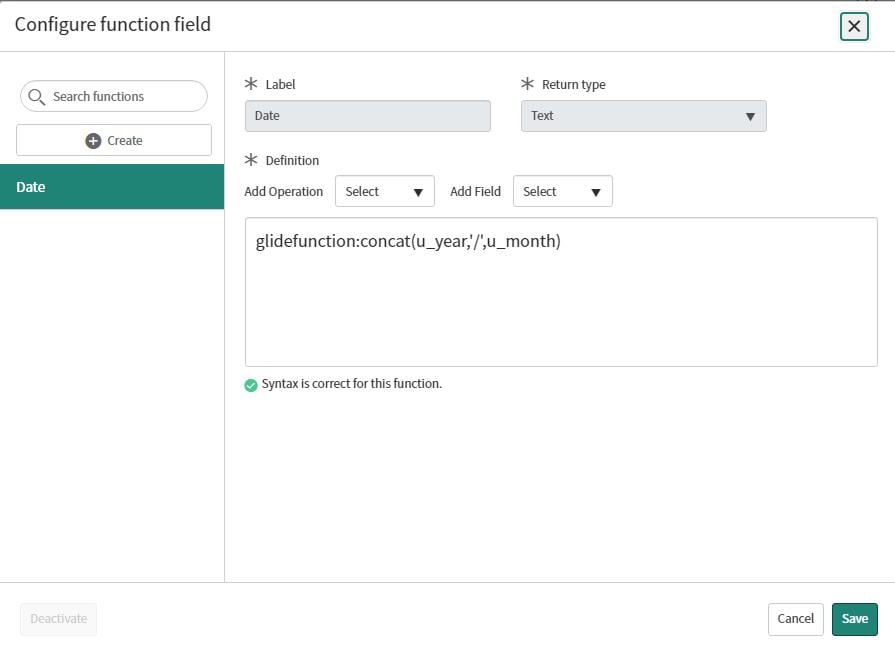
I set data of the X-axis for function field I made

I want to set order of the datas to ascending order (current setting is a descending order)


find_real_file.png

find_real_file.png

1 REPLY 1

Vasantharajan N
Tera Sage
Tera Sage

Click on the filter icon on the screen 

find_real_file.png

then click on "Add Sort" then select the field and type (ASC or DESC) of sort.

find_real_file.png


Thanks & Regards,
Vasanth