- Mark as New
- Bookmark
- Subscribe
- Mute
- Subscribe to RSS Feed
- Permalink
- Report Inappropriate Content
08-09-2017 03:56 AM
how to set numeric value for a variable in service catalog like mobile number...
Solved! Go to Solution.
- Mark as New
- Bookmark
- Subscribe
- Mute
- Subscribe to RSS Feed
- Permalink
- Report Inappropriate Content
08-09-2017 10:50 PM
You can use this an onchange client script to only accept numeric. If user is trying to write non numeric value then error occurs: Please enter numeric values only in the phone number field
function onChange(control, oldValue, newValue, isLoading) {
if (!isLoading) {
if(newValue != '') {
//check to see if there are any non numeric characters in the string
if(isNaN(newValue) == true) {
alert("Please enter numeric values only in the phone number field");
g_form.setValue('phone_number', '');
}
}
}
}
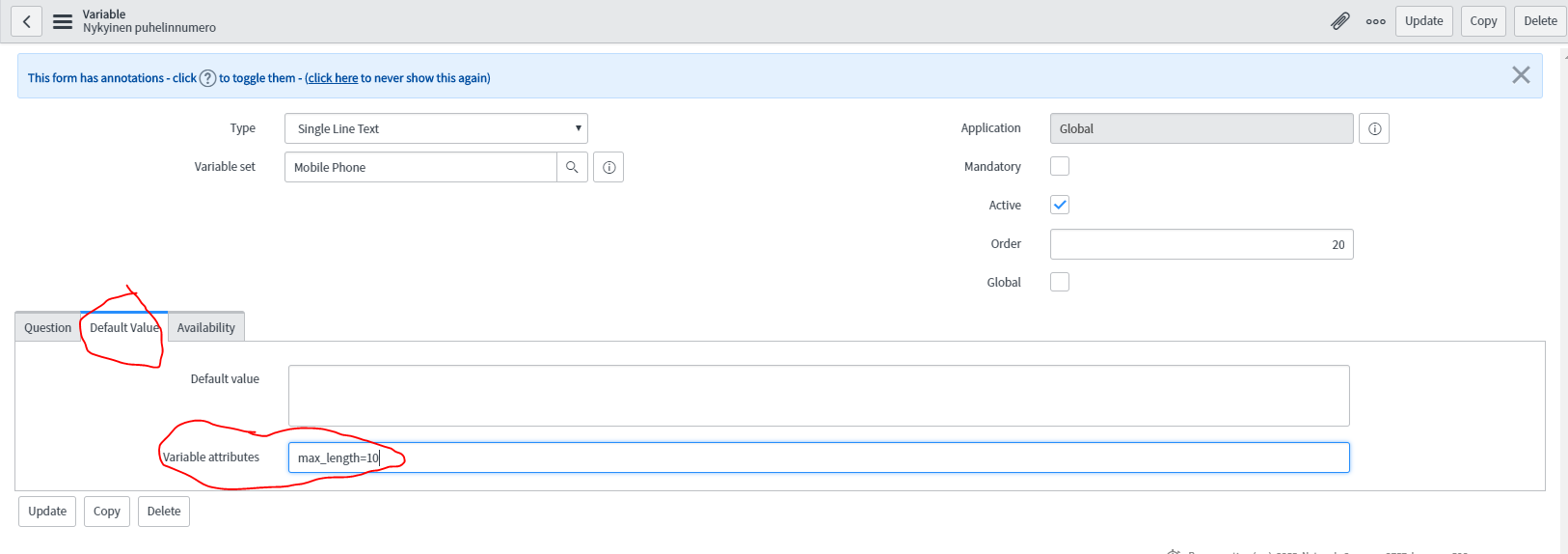
And you can set max lenght to 10 from variable's default value field -> Variable attributes : max_lenght=10

Thanks,
Joonas
please like or mark correct based on the impact of response

- Mark as New
- Bookmark
- Subscribe
- Mute
- Subscribe to RSS Feed
- Permalink
- Report Inappropriate Content
08-09-2017 03:59 AM
Hi Varun,
If you are looking for the users to enter only numeric values then have a look at this.
Numeric Characters only - Service Catalog Item
- Mark as New
- Bookmark
- Subscribe
- Mute
- Subscribe to RSS Feed
- Permalink
- Report Inappropriate Content
08-09-2017 04:03 AM

- Mark as New
- Bookmark
- Subscribe
- Mute
- Subscribe to RSS Feed
- Permalink
- Report Inappropriate Content
08-09-2017 04:00 AM
We dont have a variable of type integer.
so Use a string type field in conjunction with a catalog client script to limit this field to numbers. Replace <your variable> below:
Type: OnChange Catalog Client Script
function onChange(control, oldValue, newValue, isLoading) {
if (!isLoading) {
if (newValue != '') {
//get the integer value of the field
var nbrwn = g_form.getIntValue('<your variable>');
//check to see if there are any non numeric characters in the string
if ((isNaN(newValue) == true) || (nbrwn < 0)) {
alert("This field should contain a whole number 0, 1, 2, 3, ... (and so on)");
g_form.setValue('<your variable>', '');
}
}
}
}
please like or mark correct based on the impact of response
- Mark as New
- Bookmark
- Subscribe
- Mute
- Subscribe to RSS Feed
- Permalink
- Report Inappropriate Content
08-09-2017 04:06 AM
Hi Varun,
You can try the below script.
OnChange: Variable Name.
Script:
function onChange(control, oldValue, newValue, isLoading) {
if(isLoading || newValue == ''){
return;
}
var pattern = /^[0-9]*$/;
if(!pattern.test(newValue))
{
alert('please enter only digits');
g_form.setValue('variable_name', ''); // adjust field name accordingly if you want to blank it out.
}
}
Regards,
Sampath.