- Mark as New
- Bookmark
- Subscribe
- Mute
- Subscribe to RSS Feed
- Permalink
- Report Inappropriate Content
10-03-2017 05:40 AM
Hi All
I want to translate value of a field based on user preferred language.
Like User 1 in Spanish
USER 2 in eng
so user 1 created ticket in spanish so when user 2 sees that ticket it should be automatically translated to eng.
but when I go to sys_language table I cant activate the language

Can anyone help
PS:I have gone through links
Language Internationalization - ServiceNow Wiki
http://wiki.servicenow.com/index.php?title=Using_Translated_Text#gsc.tab=0
Thanks
Pranav
Dear ctomasi can u help
Solved! Go to Solution.
- Mark as New
- Bookmark
- Subscribe
- Mute
- Subscribe to RSS Feed
- Permalink
- Report Inappropriate Content
07-07-2020 09:19 AM
This course is best to learn Localization .

- Mark as New
- Bookmark
- Subscribe
- Mute
- Subscribe to RSS Feed
- Permalink
- Report Inappropriate Content
10-03-2017 05:43 AM
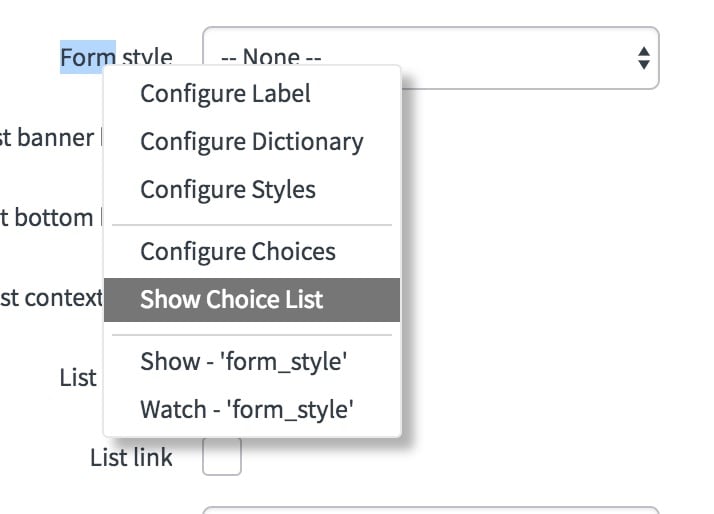
Have you activated the I18N: Spanish plugin from System Definition> Plugins? That's where the default fields get their new labels, choices, etc. You can then add your options by going to a choice field, for example, right click the field label and say "Show Choice List" (or switch to the language and use Configure Choices)

- Mark as New
- Bookmark
- Subscribe
- Mute
- Subscribe to RSS Feed
- Permalink
- Report Inappropriate Content
10-03-2017 05:48 AM
Thank Chuck
ur my savior ,I didnt activated it .
I will activate it now .
- Mark as New
- Bookmark
- Subscribe
- Mute
- Subscribe to RSS Feed
- Permalink
- Report Inappropriate Content
10-03-2017 05:57 AM
You are welcome. Let me know how it goes. Sometimes languages take several minutes to activate as there are lots of records to insert.
- Mark as New
- Bookmark
- Subscribe
- Mute
- Subscribe to RSS Feed
- Permalink
- Report Inappropriate Content
10-03-2017 05:59 AM
Just activating it.