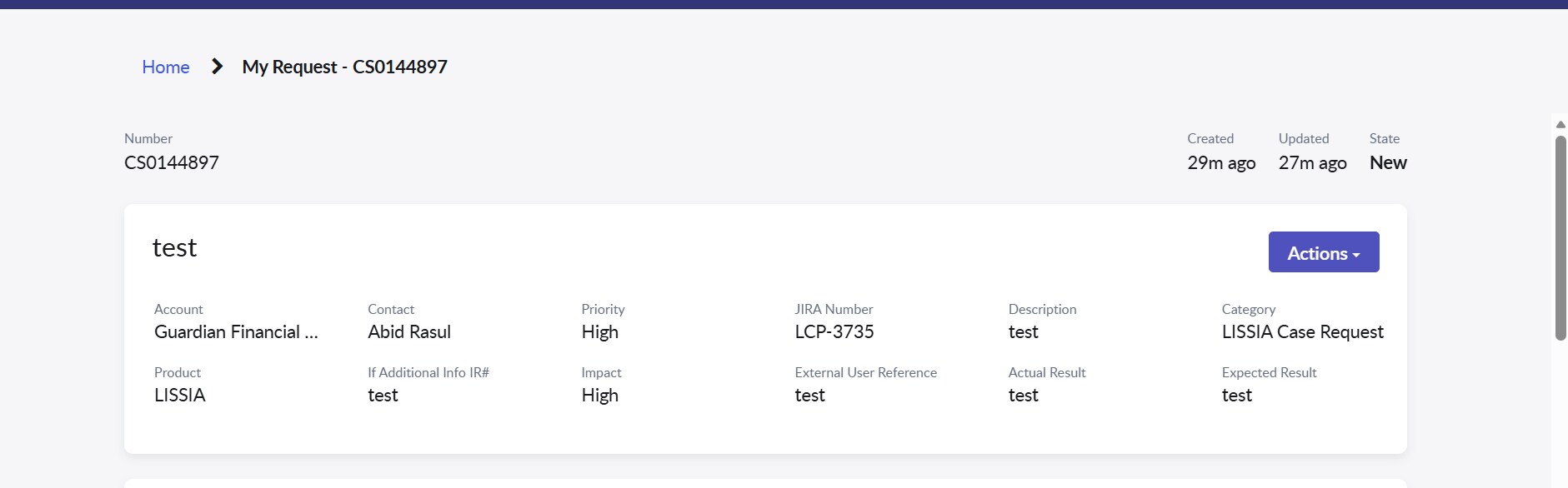
Need to add Field in Request page in CSM Portal

Options
- Mark as New
- Bookmark
- Subscribe
- Mute
- Subscribe to RSS Feed
- Permalink
- Report Inappropriate Content
04-20-2026 02:11 AM
5 REPLIES 5

Options
- Mark as New
- Bookmark
- Subscribe
- Mute
- Subscribe to RSS Feed
- Permalink
- Report Inappropriate Content
04-20-2026 11:01 AM
Navigate to the module My Request Filters
Link:https://<your instance name>/request_filter_list.do?sysparm_query=applies_to%3D1%5EtableLIKEsn_customerservice_case&sysparm_first_row=1&sysparm_view=&sysparm_choice_query_raw=applies_to%3DService%20Portal&sysparm_list_header_search=true
Here you look up your entry and open the Requested Item record.
There, open it -> you’ll find the Secondary Field attribute
Configure the state ,stage columns as per your requirement, and
the changes will be reflected.
Please Accept the solution if it assisted you with your question & Mark this response as Helpful.
Regards
Tanushree Maiti
ServiceNow Technical Architect
LinkedIn: https://www.linkedin.com/in/tanushreemaiti
Regards
Tanushree Maiti
ServiceNow Technical Architect
LinkedIn: https://www.linkedin.com/in/tanushreemaiti