Scripting Wait For Condition

- Mark as New
- Bookmark
- Subscribe
- Mute
- Subscribe to RSS Feed
- Permalink
- Report Inappropriate Content
04-08-2025 07:51 AM - edited 04-08-2025 08:02 AM
I am trying to script the Wait For Condition and have it check for the value of a catalog variable.
The catalog variable is "approval_check", and I want the Wait For Condition script to wait until "approval_check" == "Yes".
approval_check is just a string with a default value of "No".
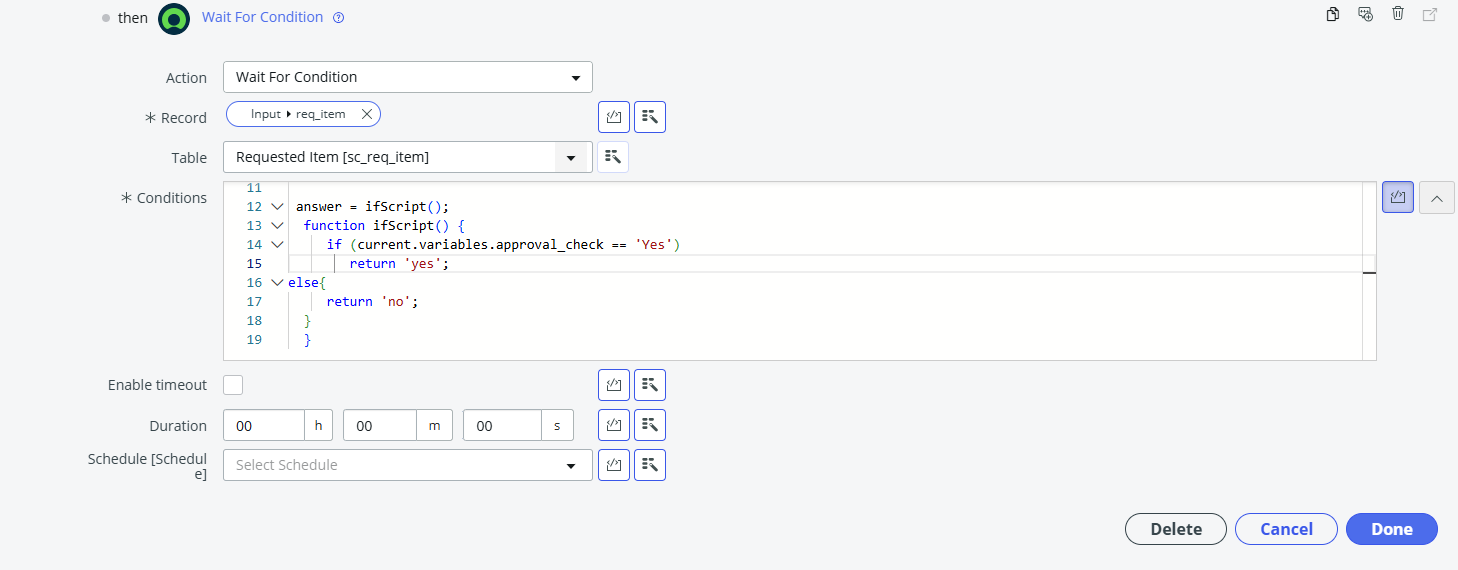
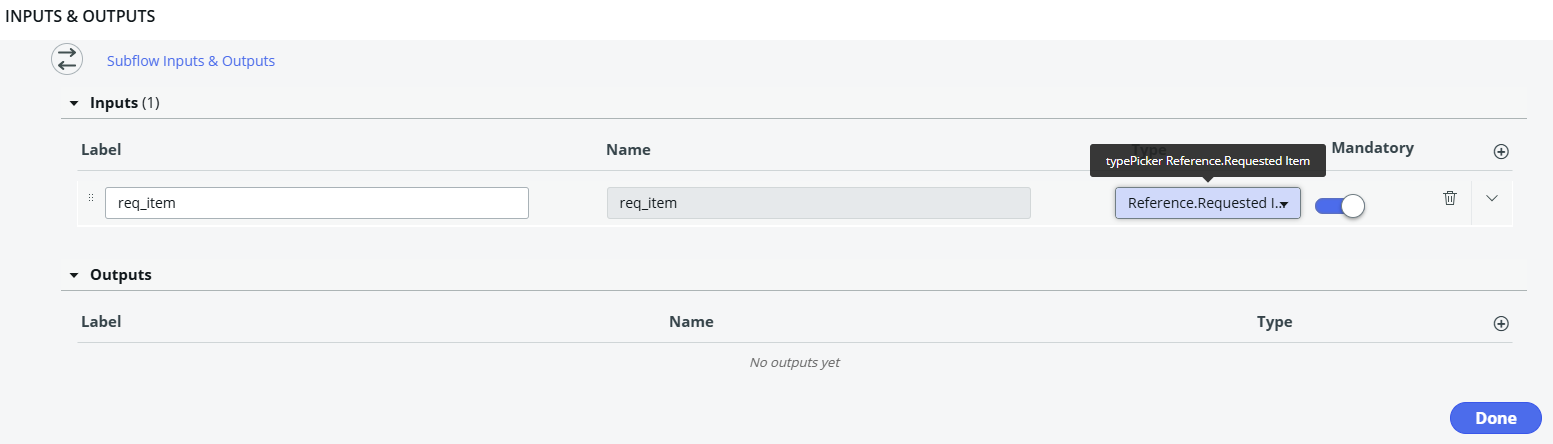
I attached photos of my Wait for condition script, and the error I am getting which is "Error: Cannot read property "variables" from null,Detail: Cannot read property "variables" from null".
Here's the script.
 answer = ifScript();
  function ifScript() {
     if (current.variables.approval_check == 'Yes')
        return 'yes';
else{
     return 'no';
  }
  }
Thanks.

- Mark as New
- Bookmark
- Subscribe
- Mute
- Subscribe to RSS Feed
- Permalink
- Report Inappropriate Content
04-08-2025 11:52 PM
Hi @jerryl7 ,
The error you're seeing — "Cannot read property 'variables' from null" — usually indicates that the current object is not correctly referencing the record with the variables property. This is a common issue in Wait For
If this solution helps you then, mark it as accepted solution ✔️ and give thumbs up 👍 !
Regards,
Pratik


- Mark as New
- Bookmark
- Subscribe
- Mute
- Subscribe to RSS Feed
- Permalink
- Report Inappropriate Content
04-09-2025 04:37 AM
Hi,
Current isn't accessible in Flow Designer, that is the older scripting convention in legacy Workflows. You need to access the record via the fd_data object as mentioned in the comments that appear in the script editor initially.
Additionally, because the variable update is occuring on a related table (sc_item_option) I don't think this would work.
You could set the wait for condition on sc_item_option. But a better option might be to generate a task where a user is required to modify this variable, and then close it. On closure of that task, you can then proceed.

- Mark as New
- Bookmark
- Subscribe
- Mute
- Subscribe to RSS Feed
- Permalink
- Report Inappropriate Content
04-09-2025 04:43 AM
you cannot use it directly
this link has solution shared by Anil as workaround using Lookup and it worked for him
How can w use wait for condition in flow designer for variable?
sharing the same here
1. Use lookup Record Action to query 'sc_item_option_mtom' table and get the variable ownership record for your variable 'Return Date'.

2. Once you get Variable ownership record in next step use another look up to get Variable value Record from 'sc_item_option' table.

3. Use Wait for condition on 'sc_item_option' table and select 2nd lookup record as reference record.
Add condition 'Value is Not empty'

If my response helped please mark it correct and close the thread so that it benefits future readers.
- Mark as New
- Bookmark
- Subscribe
- Mute
- Subscribe to RSS Feed
- Permalink
- Report Inappropriate Content
04-09-2025 08:20 PM
Hope you are doing good.
Did my reply answer your question?
If my response helped please mark it correct and close the thread so that it benefits future readers.