- Mark as New
- Bookmark
- Subscribe
- Mute
- Subscribe to RSS Feed
- Permalink
- Report Inappropriate Content
05-23-2017 01:57 PM
Is there a way to ALWAYS show Requests on the portal so even if someone has nothing open they can still get to the "View All Open/Closed Requests and Incidents"?
I've looked in the Portal and I've looked in the Service Portal Menus in the backend of ServiceNow, but I don't see where I can enable this like on a Simple List. I may need to edit the My Request widget (which I've cloned to My Open Request) in order to make it always show, but I am not sure how to do this.


I essentially want them to always be able to get to this page by clicking "Requests" at the top and clicking "View all Open/Closed Request and Incidents" even if they have nothing currently open.

Please mark this response as correct and/or helpful if it assisted you with your question.
Steven
Solved! Go to Solution.
- Mark as New
- Bookmark
- Subscribe
- Mute
- Subscribe to RSS Feed
- Permalink
- Report Inappropriate Content
05-24-2017 12:04 PM
For anyone else with this issue, I figured it out.
- Go to Service Portal -> Menus and click on the "Header Menu" that has the title of "SP Header Menu"
- Scroll down to the bottom on the next screen and click on the "Angular ng-templates" tab and click on "menuTemplate"
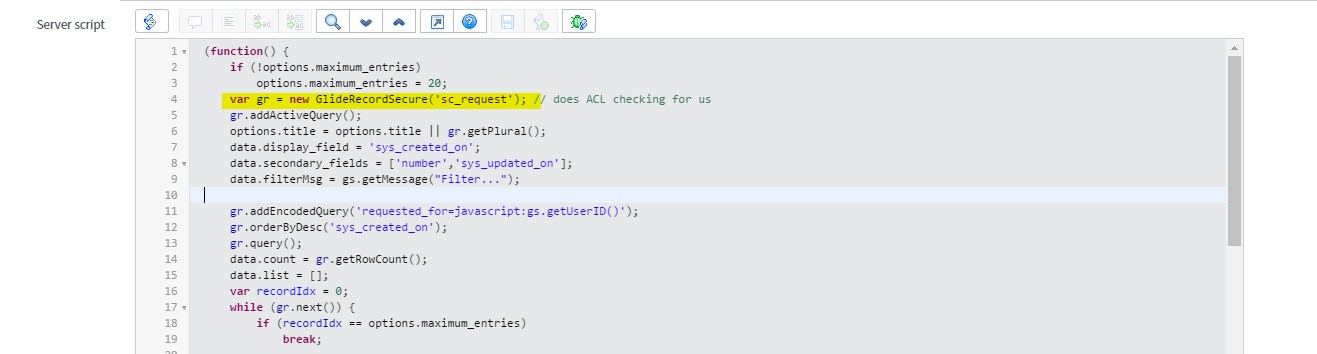
- You need to delete the 2 highlighted bits below in order to always show Requests/Approvals:

Easy...just had to find it.
Please mark this response as correct and/or helpful if it assisted you with your question.
Steven


- Mark as New
- Bookmark
- Subscribe
- Mute
- Subscribe to RSS Feed
- Permalink
- Report Inappropriate Content
05-23-2017 02:07 PM

- Mark as New
- Bookmark
- Subscribe
- Mute
- Subscribe to RSS Feed
- Permalink
- Report Inappropriate Content
05-24-2017 10:46 AM
I don't want the widget to show open or closed tickets. I just want the word "Requests" to be there at all times even if I have NO open requests/incidents.
I want users to ALWAYS be able to click Requests and see the link highlighted below...even if they have no open requests. Right now, if they have no open requests/incidents the "Requests" link in the header goes away. I need it to stay there at all times.

Please mark this response as correct and/or helpful if it assisted you with your question.
Steven
- Mark as New
- Bookmark
- Subscribe
- Mute
- Subscribe to RSS Feed
- Permalink
- Report Inappropriate Content
05-24-2017 12:04 PM
For anyone else with this issue, I figured it out.
- Go to Service Portal -> Menus and click on the "Header Menu" that has the title of "SP Header Menu"
- Scroll down to the bottom on the next screen and click on the "Angular ng-templates" tab and click on "menuTemplate"
- You need to delete the 2 highlighted bits below in order to always show Requests/Approvals:
Easy...just had to find it.
Please mark this response as correct and/or helpful if it assisted you with your question.
Steven

- Mark as New
- Bookmark
- Subscribe
- Mute
- Subscribe to RSS Feed
- Permalink
- Report Inappropriate Content
08-30-2017 08:30 AM
Note for future adventurers:
This trick stopped working in Jakarta. This is because the "Header Menu" widget changed. I didn't need the new cart features, so I just loaded in the old "Header Menu" widget from pre-Jakarta. It started working again.
There are other ways to accomplish this too, but this is how I was able to get it running again.