Testing the On-Call Workflow. How do I Receive my Text Message Test?

- Mark as New
- Bookmark
- Subscribe
- Mute
- Subscribe to RSS Feed
- Permalink
- Report Inappropriate Content
04-14-2022 09:49 AM
Hello I am setting up the On-Call Scheduling application.
Is there a step-by-step tutorial on setting up the text messaging? Maybe a video example?
I've read through the documentation, here:
https://docs.servicenow.com/bundle/sandiego-it-service-management/page/administer/user-administration/concept/c_OnCallScheduling.html
I created an example ticket in our DEV environment, set up the schedules,
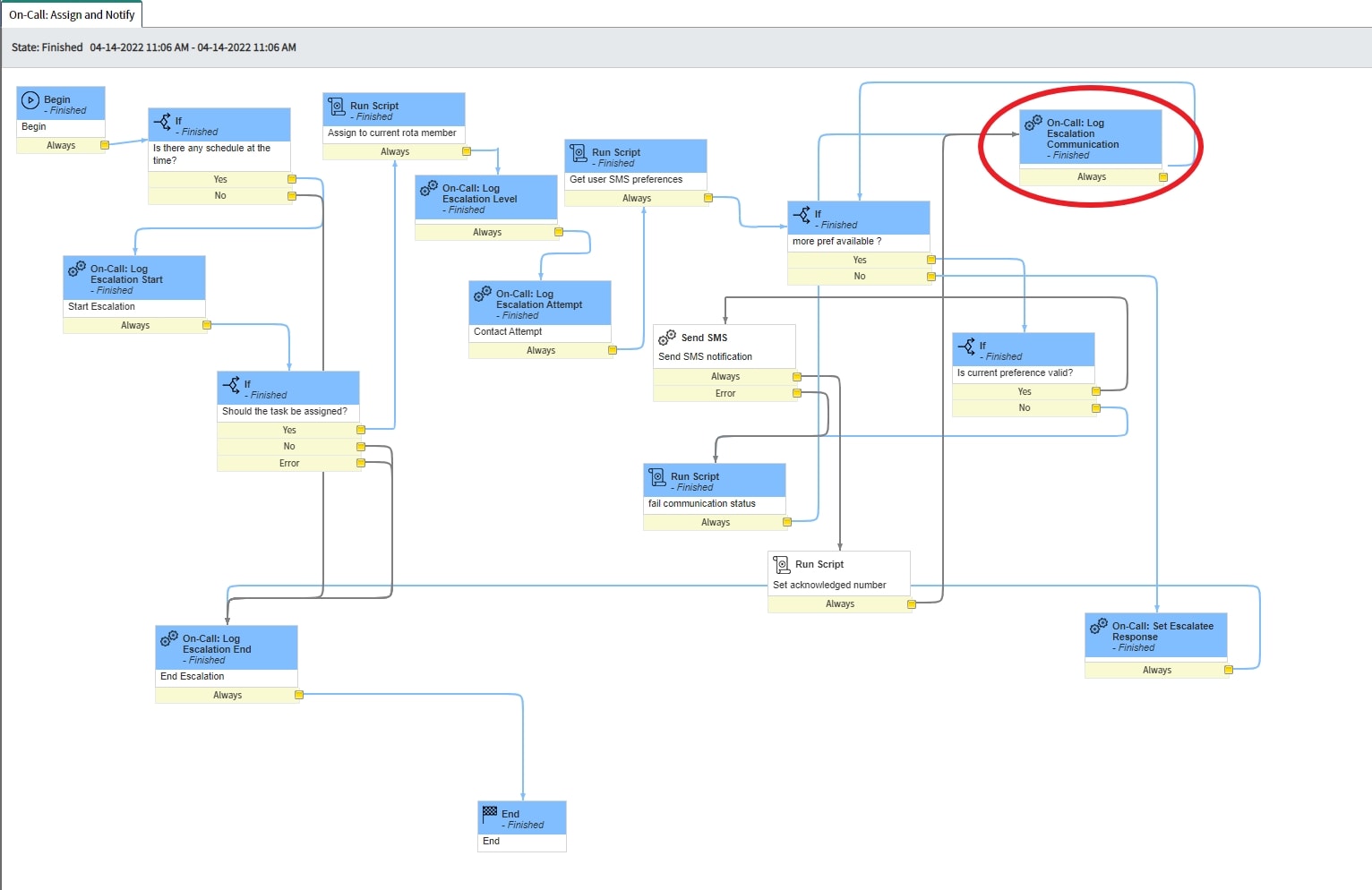
The workflow fires off the "On-Call: Log Escalation Communication" activity, and I have myself listed on the shift. I didn't receive any text message.

The documentation here:
"Setting up SMS and voice messaging as contact methods"
https://docs.servicenow.com/bundle/sandiego-it-service-management/page/administer/user-administration/concept/c_UseNotifyWithOnCallScheduling.html
"You must add at least one Notify phone number to the On-Call Group number group."
Where is this located?

- Mark as New
- Bookmark
- Subscribe
- Mute
- Subscribe to RSS Feed
- Permalink
- Report Inappropriate Content
04-18-2022 11:53 AM
The notify number is located in the Notify Module >> Number Groups. The number gets imported when you configured Twilio (notify Module) to your Twilio account.
You need the following if you haven't done it already.
1. Install Notify (Id: com.snc.notify) and Notify - Twilio Direct (Id: com.snc.notify.twilio_direct) plugins.
2. Go to Twilio (https://www.twilio.com) and setup an account.
3. Got to you instance >> site Navigation >> Notify
Hope this helps.
- Mark as New
- Bookmark
- Subscribe
- Mute
- Subscribe to RSS Feed
- Permalink
- Report Inappropriate Content
04-21-2022 06:28 AM
I have com.snc.notify installed.
We have two numbers set up.

It still doesn't work. In the workflow, this is getting skipped. Do I need to point to this number here?

- Mark as New
- Bookmark
- Subscribe
- Mute
- Subscribe to RSS Feed
- Permalink
- Report Inappropriate Content
04-21-2022 06:28 AM