- Mark as New
- Bookmark
- Subscribe
- Mute
- Subscribe to RSS Feed
- Permalink
- Report Inappropriate Content
06-15-2018 01:00 AM
Hi everyone,
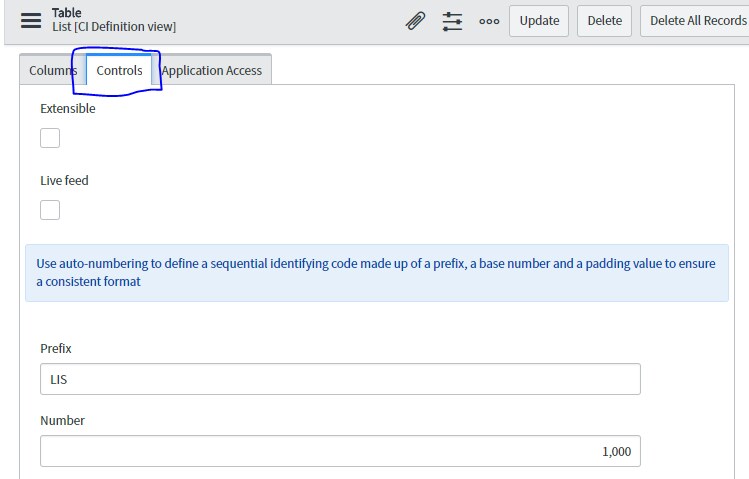
When I created the table, in tab Controls I checked auto-number box.

Then I created a form then add to a module named "Register" . In ServiceNow window, I did regist . In the ID box, the ID number automatically generated.

But I have a trouble which is the ID number is not continuing generated.
I was like 1, 3, 5...etc

I read the below link and flowed the instructor (except part : glide.itil.assign.number.on.insert I didn't understand so I passed it.
I just checked Assign a task number only upon insert to Yes )
https://docs.servicenow.com/bundle/kingston-platform-administration/page/administer/field-administration/task/t_PreventNumberingGaps.html
In this case, the number was continuing generated.
But I have another trouble which is the ID box did not show anything.

When I submitted, in the table, the ID number was shown.
My question is :
What should I do so that the ID box automatically generated continuing ID numbers ?
Solved! Go to Solution.
- Labels:
-
Integrations
-
Studio
-
Team Development

- Mark as New
- Bookmark
- Subscribe
- Mute
- Subscribe to RSS Feed
- Permalink
- Report Inappropriate Content
06-17-2018 07:16 PM


- Mark as New
- Bookmark
- Subscribe
- Mute
- Subscribe to RSS Feed
- Permalink
- Report Inappropriate Content
06-15-2018 01:50 PM
The system property and doc article you mentioned are the options. The number will be generated at the time of insert vs before. The reason for a gap in numbers is because it was generated prior to insert and the record was abandoned.

- Mark as New
- Bookmark
- Subscribe
- Mute
- Subscribe to RSS Feed
- Permalink
- Report Inappropriate Content
09-10-2018 04:59 AM
Hi Michael,
I have the same problem. I want to prevent incident table to abandon numbers on page refresh or cancel. Is there any way to implement it?
I have already tried "glide.itil.assign.number.on.insert" to true, however it is letting the incident number fields as blank.
Regards,
Kopal
- Mark as New
- Bookmark
- Subscribe
- Mute
- Subscribe to RSS Feed
- Permalink
- Report Inappropriate Content
06-17-2018 07:11 PM
Thank you for your explanation.
So what would I do to creat the ID number continuosly and display in the ID box?
If you know, please instructe me.
- Mark as New
- Bookmark
- Subscribe
- Mute
- Subscribe to RSS Feed
- Permalink
- Report Inappropriate Content
06-17-2018 07:16 PM