- Mark as New
- Bookmark
- Subscribe
- Mute
- Subscribe to RSS Feed
- Permalink
- Report Inappropriate Content
05-19-2022 04:13 PM
Hi,
I'm brand new to serviceNow (but not new to Service Management catalog development).
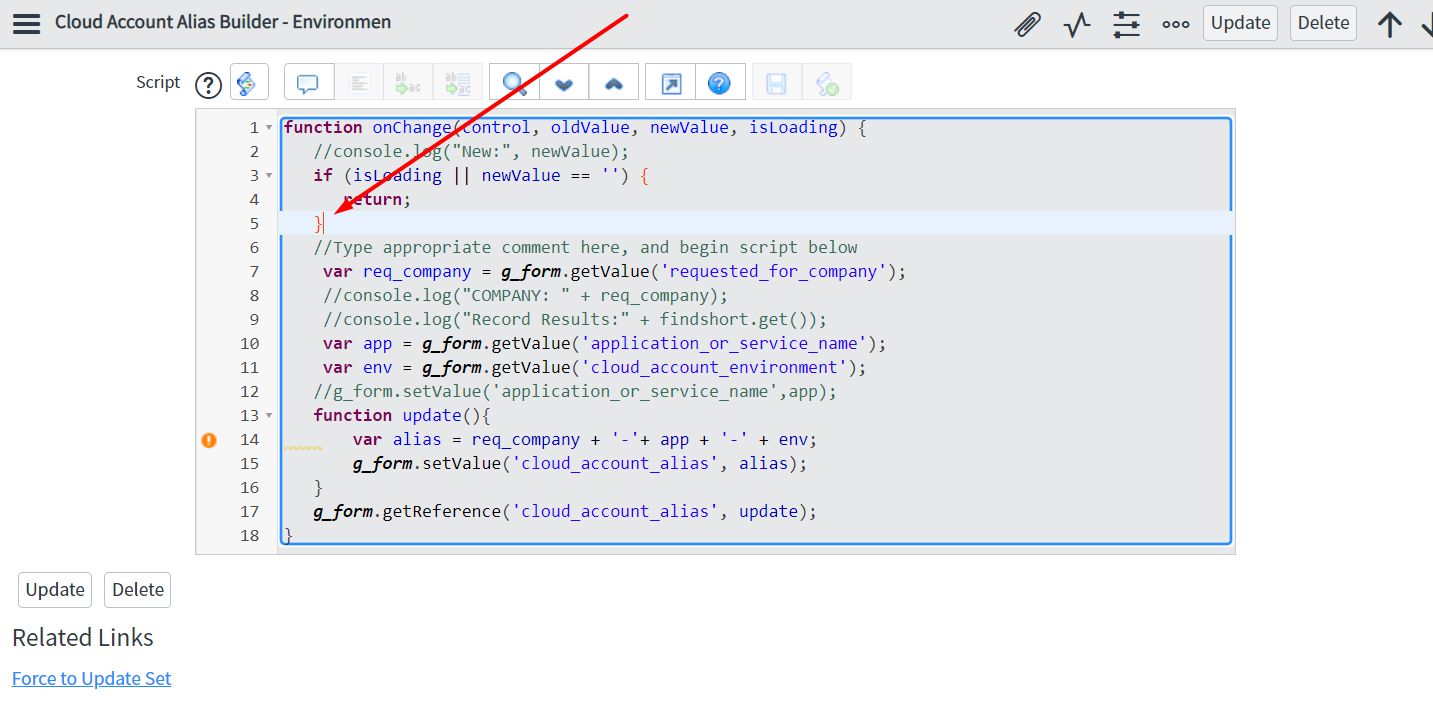
I'm taking over some work on a scoped app from someone else. I'm viewing the client scripts in Studio, but when I click into the script and try to type, nothing happens, like the content is locked. And yet no warnings appear, no "you don't have access" message. Just seems locked. I must be missing something simple as I have edit permission in this scoped application.
Thank you!
Update: here is a view of where I'm trying to edit the script:

Solved! Go to Solution.
- Labels:
-
Scoped App Development
- Mark as New
- Bookmark
- Subscribe
- Mute
- Subscribe to RSS Feed
- Permalink
- Report Inappropriate Content
05-19-2022 04:37 PM
Thank you
I believe the problem is because the catalog item is checked out by someone else.
I got a message to that effect when I tried to save a change. (Ironically although I cannot type any edits, I can toggle comments on/off. When I tried to save a change made that way, that's when I was alerted to the fact that the item is checked out. I've messaged an admin to assist.)
Thanks again!

- Mark as New
- Bookmark
- Subscribe
- Mute
- Subscribe to RSS Feed
- Permalink
- Report Inappropriate Content
05-19-2022 04:33 PM
Hi Michael,
Verify if it is because of a Read-Only protection policy:
https://community.servicenow.com/community?id=community_question&sys_id=1b9d4f2ddb9cdbc01dcaf3231f9619eb
Regards.
JP
JP
- Mark as New
- Bookmark
- Subscribe
- Mute
- Subscribe to RSS Feed
- Permalink
- Report Inappropriate Content
05-19-2022 04:37 PM
Thank you
I believe the problem is because the catalog item is checked out by someone else.
I got a message to that effect when I tried to save a change. (Ironically although I cannot type any edits, I can toggle comments on/off. When I tried to save a change made that way, that's when I was alerted to the fact that the item is checked out. I've messaged an admin to assist.)
Thanks again!