How is possible to configure Assignment confirmation pop-up window

- Mark as New
- Bookmark
- Subscribe
- Mute
- Subscribe to RSS Feed
- Permalink
- Report Inappropriate Content
12-11-2023 06:48 AM - edited 12-12-2023 01:08 AM
Hello,
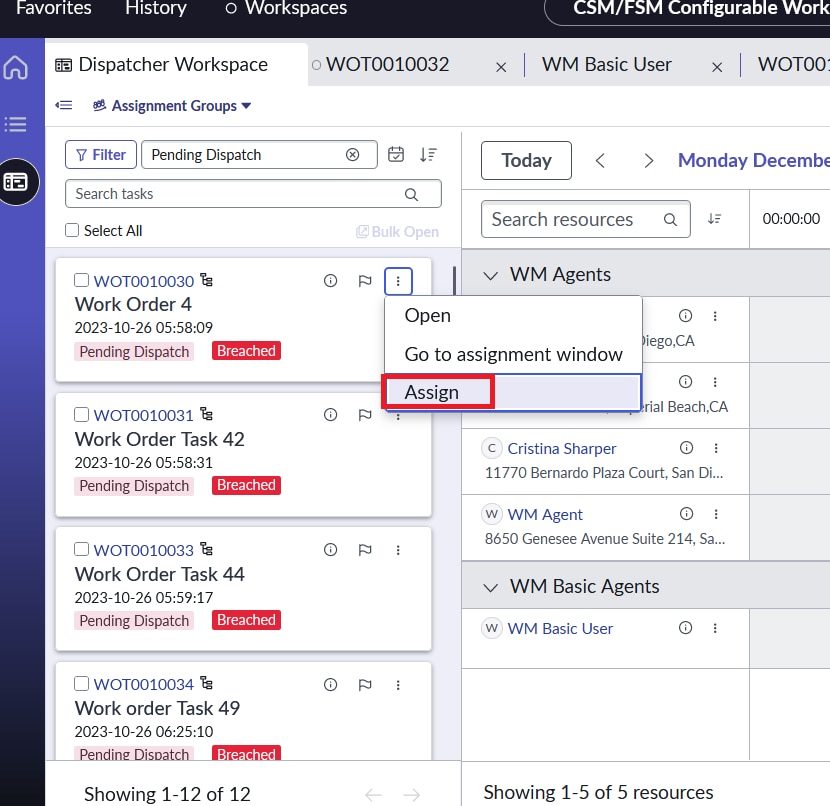
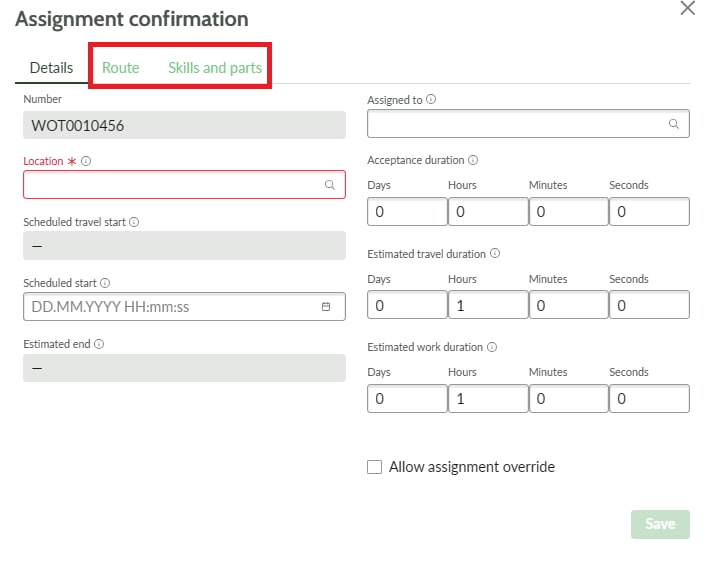
I would need to remove Route and Skills part from the Assignment confirmation pop-up window in the Dispatcher Workspace which is open up when selecting "Assign" from Task Panel Card.
Could someone advise me, how to configure the associated "Assignment confirmation" pop-up?
Thanks in advance

- Mark as New
- Bookmark
- Subscribe
- Mute
- Subscribe to RSS Feed
- Permalink
- Report Inappropriate Content
12-20-2023 03:38 PM
You can access the UIB Page definition for the Assignment confirmation pop-up viewport in UI Builder.
In your instance, it is accessible from here - https://<your-instance>/now/builder/ui/edit/experience/c4e321a3530210102c30ddeeff7b12f6/9ba0cce793c9fd50685cfb9d1dba10bb/dbc1a5ca2dc3e410f877d2891f495d71
To reach the configuration page -
On your instance, type in UI Builder in the application filter
Then choose CSM/FSM Configurable workspace from the list of experiences
And then choose Task assignment confirmation page to edit in UIB.
A screenshots for the same below


- Mark as New
- Bookmark
- Subscribe
- Mute
- Subscribe to RSS Feed
- Permalink
- Report Inappropriate Content
04-08-2024 08:47 AM
Hello
I can't see in my UIB CSM/FSM Configurable workspace this section. And direct link also doesn't work.
- Mark as New
- Bookmark
- Subscribe
- Mute
- Subscribe to RSS Feed
- Permalink
- Report Inappropriate Content
04-10-2024 07:52 AM
Which version of servicenow platform are you on?
- Mark as New
- Bookmark
- Subscribe
- Mute
- Subscribe to RSS Feed
- Permalink
- Report Inappropriate Content
04-11-2024 02:14 AM
Vancouver and Washington do not have this section.