- Mark as New
- Bookmark
- Subscribe
- Mute
- Subscribe to RSS Feed
- Permalink
- Report Inappropriate Content
03-25-2022 06:41 AM
Hi,
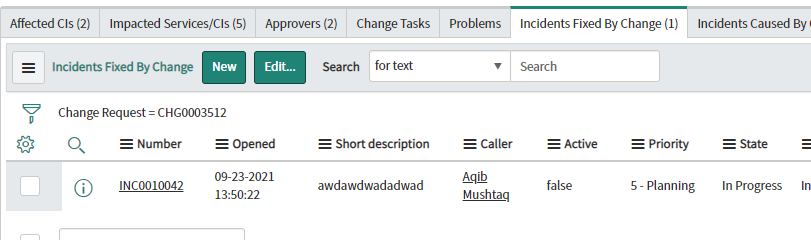
When you associate that incident to the change in the related list: "Incidents fixed by Change":

a relationship is made by placing the change request reference in the Incident Related Records tab and the Change Request field:

So that's where the relationship would show. If you want it to show in the Change Requests related list on the Incident, then you'd have to set the "Parent" field on the incident to that record as well (you could accomplish this by creating a "before" business rule on the incident table with a condition that the change request field changes) and then check the "Advanced" checkbox, go to the Advanced tab, and use a simple script such as:
current.parent = current.rfc;However, your sort of changing the meaning of that related list, but if that is what is relevant to your organization, then so be it. It's only going to show the one record though? So you could just train users to look at the related records tab and the change request field if they need to see a related change request and then remove the "change request" related list from the incident form if it causes any confusion.
The last thing you could do is create a new relationship (new related list): https://docs.servicenow.com/bundle/rome-platform-user-interface/page/administer/form-administration/... and then use settings such as (EXAMPLE😞

and script like:
(function refineQuery(current, parent) {

current.addQuery('sys_id', parent.rfc);

})(current, parent);
Then add that related list to your incident form and it'd look like this:

And then you could remove the Change Request > Parent related list currently shown.
So I've given you like 3 options basically to go with to accomplish this.
Hopefully that resolves your issue?
Please mark reply as Helpful/Correct, if applicable. Thanks!