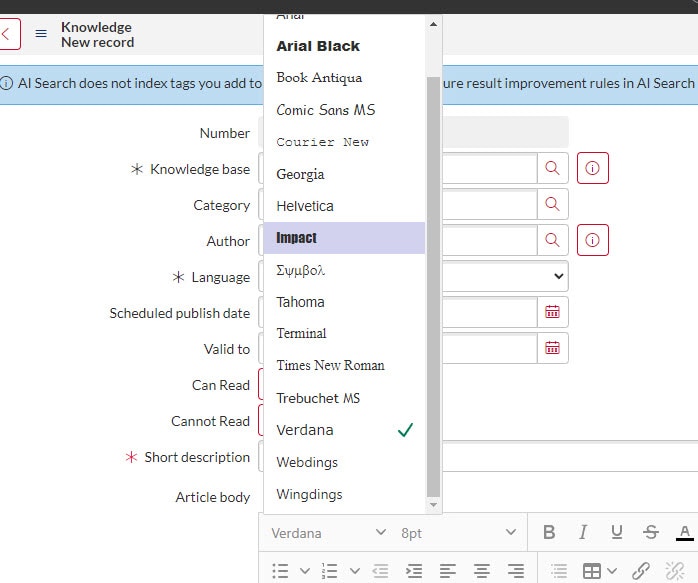
Adding Fonts to be used in Knowledge Articles

- Mark as New
- Bookmark
- Subscribe
- Mute
- Subscribe to RSS Feed
- Permalink
- Report Inappropriate Content
07-11-2023 09:55 AM
I was asked to add Proxima Nova as a font to be used on Knowledge Articles. I have added it to glide.ui.html.editor.v4.font.collection, cleared my cache, relaunched my browser, and it is still not working. I have the font downloaded on my computer as well. Is there something I am missing?
- Labels:
-
Human Resources Service Delivery
- Mark as New
- Bookmark
- Subscribe
- Mute
- Subscribe to RSS Feed
- Permalink
- Report Inappropriate Content
02-24-2025 07:38 AM
Update: Xanada introduced the 1st sys property listed below. We had to add Noto Sans=Noto Sans; to the Value field of the the new sys property value field. If you're trying to add a font to the drop down menu, you may have to add the font to these sys properties.
glide.ui.html.editor.font.collection
glide.ui.html.editor.v4.font.collection
glide.ui.html.editor.v5.font.collection
- Mark as New
- Bookmark
- Subscribe
- Mute
- Subscribe to RSS Feed
- Permalink
- Report Inappropriate Content
05-25-2025 10:15 PM
Hi @cwillard , did you get this working? I have similar requirement to add custom font in KB Article. The font style is showing in the dropdown, however, it uses the Times New Roman style.
Thanks!