HRSD Lifecycle Event- Employee Center

- Mark as New
- Bookmark
- Subscribe
- Mute
- Subscribe to RSS Feed
- Permalink
- Report Inappropriate Content
03-29-2026 11:54 PM
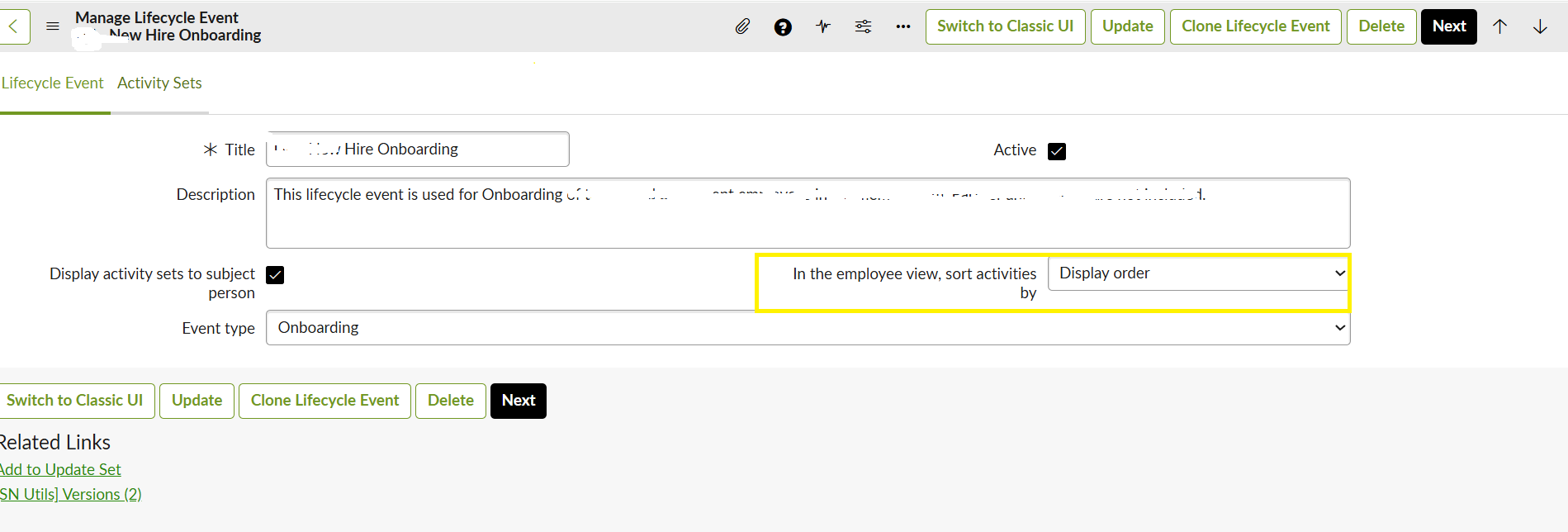
In Lifecycle event, we have field "In the employee view, sort activities by" which takes Due date or Display order of Activity Sets. Does this work for My tickets on employee portal and not on My actions?
I want my Open HR tasks to be displayed according to Display order, same as displayed under My ticket request.

- Mark as New
- Bookmark
- Subscribe
- Mute
- Subscribe to RSS Feed
- Permalink
- Report Inappropriate Content
Thursday
The field is documented as reflecting in Employee Center to-dos too, so it should reach the Open tab on My Actions. Your screenshot looks right, so the likely cause is that the My Actions list has its own sort setting. Community answers say that list sorts by due date by default.
Here is what the documentation says about the field. Display order shows activities in the order they appear in the activity set. The setting is also reflected on the Employee Center for a user’s to-dos. It is not a guarantee for every list. One community member found it worked on the portal for the opened-for person but not on the case for the owner. Configure a lifecycle event +2
To get your Open HR tasks in display order, check these in turn:
- Open your lifecycle event and confirm In the employee view, sort activities by is set to Display order, then click Update.
- Open an activity set and check that its Display order field has values. Without a value, the activity set appears after all the numbered ones. servicenow
- Open one of the HR tasks and check that its own Display order field has a value.
- Go to Employee Center > Activity Configuration and open the Tasks record. The exact menu name may differ by release, so please confirm it in your instance.
- Check the sort order on that record. A community answer says this is where you change ascending or descending. servicenow
- Change to your own Employee Center scope before you save any change here.
A word of caution on that last step. One user said changing the sort order there made no difference to what they saw. If that happens, the My Actions list may be sorting in the page’s own logic or script include, which is a customization. Test everything in a sub-production instance first and capture it in an update set. servicenow
If this still doesn’t work, tell me your Employee Center version and whether the tasks come from a lifecycle event case.
