


Chris Pearson
Tera Contributor
Options
- Subscribe to RSS Feed
- Mark as New
- Mark as Read
- Bookmark
- Subscribe
- Printer Friendly Page
- Report Inappropriate Content
02-25-2021
09:43 AM
Disclaimer: The ideas, thoughts, and opinions in this post reflect my own views and do not necessarily represent the views of my employer, Accenture.
UI Builder is ServiceNow's new WYSIWYG user interface builder. If you're in the UI design and creation game already, you'll feel right at home with this editor. Experiences are built by dragging components onto a page and arranging them. The most commonly used component is a 'Container' component. Containers are used to arrange, separate and style the other components which actually display content on the page.
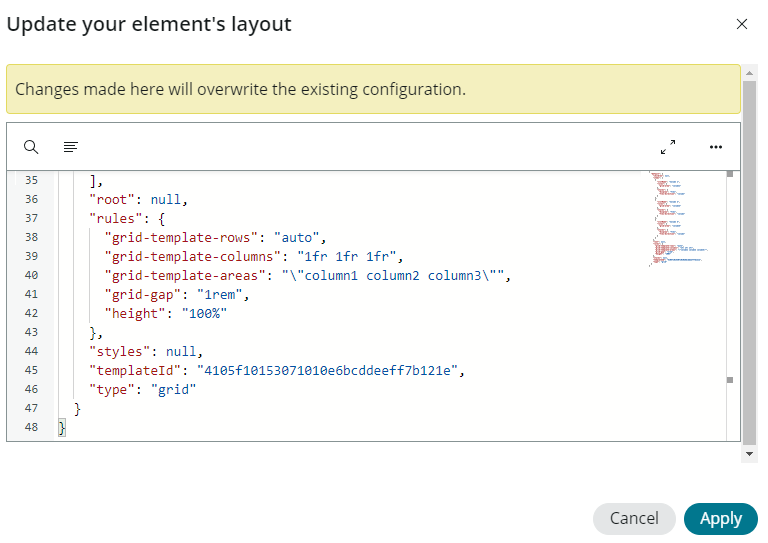
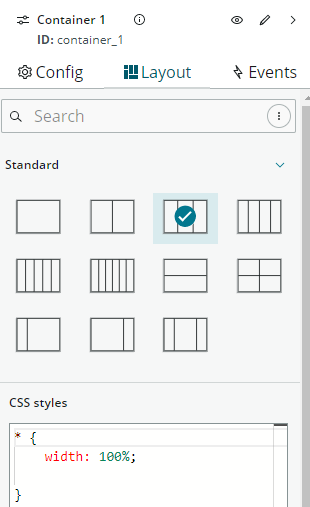
Once you drag or select a Container component for your page, you are able to configure the container by choosing from several pre-built and common layouts, but you can also go deeper and define custom layout if necessary. Additionally, you can control any specific CSS for this container which may be different from other components on the page.

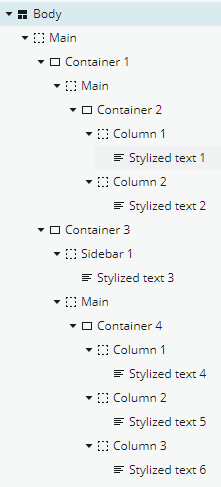
Components are nested within each other to produce the layout you desire. As you add components to your experience, the content is captured and any nested components are shown by indentation so that something like this...
...results in an experience which looks like this...
We start with a single-column container at the top. Nested under 'Container 1', we have another which is a two-column container where we've added Stylized Text components to display some content (Hello world and Hi again). Then we have another container beneath 'Container 1' with a 'Sidebar and main content' layout. In the Sidebar section we have another Stylized Text component. And in the main content section of 'Container 3' we have yet another container with a three-column layout selected and in each of the three columns of 'Container 4', three more stylized text components.
What you can see by this quick example is that the possibilities are endless, and the ease of which you are able to create specific layouts is impressive and fun to use as a designer.
Happy designing!
Labels:
- 3,415 Views
You must be a registered user to add a comment. If you've already registered, sign in. Otherwise, register and sign in.

.png)
.png)
.png)