How to add a CI (assigned To computer) to the user pop up view

- Mark as New
- Bookmark
- Subscribe
- Mute
- Subscribe to RSS Feed
- Permalink
- Report Inappropriate Content
11-05-2024 04:52 AM - edited 11-05-2024 06:55 AM
Hi,
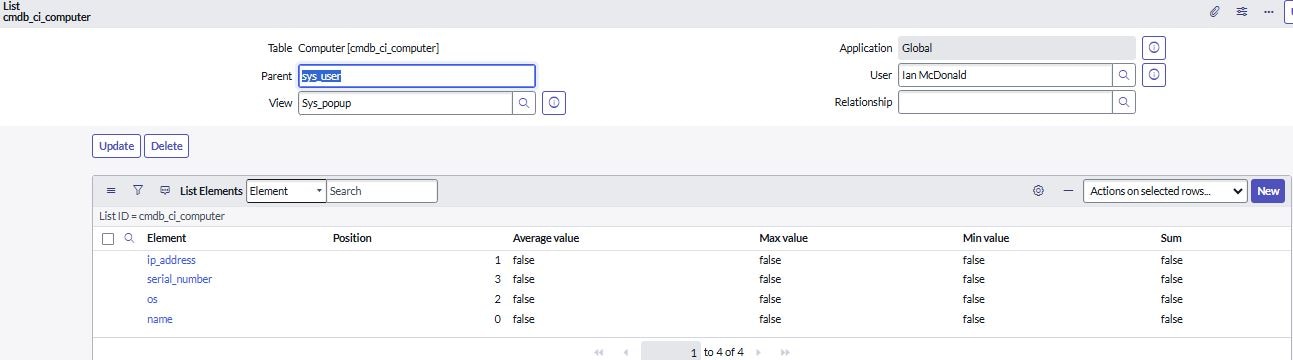
When I am on an Incident form and press the information button next to the Caller field a pop up appears with the sys_user details. I would like to include information such as what computer has been assigned to this user.
Are we able to do this?
Thanks Ian


- Mark as New
- Bookmark
- Subscribe
- Mute
- Subscribe to RSS Feed
- Permalink
- Report Inappropriate Content
11-05-2024 04:56 AM
Hi @Ian46
This is called sys_pop up view. I am not sure you can do in same popup as computer is an asset and to get this you can add another symbol to see what asset tagged to user.
- Mark as New
- Bookmark
- Subscribe
- Mute
- Subscribe to RSS Feed
- Permalink
- Report Inappropriate Content
11-05-2024 06:17 AM

- Mark as New
- Bookmark
- Subscribe
- Mute
- Subscribe to RSS Feed
- Permalink
- Report Inappropriate Content
11-05-2024 06:28 AM
caller_id field refers to sys_user table and there is no OOB computer field on sys_user table.
So you cannot show the computer assigned to that user on sys_popup view.
To achieve your requirement do this
1) have a Computer reference field on sys_user and add that on sys_popup view
2) then have an after update/insert BR on cmdb_ci_computer table and search that user and update the Computer field with the current record sysId
Something like this
BR: After insert/update
Condition: current.assigned_to != ''
Script:
(function executeRule(current, previous /*null when async*/) {

	// Add your code here
	var userRec = current.assigned_to.getRefRecord();
	userRec.u_computer = current.getUniqueValue(); // give here the name of newly created computer field on user table
	userRec.update();

})(current, previous);
If my response helped please mark it correct and close the thread so that it benefits future readers.
- Mark as New
- Bookmark
- Subscribe
- Mute
- Subscribe to RSS Feed
- Permalink
- Report Inappropriate Content
11-05-2024 06:57 AM

