How to disable the automatic load of the Right Sidebar options in SOW view?

- Mark as New
- Bookmark
- Subscribe
- Mute
- Subscribe to RSS Feed
- Permalink
- Report Inappropriate Content
3 weeks ago - last edited 3 weeks ago
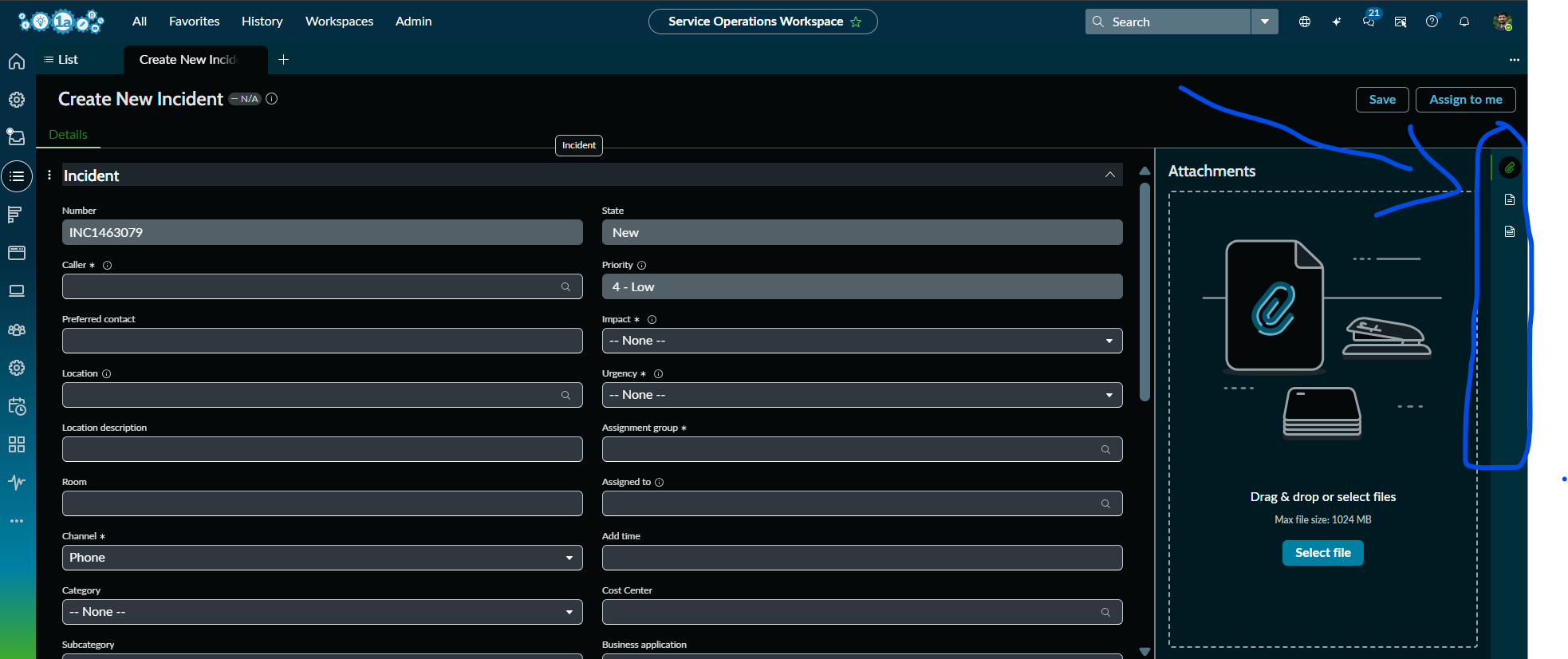
How to disable the automatic load of the Right Sidebar options by default when you refresh the SOW and try to create a new Incident in SOW view?
Only if you click on any of the options in the right side bar(like Attachments, Response Templates, Templates, Agent Assist) etc.,, it should be visible on the screen, if not it has to be in the right side itself. Please advise.
The Contextual Side Panel (Right Sidebar) in Service Operations Workspace is automatically opening the Attachments tab whenever a new Incident record is created. We want the sidebar icons (Attachments, Templates, Response Templates, Agent Assist, etc.) to remain visible, but the panel itself should stay collapsed by default and open only when an agent clicks an icon.
- Mark as New
- Bookmark
- Subscribe
- Mute
- Subscribe to RSS Feed
- Permalink
- Report Inappropriate Content
3 weeks ago
Please refer the attached.
Please help/advise if you're aware of this @Dr Atul - LNG , @Tanushree Maiti @Ankur Bawiskar @Vishal Jaswal @Vishal Jaswal
Thank you.

- Mark as New
- Bookmark
- Subscribe
- Mute
- Subscribe to RSS Feed
- Permalink
- Report Inappropriate Content
2 weeks ago
Hello @sharsha
You will need to create a copy of out-of-the-box SRP Record variant and ensure it's order value/number is lower than the out-of-the-box so that it takes precedence or you can always deactivate the oob SRP record variant.
Adhere below steps on SRP Record duplicate variant:


Validation Results:
New Record (Incident): Side panel or sidebar tab hidden:

New Record (Change Request): Side panel or sidebar tab hidden:

Existing Record (Incident): Side panel or sidebar tab shown:

Existing Record (Change Request): Side panel or sidebar tab shown:

Additional Information:
Table name: sys_ux_screen ensures these icons on sidebar tab are visible. If you perform active as false, then the sidebar panel still be visible, however the icon will not be for new as well as existing record:
example of hiding agent assist icon in SOW:

- Mark as New
- Bookmark
- Subscribe
- Mute
- Subscribe to RSS Feed
- Permalink
- Report Inappropriate Content
3 weeks ago
- Mark as New
- Bookmark
- Subscribe
- Mute
- Subscribe to RSS Feed
- Permalink
- Report Inappropriate Content
3 weeks ago - last edited 3 weeks ago
@sharsha ,
Do you require this feature only for incident table?
and one more thing do you need this only while creating new record or for existing records also?
Thanks,
Dinesh
