How to disable the automatic load of the Right Sidebar options in SOW view?

- Mark as New
- Bookmark
- Subscribe
- Mute
- Subscribe to RSS Feed
- Permalink
- Report Inappropriate Content
2 hours ago - last edited 2 hours ago
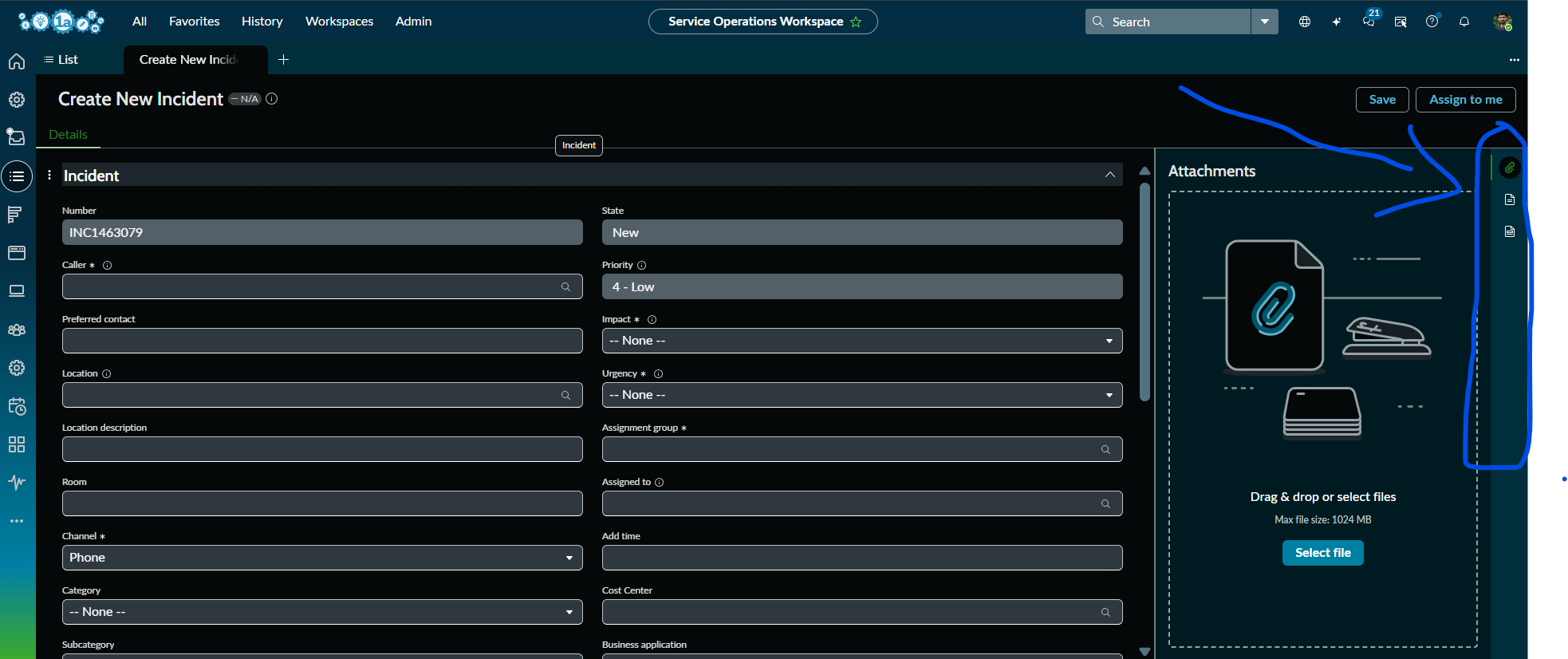
How to disable the automatic load of the Right Sidebar options by default when you refresh the SOW and try to create a new Incident in SOW view?
Only if you click on any of the options in the right side bar(like Attachments, Response Templates, Templates, Agent Assist) etc.,, it should be visible on the screen, if not it has to be in the right side itself. Please advise.
The Contextual Side Panel (Right Sidebar) in Service Operations Workspace is automatically opening the Attachments tab whenever a new Incident record is created. We want the sidebar icons (Attachments, Templates, Response Templates, Agent Assist, etc.) to remain visible, but the panel itself should stay collapsed by default and open only when an agent clicks an icon.
- Mark as New
- Bookmark
- Subscribe
- Mute
- Subscribe to RSS Feed
- Permalink
- Report Inappropriate Content
2 hours ago
Please refer the attached.
Please help/advise if you're aware of this @Dr Atul - LNG , @Tanushree Maiti @Ankur Bawiskar @Vishal Jaswal @Vishal Jaswal
Thank you.
- Mark as New
- Bookmark
- Subscribe
- Mute
- Subscribe to RSS Feed
- Permalink
- Report Inappropriate Content
2 hours ago
- Mark as New
- Bookmark
- Subscribe
- Mute
- Subscribe to RSS Feed
- Permalink
- Report Inappropriate Content
2 hours ago - last edited 2 hours ago
@sharsha ,
Do you require this feature only for incident table?
and one more thing do you need this only while creating new record or for existing records also?
Thanks,
Dinesh
- Mark as New
- Bookmark
- Subscribe
- Mute
- Subscribe to RSS Feed
- Permalink
- Report Inappropriate Content
26m ago
@Dinesh Chilaka yes, only while creating new record in Service Operation Workspace view.