- Mark as New
- Bookmark
- Subscribe
- Mute
- Subscribe to RSS Feed
- Permalink
- Report Inappropriate Content
06-09-2022 04:54 AM
We have a requirement to delete CMDB CI records (windows) if they are not discovered after 90 days. This is not applicable for all but differes for few - Unix and ESX CI which comes with 60 days deletion period.
Where to set Deletion CI configuration in Discovery.
Solved! Go to Solution.
- Labels:
-
Discovery

- Mark as New
- Bookmark
- Subscribe
- Mute
- Subscribe to RSS Feed
- Permalink
- Report Inappropriate Content
06-09-2022 05:58 PM
To accomplish this you will need to do three things:
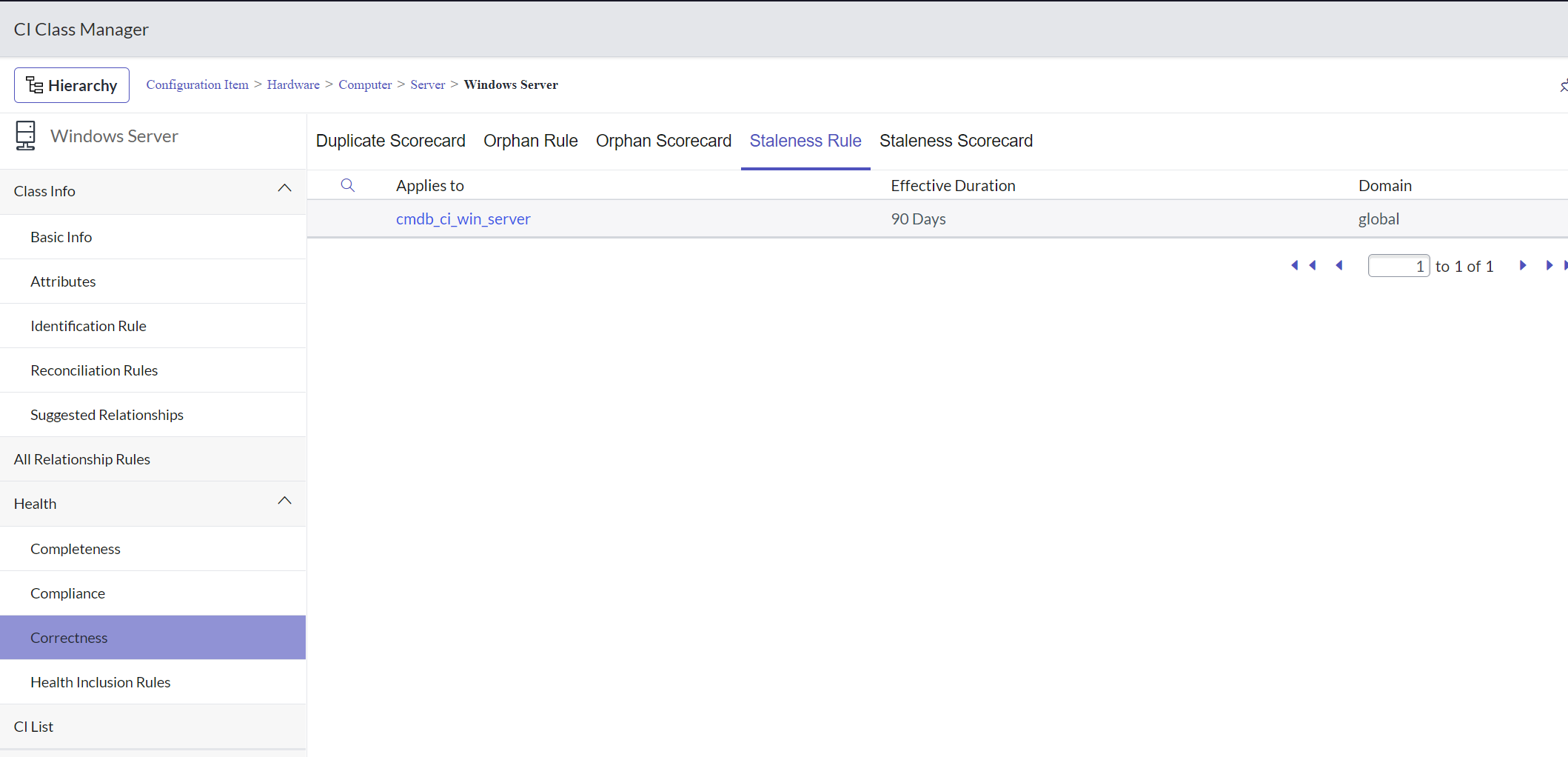
1. Set the Staleness Rule for the Windows Server CI Class to 90 days as below:

2. Create a workflow to delete the Windows Server CI if it's stale


Also, make sure that the Create Task option below is turned on for staleness rule, otherwise the remediation task will not be created:

Instead of deleting the CI you could also change the CI to Non-Operational and its status to retired, that would be preferable rather than deleting things via workflow, you can then review these retired CIs and delete them as needed:

- Mark as New
- Bookmark
- Subscribe
- Mute
- Subscribe to RSS Feed
- Permalink
- Report Inappropriate Content
12-12-2023 10:37 PM
Thanks for your response
I don't want to delete CI's, i want to make them retire.
- I have created the Create a CMDB Remediation Rule but i am not sure what will be workflow for this?
- Mark as New
- Bookmark
- Subscribe
- Mute
- Subscribe to RSS Feed
- Permalink
- Report Inappropriate Content
01-13-2026 01:35 AM
I would use Data Manager and retire the CIs.
Then I would archive the retired CIs (after while) and then let Data Manager delete the CIs when no longer needed.