- Mark as New
- Bookmark
- Subscribe
- Mute
- Subscribe to RSS Feed
- Permalink
- Report Inappropriate Content
09-10-2025 11:55 PM
Hi Community!👋
We’ve installed the Service Graph Connector for Tenable(x_tsirm_tio_now) to bring assets into the CMDB from Tenable. The connector setup was successful, and we received a 200 OK(success) response when testing the connection.
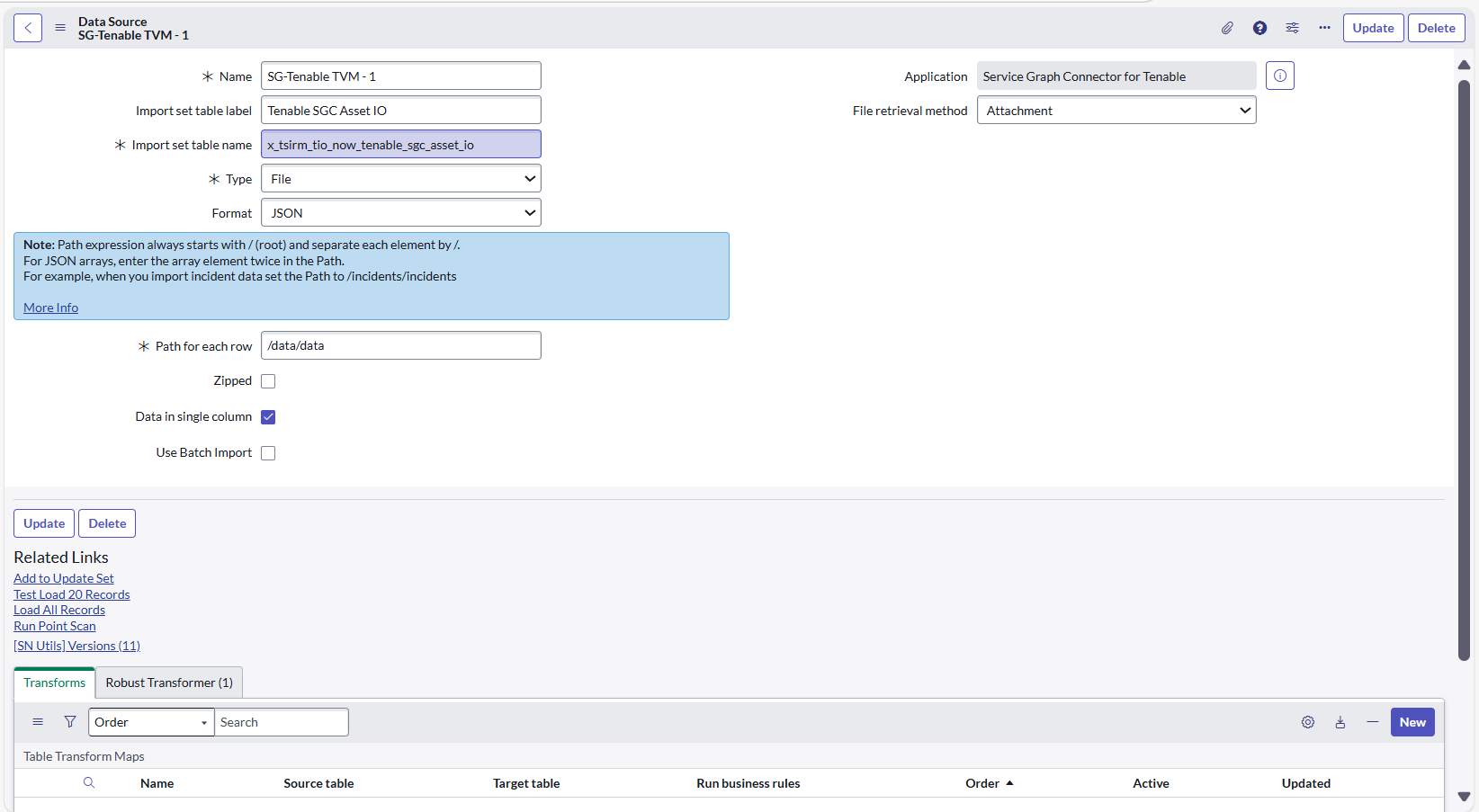
The connector includes multiple data sources mapped to scheduled import jobs. One of the data sources, 'SG-Tenable TVM - 1', uses the "Attachment" method to retrieve files.
However, when we attempt a test load of 20 records from the related list of this data source, we receive the following error:
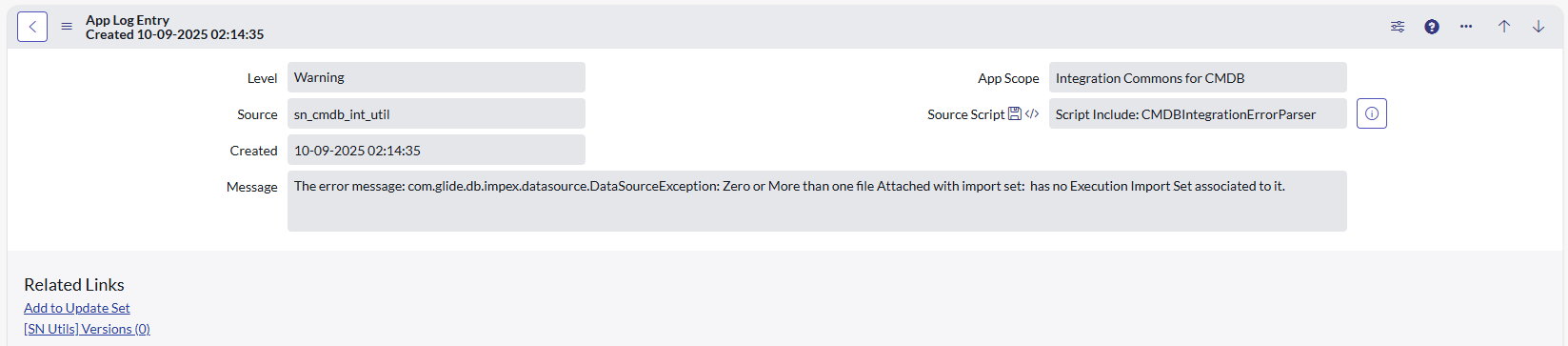
com.glide.db.impex.datasource.DataSourceException: Zero or More than one file Attached
I’ve attached screenshots of:
- Import Status
- Application Logs
- Data Source
Has anyone encountered this issue before? What could be causing it, and how can we resolve it?
Any guidance would be appreciated!
https: // store. servicenow. com /store/ app/ d102bfea1ba46a50a85b16db234bcbf7
https:// docs.tenable .com /integrations/ServiceNow /Content/Welcome.htm
Thanks in advance for your help!🙏
Tags - Service Graph Connector, Tenable, CMDB, Import Jobs, DataSourceException, ServiceNow Integration, Test Load Error, Import Status, Application Logs, SG-Tenable TVM - 1, File Attachment Issue, Scheduled Import Jobs, Import Set API, ServiceNow CMDB, Troubleshooting, com.glide.db.impex.datasource.DataSourceException: Zero or More than one file Attached
Solved! Go to Solution.
- Mark as New
- Bookmark
- Subscribe
- Mute
- Subscribe to RSS Feed
- Permalink
- Report Inappropriate Content
11-03-2025 09:56 PM
Hey @donhall ,
After some time, one of my friends took this implementation further. He informed that 2 modifications helped him resolve this error. Please try and confirm if this works for you as well.
1. Disable MID Server: The error occurs because ServiceNow cannot locate exactly one file during the attachment-based import.
2. Switch Endpoint URL: (Try this only if 1st option didn't work.) Disable the "Use MID Server" option in your web connection settings to allow direct cloud communication, and change your API endpoint from https:// cloud.tenable.com to https:// tenable.io to route through the correct regional cloud infrastructure. [Please remove space " " in the URLs].
Please hit Like if this helps you in any way. And let me know if this resolves your issue so that we can mark this as a Solution.
Thanks in advance!
- Mark as New
- Bookmark
- Subscribe
- Mute
- Subscribe to RSS Feed
- Permalink
- Report Inappropriate Content
01-26-2026 06:18 AM
Hi All,
I am also facing the same error , although i am using Tenable Security Center to fetch the assets into CMDB.
"
Zero or More than one file Attached ( scheduled import job: SG-Tenable TSC - 1)" |
I Can see the SG Connection is successful with 200 status
Test load 20 records showing error, i am using MID Server for the connection
If i uncheck the "use mid server" my SG Connection will be failed.

- Mark as New
- Bookmark
- Subscribe
- Mute
- Subscribe to RSS Feed
- Permalink
- Report Inappropriate Content
11-03-2025 09:56 PM
Hey @donhall ,
After some time, one of my friends took this implementation further. He informed that 2 modifications helped him resolve this error. Please try and confirm if this works for you as well.
1. Disable MID Server: The error occurs because ServiceNow cannot locate exactly one file during the attachment-based import.
2. Switch Endpoint URL: (Try this only if 1st option didn't work.) Disable the "Use MID Server" option in your web connection settings to allow direct cloud communication, and change your API endpoint from https:// cloud.tenable.com to https:// tenable.io to route through the correct regional cloud infrastructure. [Please remove space " " in the URLs].
Please hit Like if this helps you in any way. And let me know if this resolves your issue so that we can mark this as a Solution.
Thanks in advance!
- Mark as New
- Bookmark
- Subscribe
- Mute
- Subscribe to RSS Feed
- Permalink
- Report Inappropriate Content
12-08-2025 03:04 AM
@PrasadShelar Did you manage to fix the issue?
- Mark as New
- Bookmark
- Subscribe
- Mute
- Subscribe to RSS Feed
- Permalink
- Report Inappropriate Content
01-11-2026 07:53 PM
@PrasadShelar When using the Service Graph Connector for Tenable, does it populate additional classes besides Computer / Unclassed Hardware/ Unidentified IP Address ? Does a server also show up in the Computer class ? Where does Network devices like switches/routers show up ?
Thanks
- Mark as New
- Bookmark
- Subscribe
- Mute
- Subscribe to RSS Feed
- Permalink
- Report Inappropriate Content
02-01-2026 03:28 PM
Hi All,
I am also facing the same error , although i am using Tenable Security Center to fetch the assets into CMDB.
"
Zero or More than one file Attached ( scheduled import job: SG-Tenable TSC - 1)" |
I Can see the SG Connection is successful with 200 status
Test load 20 records showing error, i am using MID Server for the connection
If i uncheck the "use mid server" my SG Connection will be failed.