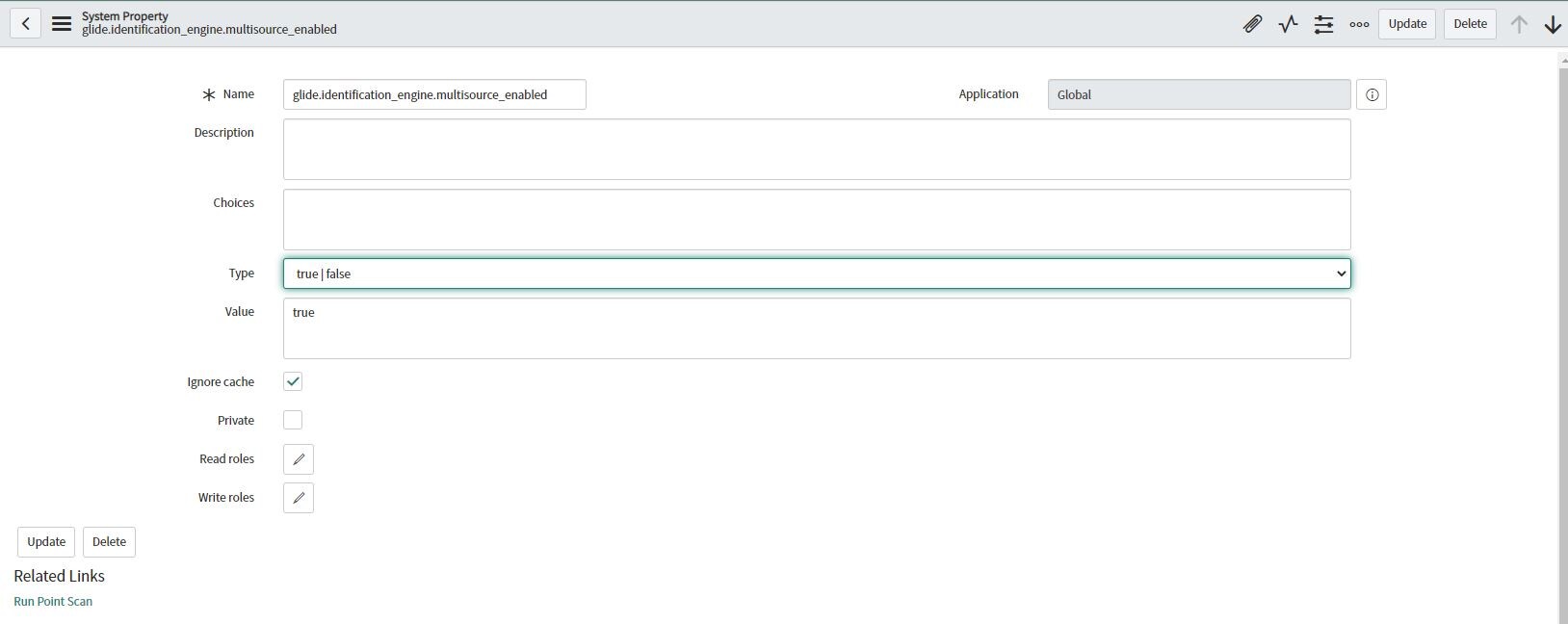
Task 07: Enable Multisource CMDB - How to add the property

- Mark as New
- Bookmark
- Subscribe
- Mute
- Subscribe to RSS Feed
- Permalink
- Report Inappropriate Content
01-15-2021 02:35 PM
- Mark as New
- Bookmark
- Subscribe
- Mute
- Subscribe to RSS Feed
- Permalink
- Report Inappropriate Content
03-14-2023 04:55 PM
Thank you very much for sharing your knowledge. I was lost for several days and your comment helped me to solve my problem.


- Mark as New
- Bookmark
- Subscribe
- Mute
- Subscribe to RSS Feed
- Permalink
- Report Inappropriate Content
05-04-2021 08:02 AM
I know what you mean. Go to sys_properties.list. Add new. Name is glide.identification_engine.multisource_enabled and Value is true. Type is true false. Submit. It should work then.
*Just what I said above. My id has changed since I'm now a Servicenow employee.

- Mark as New
- Bookmark
- Subscribe
- Mute
- Subscribe to RSS Feed
- Permalink
- Report Inappropriate Content
06-17-2021 10:59 PM
Go to sys_properties.list
Add new --> Name -- glide.identification_engine.multisource_enabled
Value -- true.
Type -- true/false

It is a dummy plugin that allows activation of any store applications that require ITOM Discovery licensing and for multi source CMDB to work, it is required.
For multisource CMDB to work, this plugin is required.
- Mark as New
- Bookmark
- Subscribe
- Mute
- Subscribe to RSS Feed
- Permalink
- Report Inappropriate Content
12-01-2021 01:48 AM
Very useful. I was clueless on how to achieve this task in the simulator instance. These instructions are a great help!
- Mark as New
- Bookmark
- Subscribe
- Mute
- Subscribe to RSS Feed
- Permalink
- Report Inappropriate Content
12-02-2021 09:28 AM
Thank you for providing the steps. As someone who is just learning ServiceNow and getting into CMDB Fundamentals this guided step helped the most.