


We're reclaiming inactive PDIs to keep them available for active builders. Learn what's changing, who's affected, and how to protect your work. Read More

Jaspal Singh
Mega Patron

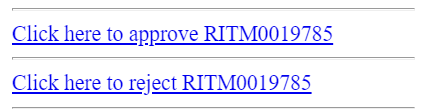
OOB notifications for Approval includes links for approval as below.

find_real_file.png

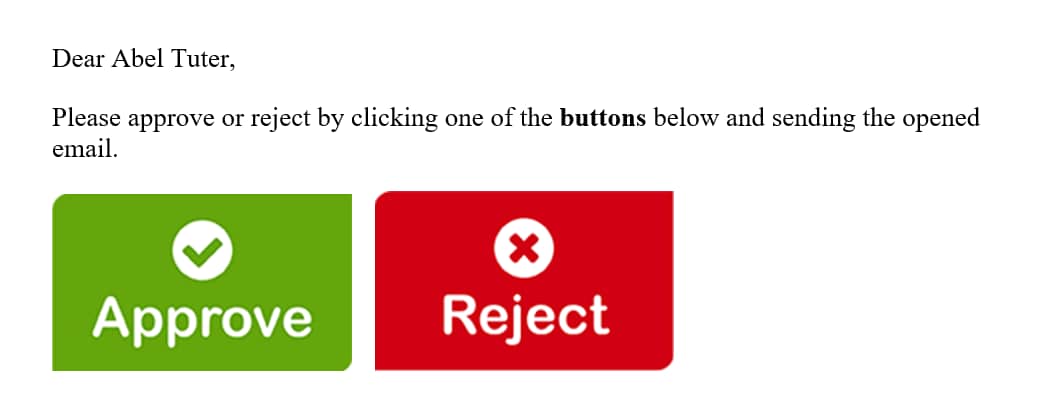
These seems to be bringing more of standard user interface however, ServiceNow provides us a functionality of mail scripts that can be customized & leverged to an extent so as to display dynamic button/images instead of standard links which is also very simple to build.

find_real_file.png

Steps below can be followed for getting something as above in place.

1. Upload images as attached in the Images table from System UI >> Images.

2. Create mail scripts as below for Approve & Reject options.

    a. Approve: email.button.approve.insert

var img = "/Approve.png";

var response = "approve";

var emailbod = "I approve this request.";

template.print(renderMailtoButton(img, response, emailbod));


  b. Reject: email.button.reject.insert

var img = "/Reject.png";

var response = "reject";

var emailbod = "I reject this request.";

template.print(renderMailtoButton(img, response, emailbod));


3. Script include: renderMailtoButton

function renderMailtoButton(image, response, emailbod){
	
	var instance = gs.getProperty("instance_name");
	var link = "https://" + instance + ".service-now.com";
	var mark = email.watermark;
	var number = current.number;
	var emailAddress = instance + "@service-now.com";
	if (current.getTableName().indexOf("sysapproval") != -1){
		number = current.sysapproval.number;
		}
			var mailLink = '<a href="mailto:'+ emailAddress + '?subject=Re:' + number + ' ' + response +'&body=' +  emailbod +  mark + '"><img src="' + link + image + '"></a>';
	return mailLink;
	
}

Script include above will help associating image (approve/reject), subject, body & recipient which is called in the mail script.

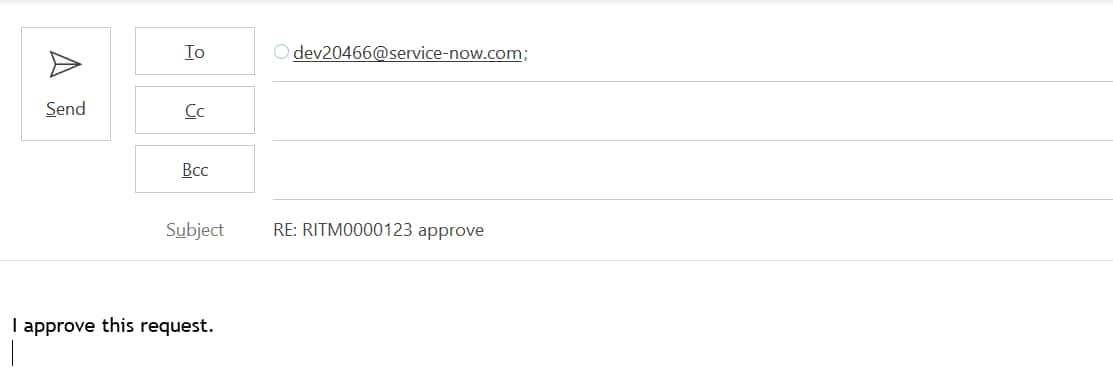
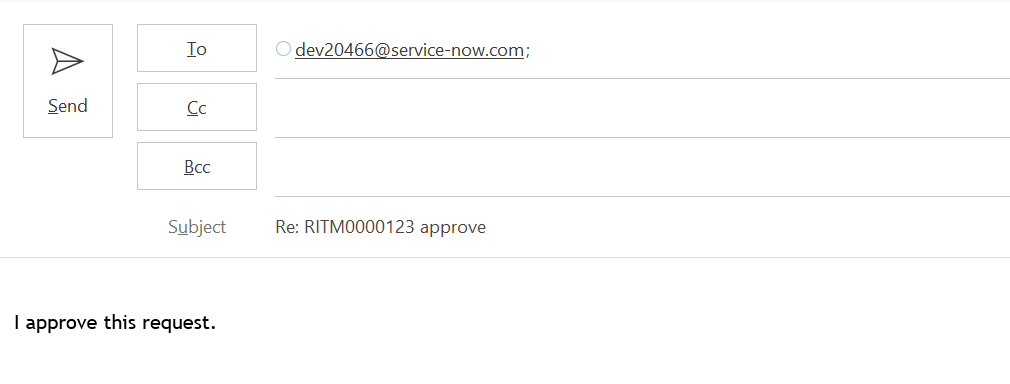
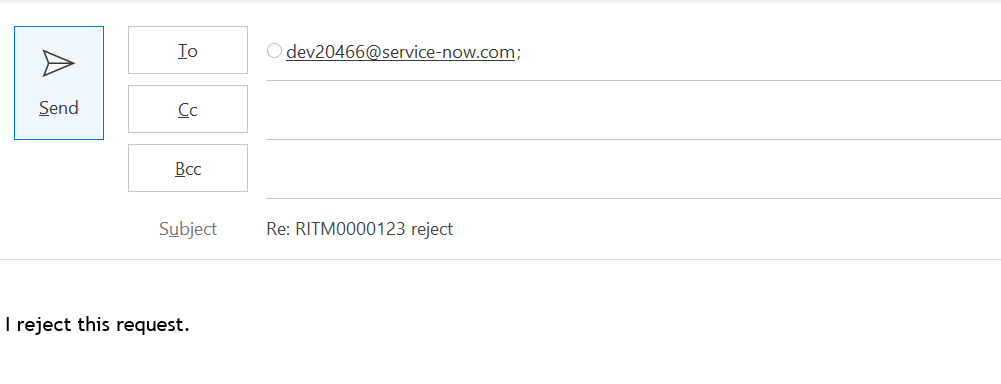
renderMailtoButton is used to set below when Approve button is clicked.

To: (instance mail),

Subject: RE: RITM000000 approve

Body: I approve this request.

find_real_file.png

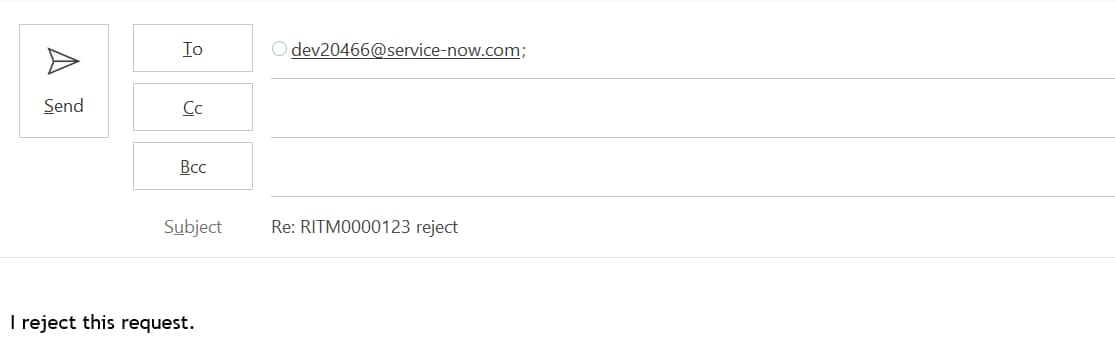
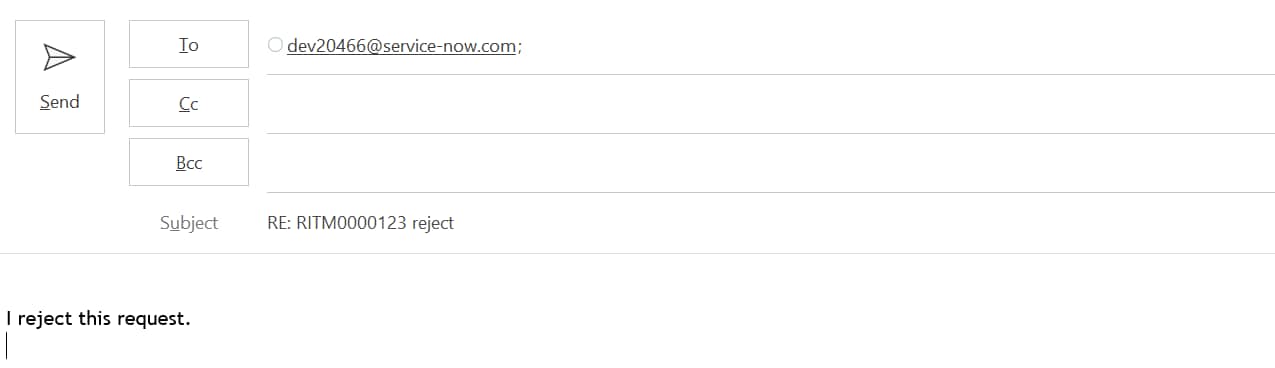
On click of Reject button from Approval mail below is set.

To: (instance mail),

Subject: RE: RITM000000 reject

Body: I reject this request.

find_real_file.pngTo summarize, renderMailtoButton is used to open outlook mail directly with the values being passed in Image, Subject, Body & recipient list.

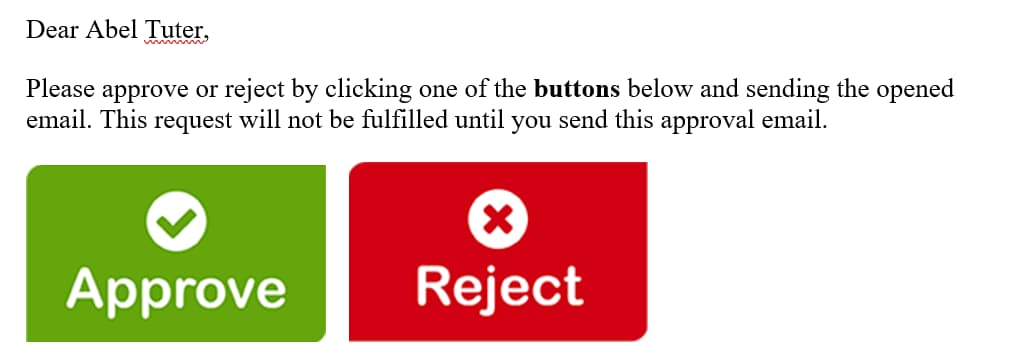
4. Call the mail scripts in the notification body (What it will contain) so as to make it work in the format as below.


Dear ${approver.name},

Please approve or reject by clicking one of the buttons below and sending the email opened after click of any of below button.

${mail_script:email.button.approve.insert} ${mail_script:email.button.reject.insert}

Output as below:

find_real_file.png 


Hope it helps.


Thanks,

Jaspal Singh

83 Comments
Kifrez
Kilo Guru

Hello, no. We decided to just make a simple response and update the ticket using Flow Designer.

Kifrez
Kilo Guru

Hi @Jaspal Singh , 

Would you know how to get the response email to go to sysapproval_approver table?
When the user reply with subject line Re:creq12323 - Approve, the response goes to the ticket itself.


Thanks so much in advanced.

Edxavier Robert
Mega Sage

Hi, it would be possible to add a third option? Instead or Approve or Reject add a new option Review (This option would re-open a task)

amIT152
Kilo Guru

Hi Jaspal @Jaspal Singh 


Blog was super supportive, please make the some adjustment in the


2. Create mail scripts as below for Approve & Reject options.

    a. Approve: email.button.approve.insert


var img = "/Approve.png";


please change to : var img = "/Approve.pngx";


SAME FOR : 


 b. Reject: email.button.reject.insert


var img = "/Reject.png";


TO


var img = "/Reject.pngx";


By making this changes  this blog will be totally updated 🙂


Please mark helpfull 🙂

Malani Arjun
Kilo Contributor

Hi @Jaspal Singh ,

I have followed all the steps its showing output as undefined. Could you please help me.

Kifrez
Kilo Guru

Hi @Edxavier Roberto Caez , why would you want to add third option? If they would like to re-open a task after rejected, they have to discuss it with the approver rather than keep the ticket opened.


You would just keep the ticket open and create Resend approval custom UI button on the form to trigger the approval again once discussed.

Kifrez
Kilo Guru

Hi @Malani Arjun , I have followed the step and able to use this article in my environment. Do you have screenshot or if you are on developer instance , could you give us access? thanks

Malani Arjun
Kilo Contributor

Hi @amIT,

I have attached the screenshot for your reference, In Notification Preview its showing undefined instead of image. Please help,I m very new to development.

Many thanks in advance.

Kifrez
Kilo Guru

Hi @Malani Arjun ,

You would need to fix the image name or the script. Your script says .pngx but your image stored in servicenow is .png

find_real_file.png

Either remove x so it becomes .png or change the image to be .pngx.

Please click Helpful if this helps you. thank you

Balaraju K B
Tera Expert

Hi @Jaspal Singh 

I have the similar type of requirement but it don't have any approvals and all.

For a case when an assigned to a Group there a notification will be sending that will contain "Accept" or "Reject" buttons on-click of let's say "Accept" then it should open seperate mail box as shown above by you and that message in the body should get updated in the Additional comments field on the case.

Note : I used your script as is and uploaded images in system ui but it's not displaying the buttons on the notification body?

What changes i should make to get proper output here?

Anyone suggest would help a lot


Thanks in Advance

Balaraju