- Mark as New
- Bookmark
- Subscribe
- Mute
- Subscribe to RSS Feed
- Permalink
- Report Inappropriate Content
10-03-2014 03:30 PM
in my DEV instance I created a new ticketing application. It was all created in a update set, it was tested and working exactly as designed. I completed the update set and transferred it to my PROD instance . . . I do not have a QA instance. When I started testing the PROD instance of the new application, the form view looks correct, but some of the fields on the form are show the field column name, not the label that it is supposed to be showing. I will attach a few screen shots.
from the DEV side: 
from the DEV side from the form

what shows up in my PROD side:

what shows up in PROD on the form

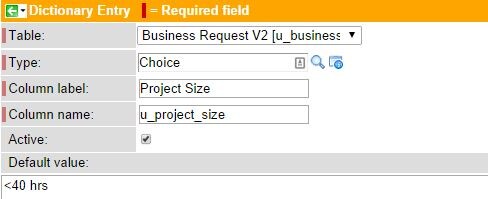
when I right-click and 'personalize label' I get:

Solved! Go to Solution.
- Labels:
-
Ask the Expert

- Mark as New
- Bookmark
- Subscribe
- Mute
- Subscribe to RSS Feed
- Permalink
- Report Inappropriate Content
10-03-2014 03:43 PM
Check the Labels table (sys_documentation) for a label for that field and table combination. You should be able to see the field labels in a related list at the bottom of the dictionary entry, if it's not there then you can navigate directly to the sys_documentation table and view from there. My guess is that the actual Label entry doesn't exist and you'll need to recreate it and then update the 'Column label' field to match.
- Mark as New
- Bookmark
- Subscribe
- Mute
- Subscribe to RSS Feed
- Permalink
- Report Inappropriate Content
04-06-2026 01:06 PM
I had the same issue - When I added a new field after the existing 125 fields, the column label showed empty while the column name showed fine in the Advanced view. This 126th field never showed in the normal view in ServiceNow studio. I was able to find the field in sys_documentation and added a column label and the field still continued to be invisible to GlideRecord.getElements() API. I also checked sys_dictionary and the field had no column label although the field showed. The field did not show in Table Schema Map of my staging table. In sys_storage_table, I only saw the staging table but no columns.
I saw a forum question where they said the limit had been reached and they had to delete a (unused or less used) column to add a new one. I did that and that worked. I wish this limit did not exist on the number of columns we can add in a table or that it was more than 125.