- Mark as New
- Bookmark
- Subscribe
- Mute
- Subscribe to RSS Feed
- Permalink
- Report Inappropriate Content
10-11-2021 10:21 PM
Hi,
I have created flow designer for one catalog item and using subflow in that .
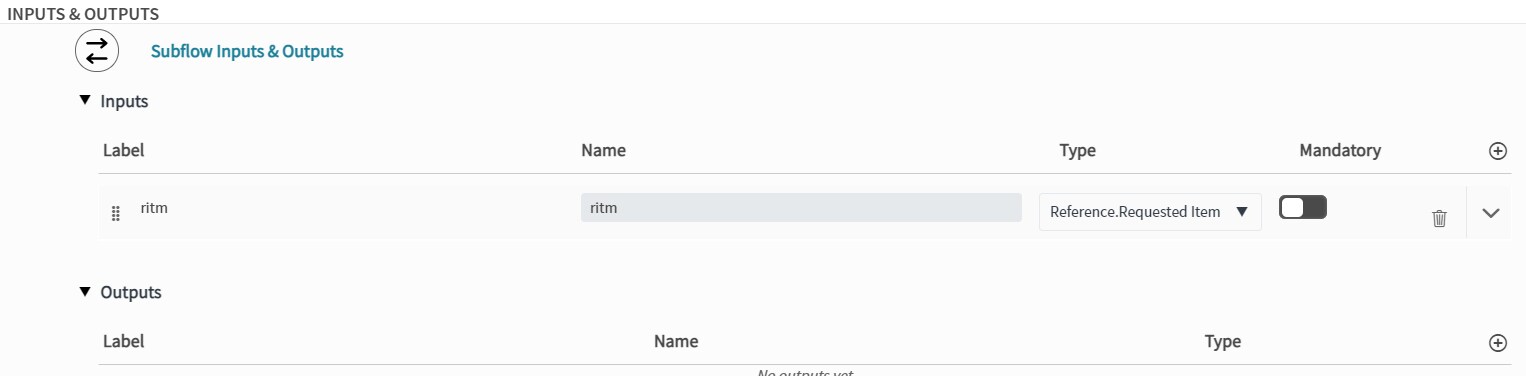
I am passing trigger requested item as input in subflow.
How to use those input variables in catalog task description script. I want to use RITM's sys_id in subflow script.
can someone please help.

Regards,
Sonali j
Solved! Go to Solution.
- Labels:
-
Service Catalog


- Mark as New
- Bookmark
- Subscribe
- Mute
- Subscribe to RSS Feed
- Permalink
- Report Inappropriate Content
10-12-2021 01:30 AM
So can you share a bit of what you are scripting? Anyway, without knowing that, you do have a subflow input "ritm", you can access that in script using:
var ritm_sysid = fd_data.subflow_inputs.ritmIf my answer helped you in any way, please then mark it as helpful.
Kind regards,
Mark
2020, 2021 ServiceNow Community MVP
2020, 2021 ServiceNow Developer MVP
---
- Mark as New
- Bookmark
- Subscribe
- Mute
- Subscribe to RSS Feed
- Permalink
- Report Inappropriate Content
10-11-2021 10:41 PM
Hi there,
Can you clarify your question? What is your understanding of "subflow script".
If my answer helped you in any way, please then mark it as helpful.
Kind regards,
Mark
2020, 2021 ServiceNow Community MVP
2020, 2021 ServiceNow Developer MVP
---
- Mark as New
- Bookmark
- Subscribe
- Mute
- Subscribe to RSS Feed
- Permalink
- Report Inappropriate Content
10-11-2021 11:25 PM
Hi Mark,
I have created flow designer for catalog item and in that flow designer I am using subflow.
Subflow contains some set of catalog tasks , and for that catalog tasks description I need sysid of parent RITM .
subflow in flow designer:-

subflow inputs:-

Regards,
Sonali J
- Mark as New
- Bookmark
- Subscribe
- Mute
- Subscribe to RSS Feed
- Permalink
- Report Inappropriate Content
10-11-2021 11:31 PM
Can you use below instead in your Flow? That would provide you with the sys_id of the newly generated Requested Item (= tested). And obviously, you could use that as input for your subflow.

If my answer helped you in any way, please then mark it as helpful.
Kind regards,
Mark
2020, 2021 ServiceNow Community MVP
2020, 2021 ServiceNow Developer MVP
---
- Mark as New
- Bookmark
- Subscribe
- Mute
- Subscribe to RSS Feed
- Permalink
- Report Inappropriate Content
10-12-2021 12:12 AM