Hide display name in reference variable

- Mark as New
- Bookmark
- Subscribe
- Mute
- Subscribe to RSS Feed
- Permalink
- Report Inappropriate Content
02-14-2022 10:35 PM
Hi All,
I have used the following filter in variable attributes for custom table field
ref_auto_completer=AJAXTableCompleter,ref_ac_columns=u_group_approvers,ref_ac_columns_search=true,ref_ac_display_value=false

My requirement is to display just a single list of group approvers field and I have set "ref_ac_display_value=false"
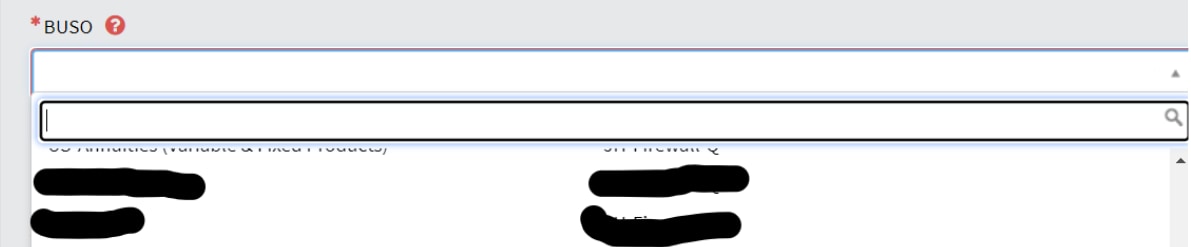
Stil the display name is visible along with group approvers

please suggest any changes to syntax to display only one field(group approvers)
- Labels:
-
Service Catalog
- Mark as New
- Bookmark
- Subscribe
- Mute
- Subscribe to RSS Feed
- Permalink
- Report Inappropriate Content
02-15-2022 12:21 AM
Hi Ankur,
I could see a custom field u_name with set display = true
I made the field display = false and updated attributes as ref_auto_completer=AJAXTableCompleter,ref_ac_columns=u_group_approvers,ref_ac_columns_search=true
Still it displays as 2 columns


- Mark as New
- Bookmark
- Subscribe
- Mute
- Subscribe to RSS Feed
- Permalink
- Report Inappropriate Content
02-15-2022 12:44 AM
Can you tru below.
ref_auto_completer=AJAXTableCompleter,ref_ac_columns_search=true,ref_ac_columns=u_group_approvers,ref_ac_order_by=name,ref_ac_display_value=false

- Mark as New
- Bookmark
- Subscribe
- Mute
- Subscribe to RSS Feed
- Permalink
- Report Inappropriate Content
02-15-2022 12:59 AM
Hi,
please check below points
Reference fields look for the display value in the following order:
your case falls in 3rd point as there is no field which is display and you have u_name field on your table
- A field with display=true in the system dictionary on the lowest sub-table for extended tables.
- A field with display=true in the system dictionary on the parent table.
- A field named name or u_name.
- The Created on field of the referenced record.
Please note you can only set one field can be defined as the display value for a table.
Regards
Ankur
Ankur
✨ Certified Technical Architect || ✨ 10x ServiceNow MVP || ✨ ServiceNow Community Leader
- Mark as New
- Bookmark
- Subscribe
- Mute
- Subscribe to RSS Feed
- Permalink
- Report Inappropriate Content
02-15-2022 12:43 AM
Hi
Follow the below steps..
Step 1: Go to header and Right click .. Configure -> All

Step 2: Go to dictionary entries, under table give your table name and under type give collection

Step 3: Open it and see what is the value for Reference auto completer columns.. I think there you had provied display name...so remove it..it solves your issue.