- Mark as New
- Bookmark
- Subscribe
- Mute
- Subscribe to RSS Feed
- Permalink
- Report Inappropriate Content
07-10-2017 12:55 PM
Hi Community
I created a custom catalog and I want to add it to Self-Service -> Service Catalog in the application, that is to say, I want to see My Catalog when I click on "Service Catalog" module, instead of the current "Service Catalog"

Any ideas will be appreciated?
Lex
Solved! Go to Solution.
- Labels:
-
Incident Management

- Mark as New
- Bookmark
- Subscribe
- Mute
- Subscribe to RSS Feed
- Permalink
- Report Inappropriate Content
07-10-2017 01:13 PM
Hi Lex
you can also try with steps below.
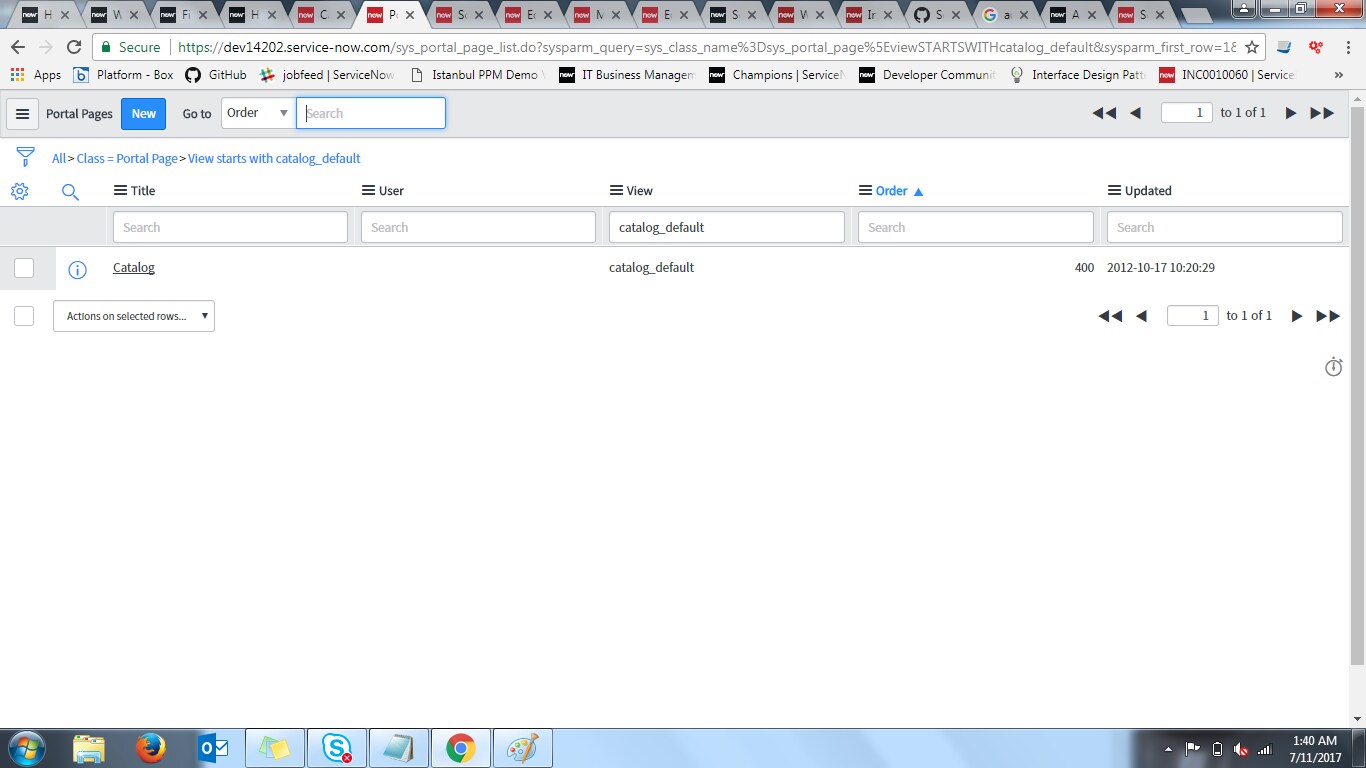
Homepage Admin>> pages> search "catalog_default" in view field.
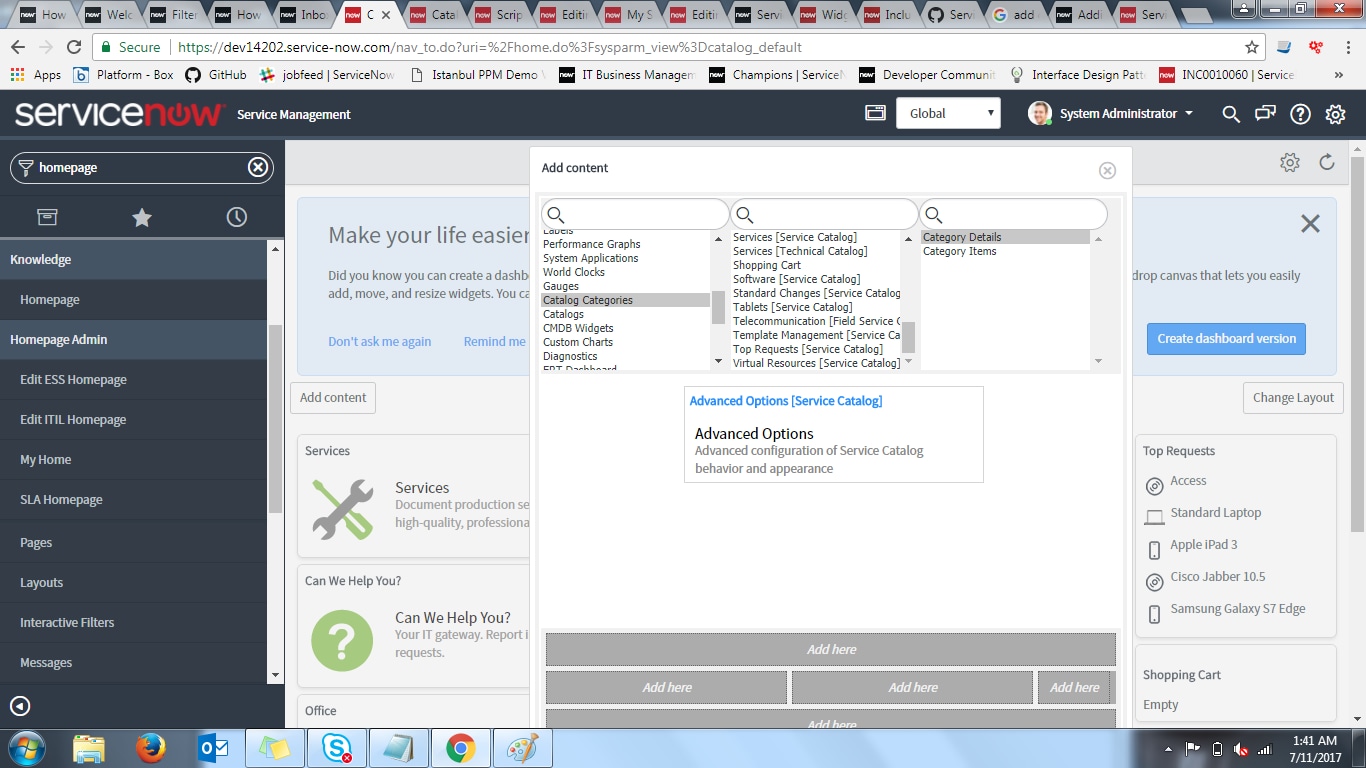
open that and click on edit homepage link it will open a page and there you can add it.

click on edit homepage link


- Mark as New
- Bookmark
- Subscribe
- Mute
- Subscribe to RSS Feed
- Permalink
- Report Inappropriate Content
07-10-2017 01:02 PM


- Mark as New
- Bookmark
- Subscribe
- Mute
- Subscribe to RSS Feed
- Permalink
- Report Inappropriate Content
07-10-2017 01:05 PM
Hi Lex,
Please refer below URL on wiki on managing Multiple catalogs.
Managing Multiple Service Catalogs - ServiceNow Wiki
Thanks,
Rohith.
- Mark as New
- Bookmark
- Subscribe
- Mute
- Subscribe to RSS Feed
- Permalink
- Report Inappropriate Content
07-10-2017 01:13 PM
- Mark as New
- Bookmark
- Subscribe
- Mute
- Subscribe to RSS Feed
- Permalink
- Report Inappropriate Content
07-10-2017 01:58 PM
Thank you very much! I was able to add my catalog!