How to change the default fields in the new template creation form in change management

- Mark as New
- Bookmark
- Subscribe
- Mute
- Subscribe to RSS Feed
- Permalink
- Report Inappropriate Content
05-23-2026 09:55 AM
Hi All,
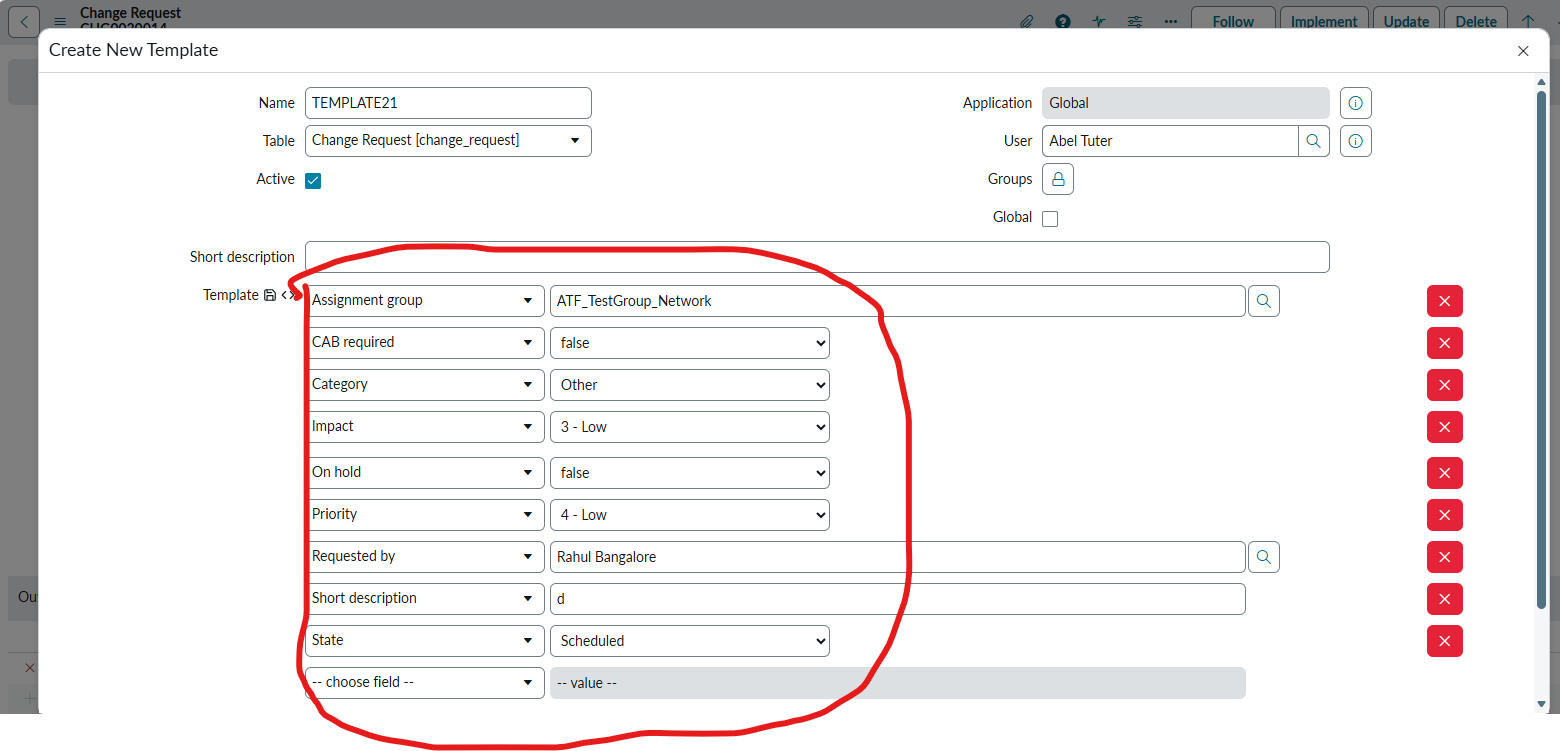
Need a help please. Iam trying to change the fields in the new template creation popup in the change management. Once change is opened, in the template bar, click on + sign and a new template creation form appears and it will have default fields. i am looking to modify them.
Any suggestion s would be of great help.
Thanks & Regards,

- Mark as New
- Bookmark
- Subscribe
- Mute
- Subscribe to RSS Feed
- Permalink
- Report Inappropriate Content
05-24-2026 03:31 AM
Hello @Raahul2 , The template form is automatically filled with values from the Change form, and you can add or remove fields as required. Because of this, it shouldn't take user's much time to modify it.
Nevertheless, if you still want total control, you can write an onLoad client script to manipulate the data inside the Template value field dynamically. This field stores values as an encoded string. This approach is a simple solution if you already know the specific fields and values. However, if you want to map Change values to the Template form similar to OOB, you will need to pull those Change values dynamically, either by mapping them directly or by storing them in a scratchpad.
I have written a client script below to demonstrate this, which you can modify for your needs.
Write client script on sys_template table.
function onLoad() {
    if (g_form.getValue('table') == 'change_request') {
        var newTemplateValue = "short_description=Critical Outage^impact=1^urgency=1^EQ";
        g_form.setValue('template', newTemplateValue);
    }
}
P.S: I have never implemented this specific solution before. Please make your decision carefully, as this approach introduces unnecessary technical debt
Regards,
Nishant
- Mark as New
- Bookmark
- Subscribe
- Mute
- Subscribe to RSS Feed
- Permalink
- Report Inappropriate Content
05-24-2026 11:25 PM
Hello @Raahul2, did you try the steps I shared. If not, please try.
- Mark as New
- Bookmark
- Subscribe
- Mute
- Subscribe to RSS Feed
- Permalink
- Report Inappropriate Content
05-24-2026 11:47 PM
Hello Nishant,
Thank you for the response. I have tried using the client script, but didnot work. Thought if an UI script be created and used, unfortunately that didnot work either. Its kind of a block for me..
Best regards,
- Mark as New
- Bookmark
- Subscribe
- Mute
- Subscribe to RSS Feed
- Permalink
- Report Inappropriate Content
05-24-2026 11:53 PM
Hello @Raahul2 , it should work as it overwrites the template values. of course, to work exactly like OOB, there are additional efforts required.
Could you please share your client script snapshot here? It should be on load script on sys_template table
- Mark as New
- Bookmark
- Subscribe
- Mute
- Subscribe to RSS Feed
- Permalink
- Report Inappropriate Content
05-25-2026 01:32 AM
Hi Nishant,
My bad, I have changed it to template table and it works. However, the other challenge I see is , I want this only for normal change but this is modifying all other change templates as well. I thought of defying type = normal. but it would not work as there is no type field inside the template. Any suggestion please.
Thank you for your kind help.
Best regards,
Raahul.