"Insufficient rights to read the email body" error while trying to open email on the change request ticket

- Mark as New
- Bookmark
- Subscribe
- Mute
- Subscribe to RSS Feed
- Permalink
- Report Inappropriate Content
07-19-2021 11:53 PM
Hi,
https://support.servicenow.com/kb?id=kb_article_view&sysparm_article=KB0860854


- Mark as New
- Bookmark
- Subscribe
- Mute
- Subscribe to RSS Feed
- Permalink
- Report Inappropriate Content
07-20-2021 12:17 AM

- Mark as New
- Bookmark
- Subscribe
- Mute
- Subscribe to RSS Feed
- Permalink
- Report Inappropriate Content
07-20-2021 12:58 AM


- Mark as New
- Bookmark
- Subscribe
- Mute
- Subscribe to RSS Feed
- Permalink
- Report Inappropriate Content
07-20-2021 01:03 AM
Hi Hemanth
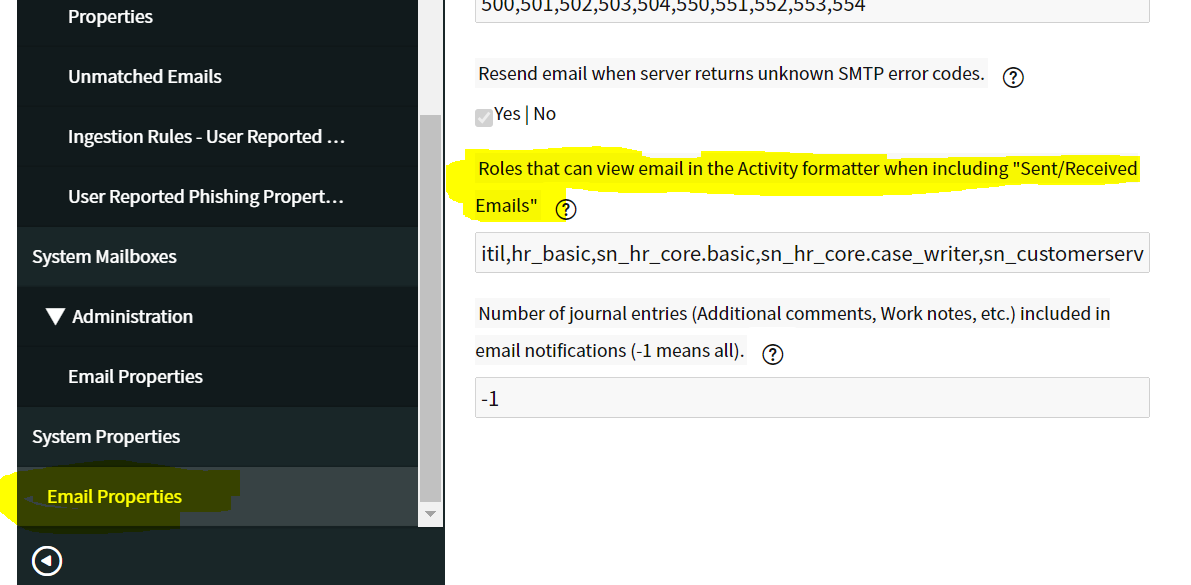
Verify that if There is an ACL on the sys_email table that is stopping from displaying the contents of the email.
- Mark as New
- Bookmark
- Subscribe
- Mute
- Subscribe to RSS Feed
- Permalink
- Report Inappropriate Content
07-20-2021 01:17 AM
Hi Hemanth,
Please Ensure that there is a read ACL on the sys_email table.
Here is what we found. There is an ACL that is stopping from displaying the contents of the email. This is a OOB ACL which mostly targets the HRDS application.
ACL: sys_email
Sys_id: 24ee8c39534203002b76da86a11c088e
Disable it and you will be able to see the contents. hope this works.
Thank you,
Abhishek Gardade
