Recommended Actions (SOW) - How to change "Attach and add link in comment" to post to Work Notes ins

- Mark as New
- Bookmark
- Subscribe
- Mute
- Subscribe to RSS Feed
- Permalink
- Report Inappropriate Content
05-29-2026 12:31 AM
In Recommended Actions / Service Operations Workspace, I am using the OOB Guidance "Attach and share article".
I can see OOB actions:
- Attach
- Attach and add link in comment
- Add link in worknote
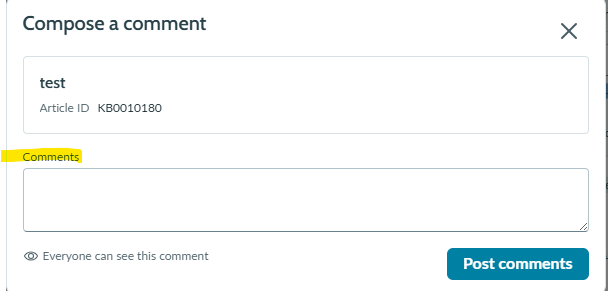
I want the popup and action behind "Attach and add link in comment" to post into Work Notes instead of Comments.
In Contextual Search Search Action Configuration there is an "Attach note field" (work_notes/comments), but I cannot find an equivalent field for Recommended Actions.
Has anyone changed the target from Comments to Work Notes in Recommended Actions? Is there an OOB configuration for this, or does it require modifying the UX client script / event mapping?
Australia release.
- Labels:
-
Service Operations Workspace
- Mark as New
- Bookmark
- Subscribe
- Mute
- Subscribe to RSS Feed
- Permalink
- Report Inappropriate Content
07-29-2026 01:26 AM
Hi @josephmosaa ,
Out-of-the-box (OOB), Context records are created for the supported tables. Below are the associated Context (sn_nb_action_rule_context) record Sys IDs for ITSM tables.
| Table Name | Context Record Sys ID |
| change_request | c86cb259839aca506f7fa570ceaad391 |
| change_task | b2250e60936e82907b5bfff56aba1065 |
| incident | 71e20d52532211101d87ddeeff7b1206 |
| incident_task | f2d04e5aeb960e109c3cfd18cad0cdd8 |
| interaction | a80c3c3f1bc24e1022bc0d81604bcb6d |
| problem | 41e716151bd2ce106fe28446624bcbcb |
| problem_task | 8d190ad11b92ce106fe28446624bcb98 |
| sc_request | c6bc6b041bea4e5022bc0d81604bcbc0 |
| sc_req_item | 83b0c09c39351210f87718686404edb9 |
| sc_task | 33eb841039b51210f87718686404ed17 |
How to customize the Guidance Action
Open the Context (sn_nb_action_rule_context) record corresponding to your target table.
Navigate to the Recommendations related list.
Open the required recommendation. For example, for the Incident context, open Create Problem Record for a Major Incident.
From the recommendation record, open the associated Guidance record from action column.

Within the Guidance record, you can configure:
Guidance Inputs
Guidance Outputs
Open the associated Guidance Action record from related lists.

The Guidance Action contains the Guidance Action Automation field, which references the Flow/Subflow executed when the action is selected.
Open the referenced Flow/Subflow and modify it according to your requirements. If you need to pass additional information into the flow, make sure to:
Add the required Guidance Inputs in the Guidance record.
Use the mapped inputs within your Flow/Subflow.

I hope this helps!
If this resolves your issue, please consider marking this reply as Helpful and Accept Solution.
Regards,
Harish