Run Server Side Script step in ATF is not filling the output value.

- Mark as New
- Bookmark
- Subscribe
- Mute
- Subscribe to RSS Feed
- Permalink
- Report Inappropriate Content
10-21-2020 08:48 AM
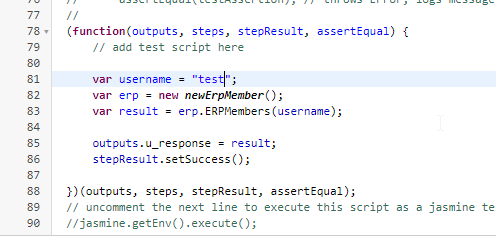
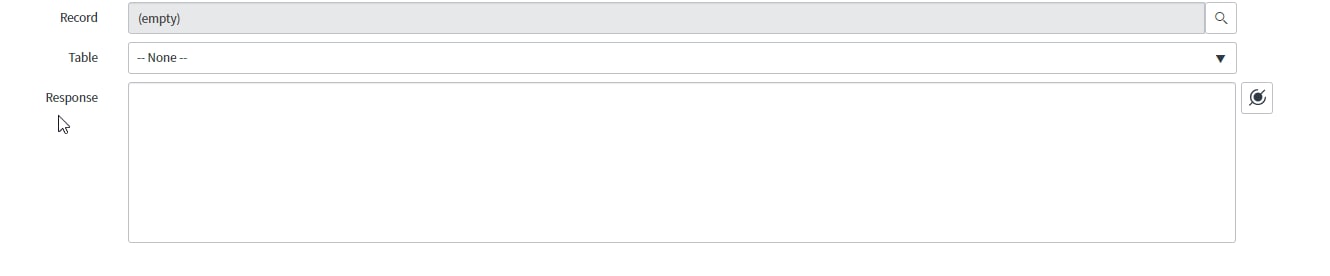
Hello, I am running a server side script step in ATF and test result is returning success but the issue is that the output variable is empty although i am filling it in the script and the result is not empty.
Can anyone tell me what's the issue?
NB: the response variable is declared in the configuration


- Mark as New
- Bookmark
- Subscribe
- Mute
- Subscribe to RSS Feed
- Permalink
- Report Inappropriate Content
10-21-2020 09:03 AM
Hi,
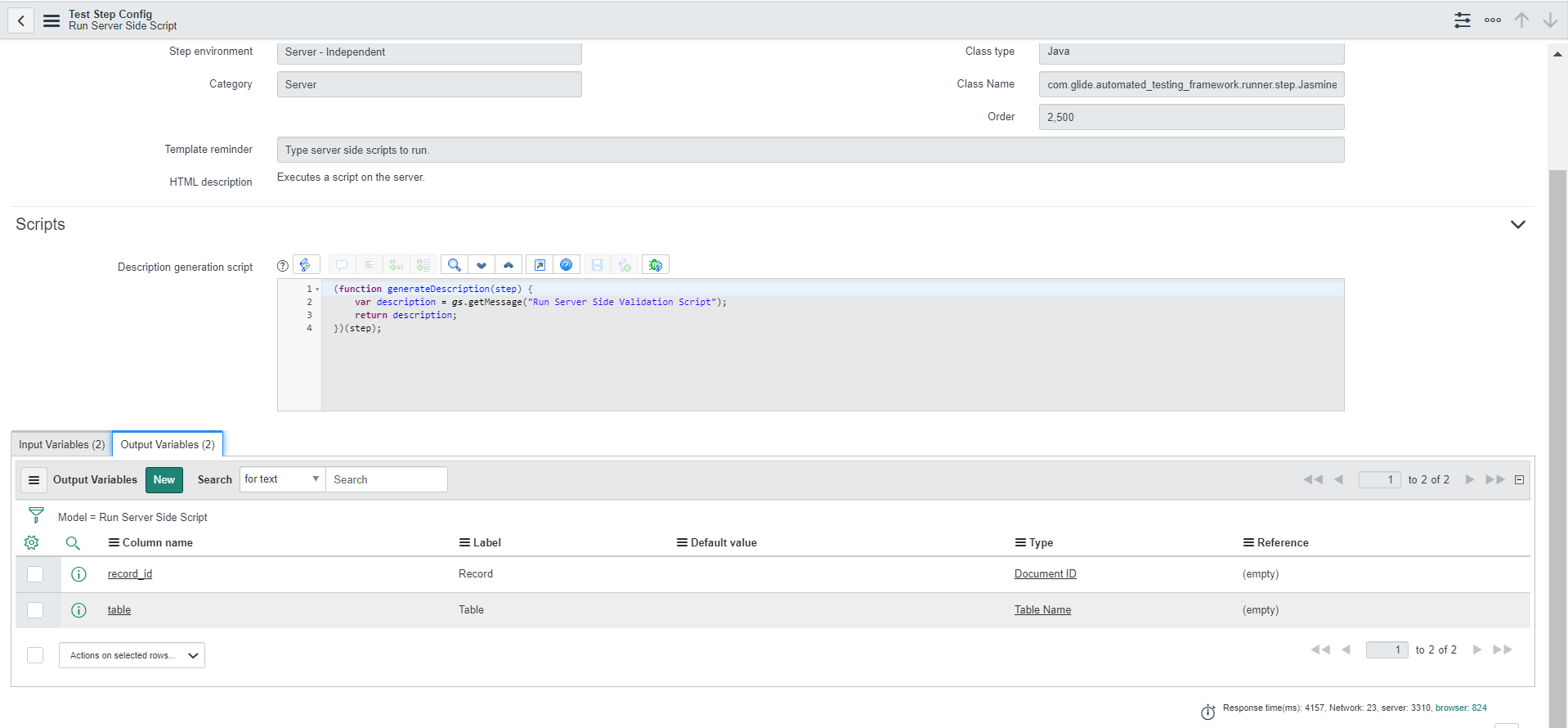
you need to set 2 output variables for run server side script step which are mandatory
outputs.table = 'table name'; // such as incident
outputs.record_id = 'record sys_id'; // such as incident record sys_id
then you can use that record_id in the next step to open the record

Regards
Ankur
Ankur
✨ Certified Technical Architect || ✨ 10x ServiceNow MVP || ✨ ServiceNow Community Leader
- Mark as New
- Bookmark
- Subscribe
- Mute
- Subscribe to RSS Feed
- Permalink
- Report Inappropriate Content
10-21-2020 09:08 AM
Hi Ankur,
I tried to fill the table and the record id as you mentioned but i still have the same issue.
and table and record variables were not filled
- Mark as New
- Bookmark
- Subscribe
- Mute
- Subscribe to RSS Feed
- Permalink
- Report Inappropriate Content
10-22-2020 07:49 AM
Hi,
please share your script
also you should add this line
outputs.table = 'table name'; // such as incident
outputs.record_id = 'record sys_id'; // such as incident record sys_id
stepResult.setSuccess();
return true;
Regards
Ankur
Ankur
✨ Certified Technical Architect || ✨ 10x ServiceNow MVP || ✨ ServiceNow Community Leader
- Mark as New
- Bookmark
- Subscribe
- Mute
- Subscribe to RSS Feed
- Permalink
- Report Inappropriate Content
10-22-2020 08:20 AM