Article Preview Template (Sample Text) Posting as a different language

- Mark as New
- Bookmark
- Subscribe
- Mute
- Subscribe to RSS Feed
- Permalink
- Report Inappropriate Content
04-13-2022 12:14 PM
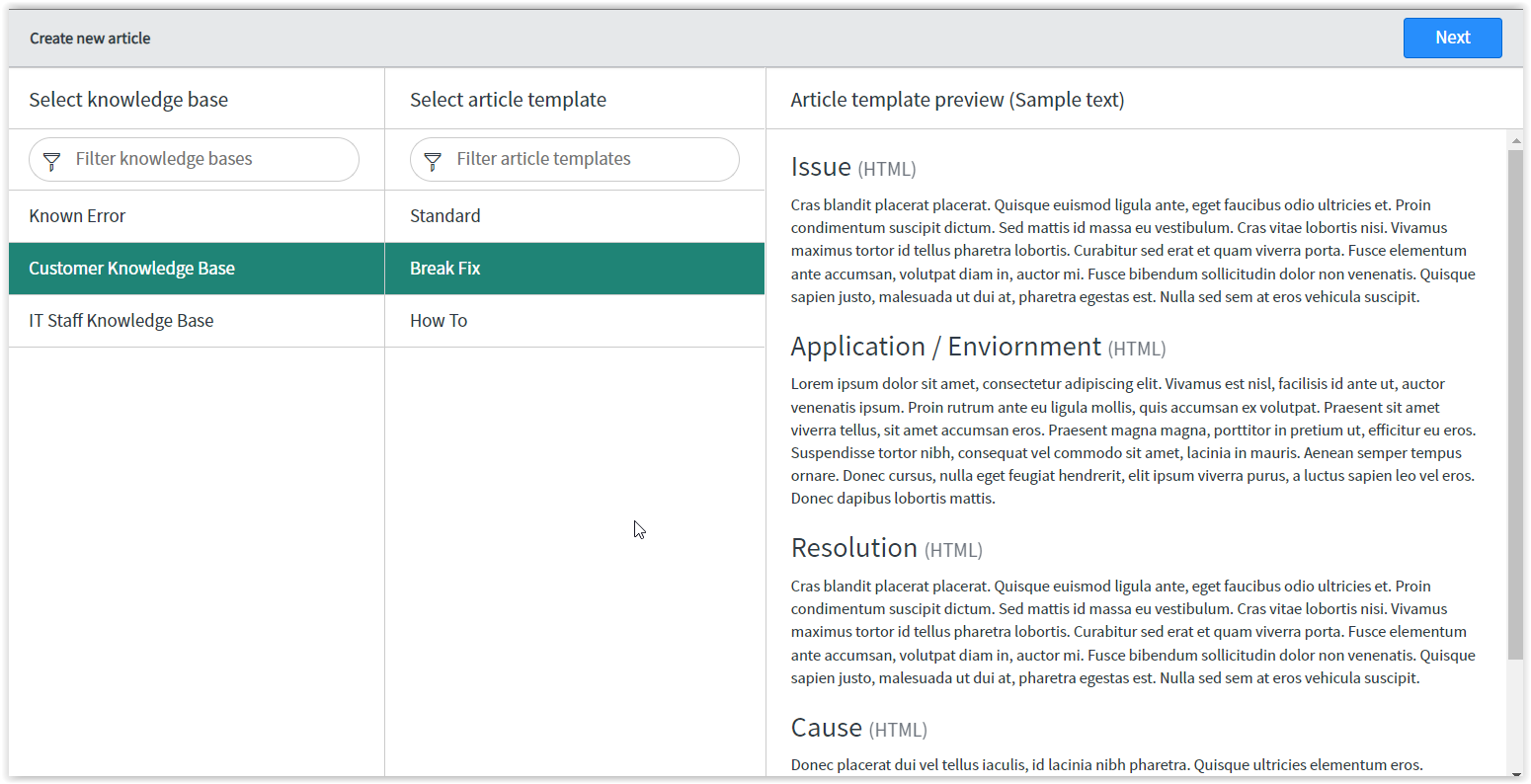
I am currently creating new Article Templates. I am testing the first one out. When I go to create a new KB article I select Create New->select the knowledge base->select the template an Article Template Preview (Sample Text) appears but not in English. I can't figure out how to change the language or how to remove the Article template preview in general. 
- Labels:
-
Knowledge Management
- Mark as New
- Bookmark
- Subscribe
- Mute
- Subscribe to RSS Feed
- Permalink
- Report Inappropriate Content
06-23-2023 07:57 AM
This is one of those frustratingly obvious examples where you think; "there just has to be a better way". These field descriptions should be added to the knowledge template and then this text should pull from the template itself. The fact that you need to change a script and it requires a site admin...argh!

- Mark as New
- Bookmark
- Subscribe
- Mute
- Subscribe to RSS Feed
- Permalink
- Report Inappropriate Content
06-23-2023 08:59 AM - edited 06-23-2023 03:03 PM
Hi @diane_gregory: Is this what you're looking for?
Knolwedge Bases > Select a KB > Article Templates tab > Select a template > Article Template Fields > Select a field and add text > Update


- Mark as New
- Bookmark
- Subscribe
- Mute
- Subscribe to RSS Feed
- Permalink
- Report Inappropriate Content
06-23-2023 01:22 PM
that seems MUCH easier and preferred way to make the edits than what the docs site has listed. Thanks for sharing that!