- Subscribe to RSS Feed
- Mark as New
- Mark as Read
- Bookmark
- Subscribe
- Printer Friendly Page
- Report Inappropriate Content
You are viewing content included in the Next Experience Center of Excellence
This blog post documents some basic repeater component examples. A repeater enables the ability to repeat components or multiple components with results from a data resource. Prior to the repeater component, users had to bind data resources to each individual component. For information see the Add repeaters in UI Builder product documentation.
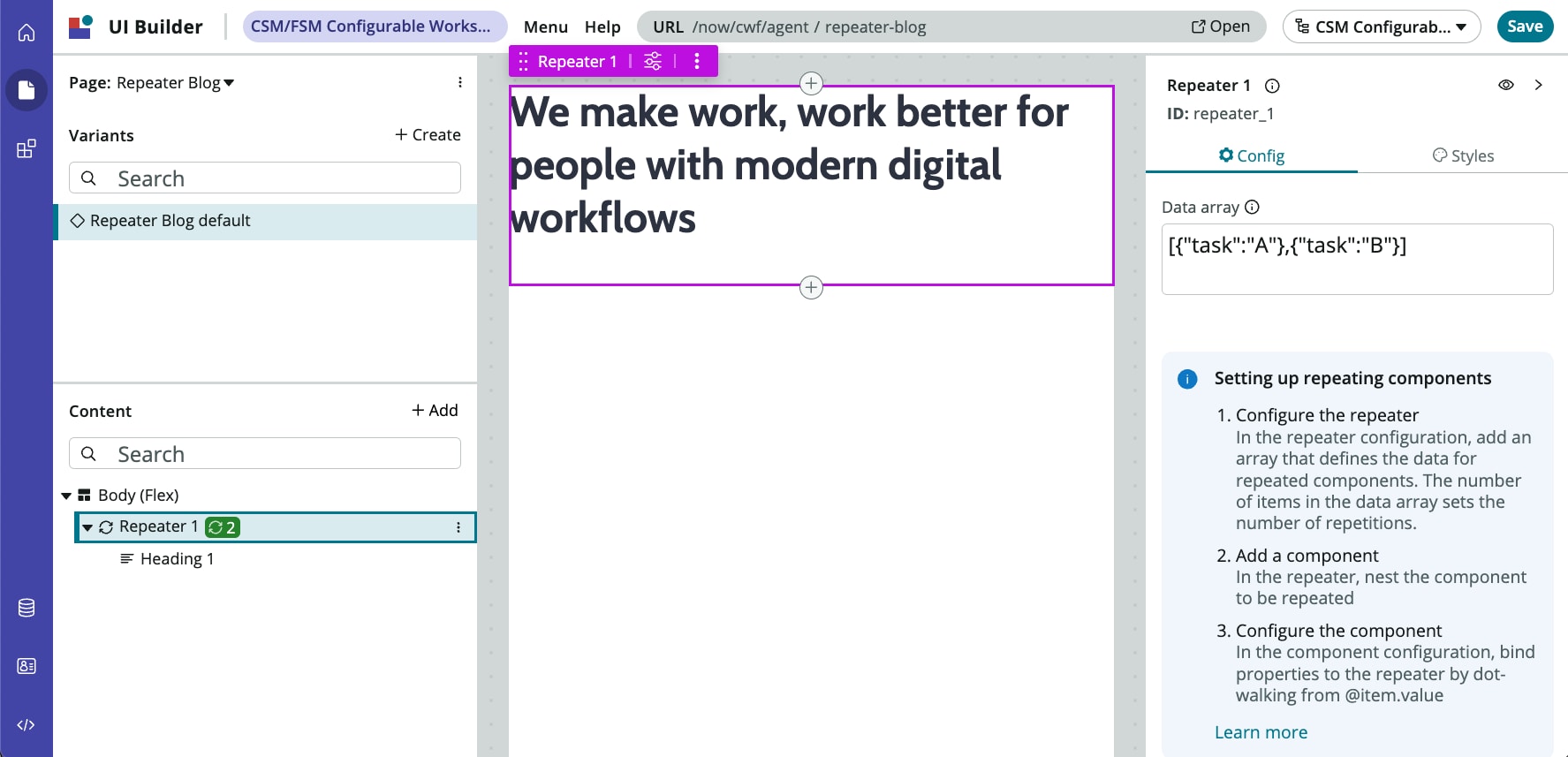
The repeater component acts as a basic loop with the data provided to it in multiple components. The demo data shipped with the repeater component is an array of JSON objects: [{"task": "A"},{"task": "B"}]. Since there are two objects in the array, the components placed inside of the repeater component will repeat twice. Components placed inside a repeat the number of items in the data source, regardless whether the component output is made dynamic or not. An example of this is our first example, where a header component is placed inside of the repeater component, but the data is not bound from the repeater to the header.
The repeater component has its down data binding property @item.value.{property_name} in the demo data the property name is "task" so the binding would be @item.value.task. Note: These examples are using static array data, repeaters can utilize Data Resources by binding the data resource in the data array field. The repeater component can utilize data from an EVAM Data resource as well, as the EVAM data is an array of objects.
1. Simple without Binding Data
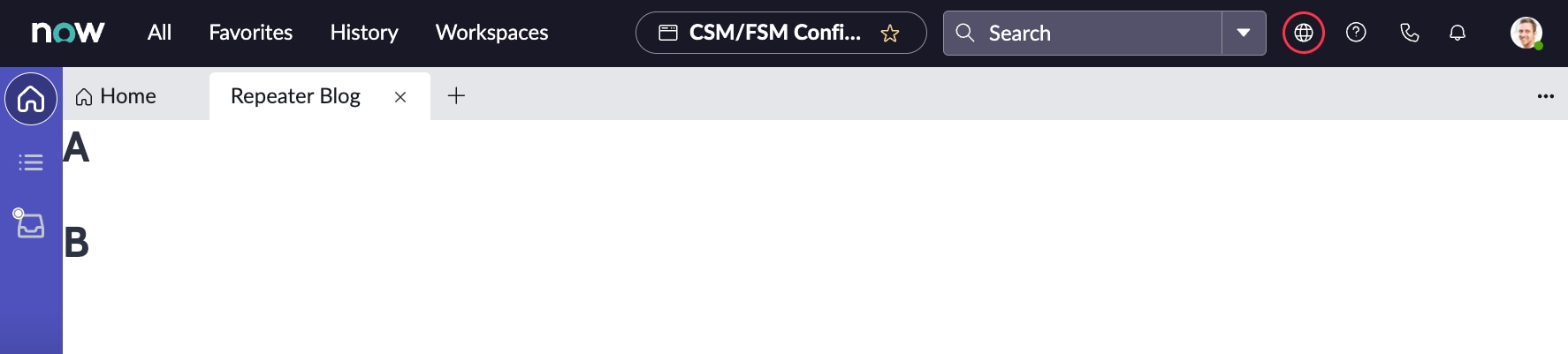
In this example we're going to use the demo data array provided [{"task": "A"},{"task": "B"}] and place the heading component inside of the repeater, without binding the data.

End result:

2. Simple with Binding Data
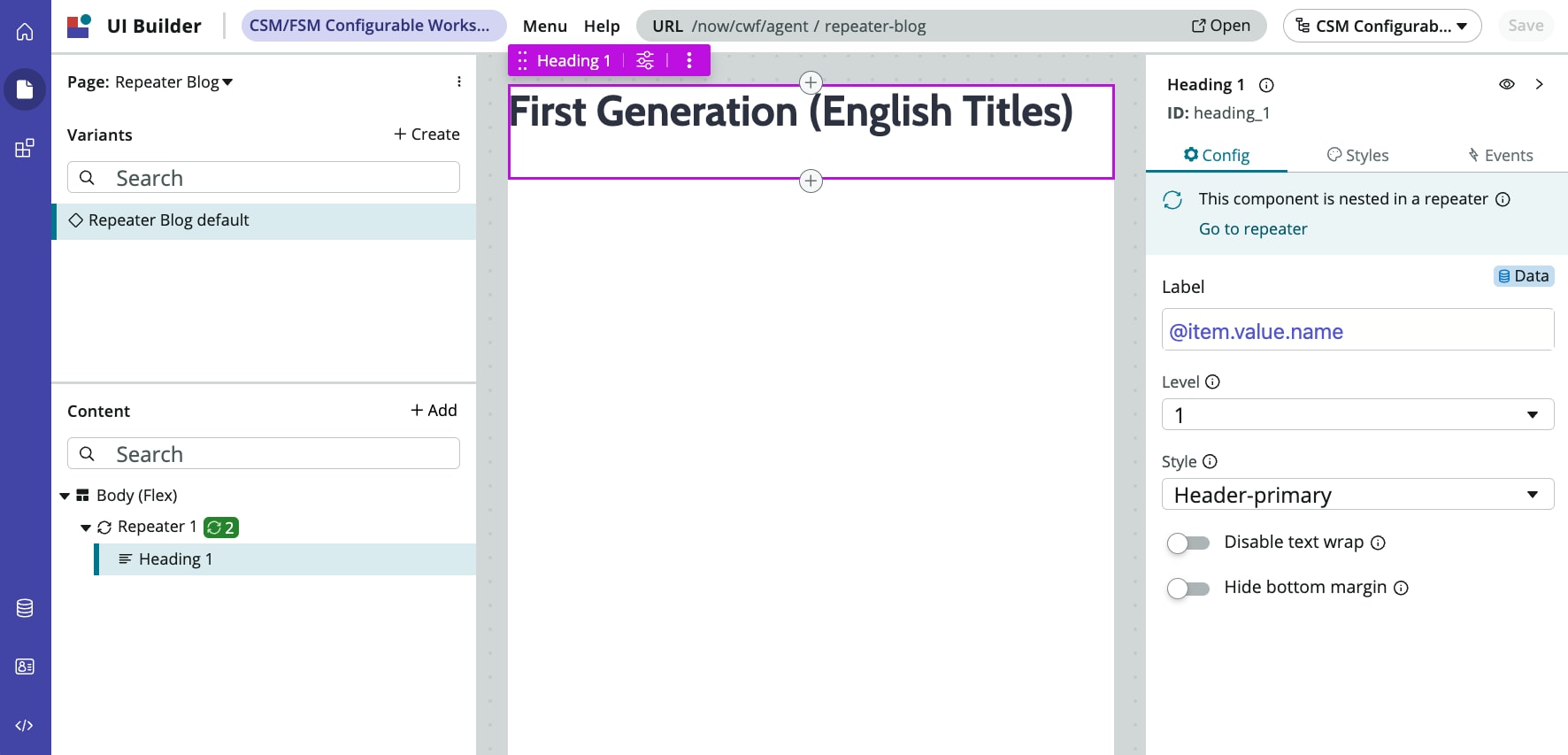
In this example we're going to use the same demo data provided [{"task": "A"},{"task": "B"}] , but now bind the heading component via the Label field to the Repeater component data. Since the property in the JSON objects within the array is "task" the binding used is @item.value.task.
Note: In UI Builder the repeater results are not shown, it will only show the first component. This is to preserve space in UI Builder, to show the results save and open the page.

End result:

3. Nested with Binding Data
The last example is going to be a little more complex and uses multiple repeater components. The data array provided has two main objects with the property of name: First Generation (English Titles) and Second Generation (English Titles) and corresponding data objects associated with the properties of name, year, console, image.
The following array of JSON objects should be placed in the first repeater component in the data array field:
[
  {
    "name": "First Generation (English Titles)",
    "details": [
      {
        "name": "Red",
        "details": {
          "year": "1996",
          "console": "Game Boy",
          "image": "https://static.wikia.nocookie.net/pokemon/images/e/e2/Pokemon_Red.jpg/revision/latest/scale-to-width-down/1000?cb=20200620222725"
        }
      },
      {
        "name": "Blue",
        "details": {
          "year": "1996",
          "console": "Game Boy",
          "image": "https://static.wikia.nocookie.net/pokemon/images/1/13/Pokemon_Blue.jpg/revision/latest/scale-to-width-down/1000?cb=20200620222815"
        }
      },
      {
        "name": "Yellow",
        "details": {
          "year": "1998",
          "console": "Game Boy",
          "image": "https://static.wikia.nocookie.net/pokemon/images/a/a5/Pokemon_Yellow.jpg/revision/latest/scale-to-width-down/1000?cb=20200620223058"
        }
      }
    ]
  },
  {
    "name": "Second Generation (English Titles)",
    "details": [
      {
        "name": "Gold",
        "details": {
          "year": "1999",
          "console": "Game Boy Color",
          "image": "https://static.wikia.nocookie.net/pokemon/images/1/17/Pokemon_gold.jpg/revision/latest/scale-to-width-down/287?cb=20081012165158"
        }
      },
      {
        "name": "Silver",
        "details": {
          "year": "1999",
          "console": "Game Boy Color",
          "image": "https://static.wikia.nocookie.net/pokemon/images/8/83/Pokemon_silver.jpg/revision/latest/scale-to-width-down/287?cb=20081012165215"
        }
      },
      {
        "name": "Crystal",
        "details": {
          "year": "2000",
          "console": "Game Boy Color",
          "image": "https://static.wikia.nocookie.net/pokemon/images/a/af/Pokemon_crystal.png/revision/latest/scale-to-width-down/256?cb=20081013214349"
        }
      }
    ]
  }
]
The first repeater is going to loop through twice, as there are two main objects. The heading component in the first repeater is going to use the binding of @item.value.name, which corresponds to the property of the main two objects.

A second repeater is going to be nested within the first repeater component under the heading component. It will loop three times, there are three objects in each details section of the main object. The nested repeater will be bound to the main repeater using @item.value.details in the data array field.
Within the nested repeater the following components will be added and bound to the nested repeater:
- Heading - bound in the label field with @item.value.name. This is not the same as the name property we used above, it is looking at the name property within details.
- Stylized Text - bound in the Text field with @item.value.details.year (I used the paragraph HTML tag)
- Stylized Text - bound in the Text field with @item.value.details.console (I used the paragraph HTML tag)
- Image - bound in the Image source field with @item.value.details.image (In the image styles panel set the width to 150px to make it smaller).

End result (some data not shown):


These examples show what repeaters can do in UI Builder but are not extensive use cases. If you have use cases for Repeater components please create a community blog post or comment below!
- 13,349 Views
You must be a registered user to add a comment. If you've already registered, sign in. Otherwise, register and sign in.