- Mark as New
- Bookmark
- Subscribe
- Mute
- Subscribe to RSS Feed
- Permalink
- Report Inappropriate Content
06-13-2025 05:50 AM
Hi Everyone,
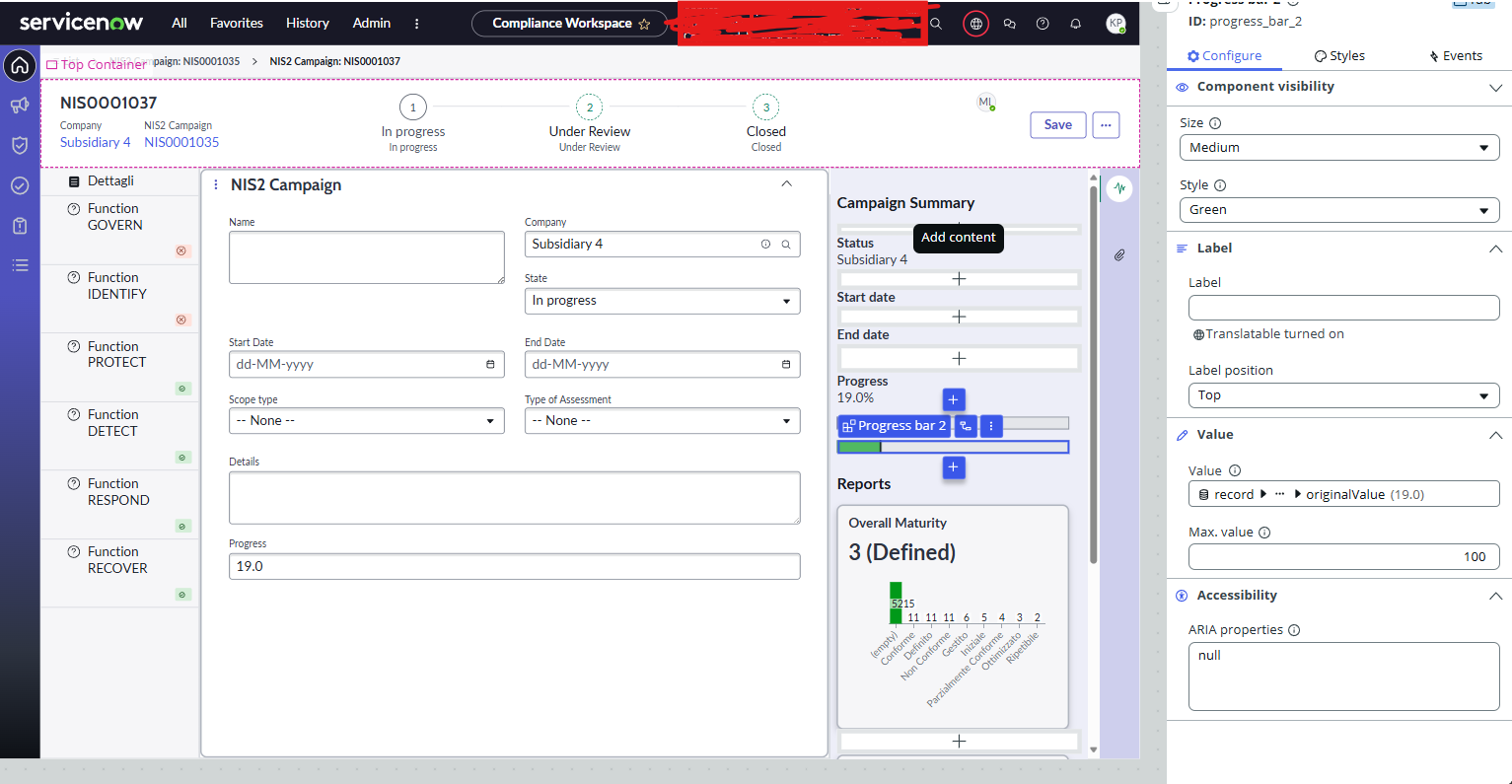
I'm working in UI Builder and I'm using the Progress Bar web component to display a completion percentage coming from a record - " Progress " .
I'd like to dynamically change the color of the progress bar depending on the value, something like:
Red for < 25%
Orange for 25–49%
Yellow for 50–74%
- Green for 75%+
Has anyone successfully styled the progress color of the progress bar dynamically based on a value?
Solved! Go to Solution.

- Mark as New
- Bookmark
- Subscribe
- Mute
- Subscribe to RSS Feed
- Permalink
- Report Inappropriate Content
06-13-2025 08:05 AM
This can be achieved by setting the following script in "Style".
function evaluateProperty({api, helpers}) {
	var value = api.data.record.form.fields.progress.originalValue;

  switch (true) {
    case (value < 25):
      return 'error';
    case (value >= 25 && value <= 49):
      return 'orange';
    case (value >= 50 && value <= 74):
      return 'alert';
    default:
      return 'positive';
  }
}

- Mark as New
- Bookmark
- Subscribe
- Mute
- Subscribe to RSS Feed
- Permalink
- Report Inappropriate Content
06-13-2025 08:05 AM
This can be achieved by setting the following script in "Style".
function evaluateProperty({api, helpers}) {
	var value = api.data.record.form.fields.progress.originalValue;

  switch (true) {
    case (value < 25):
      return 'error';
    case (value >= 25 && value <= 49):
      return 'orange';
    case (value >= 50 && value <= 74):
      return 'alert';
    default:
      return 'positive';
  }
}- Mark as New
- Bookmark
- Subscribe
- Mute
- Subscribe to RSS Feed
- Permalink
- Report Inappropriate Content
06-13-2025 08:30 AM
Thanks it worked