Data Import in OTSM using Service Graph Connector, IntegrationHub ETL

- Mark as New
- Bookmark
- Subscribe
- Mute
- Subscribe to RSS Feed
- Permalink
- Report Inappropriate Content
08-10-2026 04:06 AM
Hi All,
I am working on importing Operational Technology (OT) CI data into CMDB using Service Graph Connector (SGC) and IntegrationHub ETL.
We are using the sg_ot_excel_staging template, and the standard fields are being imported successfully through the process. However, we have a requirement to import additional custom attributes.
For this, we have:
- Added custom columns to the SGC OT Excel template.
- Created corresponding custom fields in the staging table.
- Created matching custom fields in the target cmdb_ci_ot table.
However, we are facing the following issues:
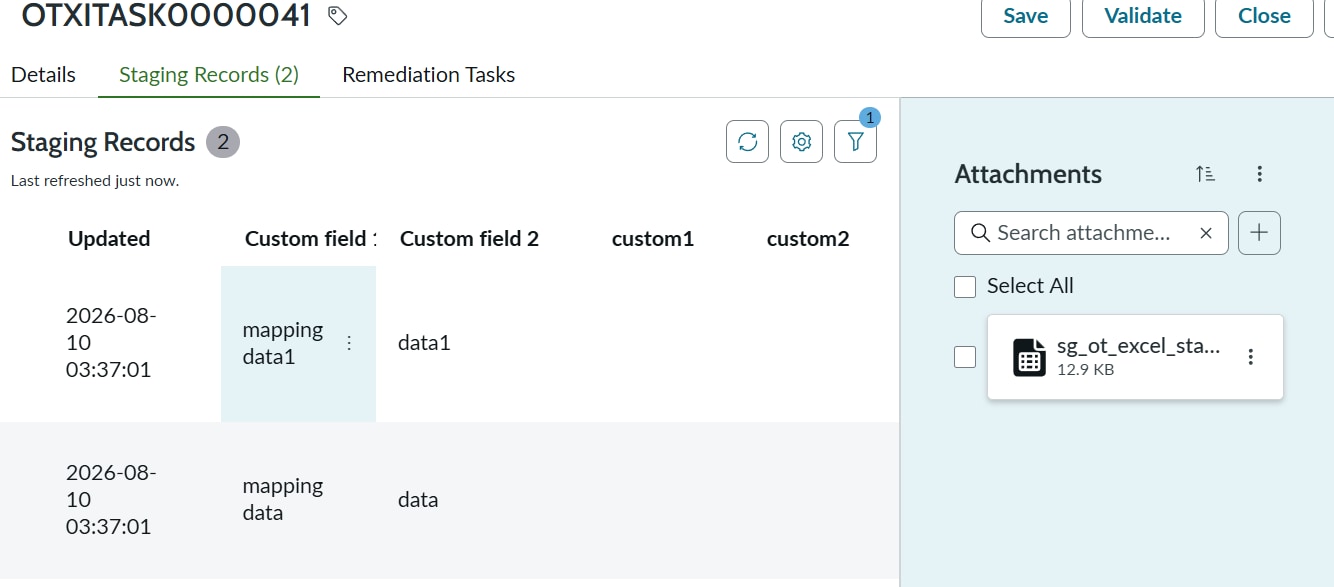
- The newly added custom columns are not getting populated in the staging table.
- Some standard fields such as Custom Field 1 and Custom Field 2 are getting populated in the staging table.
- When the data is processed into the target cmdb_ci_ot table, the values appear to be stored or passed as a JSON structure rather than being mapped directly to the corresponding target fields.
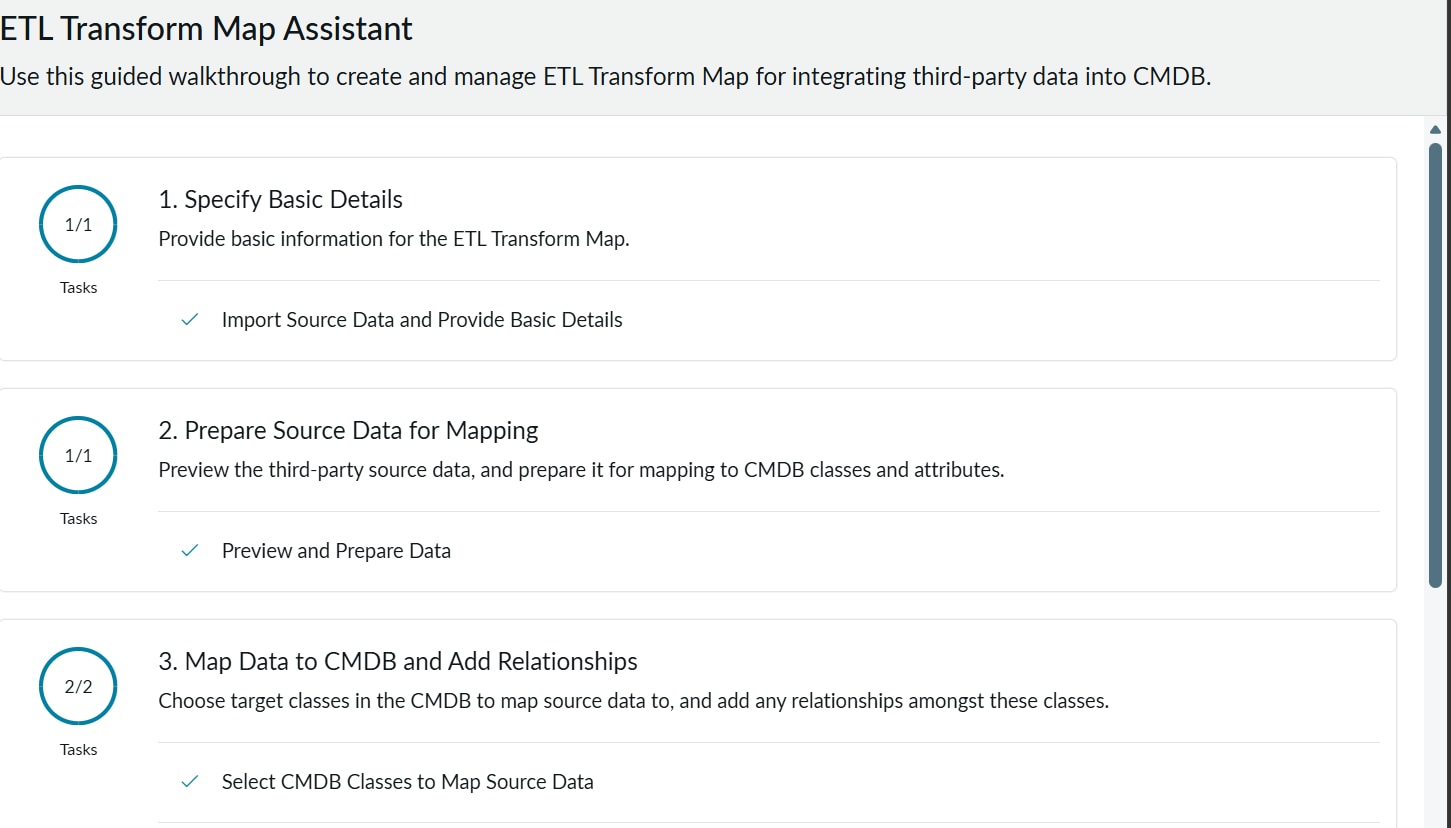
- I also checked the IntegrationHub ETL configuration to understand the source-to-target mappings, but I am unable to find the relevant ETL mapping records in my PDI. Because of this, it is unclear how the standard field mappings are being handled behind the scenes.
Could anyone please help with the following:
- How are the mappings between sg_ot_excel_staging and cmdb_ci_ot implemented in the SGC OT import process?
- How does the OT Excel template map Excel columns to staging table fields?
- Is there any additional configuration required for newly added custom columns to be populated in the staging table?
- Why are fields such as Custom Field 1 and Custom Field 2 being transferred as a JSON object instead of populating individual target fields?
- Where can I view or modify the field mappings used by the Service Graph Connector / IntegrationHub ETL process?
- Are custom field mappings supported out of the box for the OT Excel import template, or do they require additional ETL transformations, scripts, or customization?
I have attached screenshots/ Excel sheet template showing:
- Custom columns added to the OT Excel template
- Staging table records
- Target table (cmdb_ci_ot) fields
- IntegrationHub ETL configuration/screens
Any guidance, documentation references, or best practices would be greatly appreciated.
Thank you!

- Mark as New
- Bookmark
- Subscribe
- Mute
- Subscribe to RSS Feed
- Permalink
- Report Inappropriate Content
a week ago
Add the custom1 and custom2 fields in script include "Import OT Devices - Script Includes" and then map them in ETL Mapping "CMDB Application: SG-OT Excel Import".
Also, add then in EWS Table.