How to report on Total number of days in a month using an Automated Indicator

- Mark as New
- Bookmark
- Subscribe
- Mute
- Subscribe to RSS Feed
- Permalink
- Report Inappropriate Content
04-24-2024 01:16 PM - edited 04-24-2024 01:51 PM
Hi Everyone,
I want to fetch total number of days in each month using an automated indicator.
Example :
January - 31
Feb - 29
March - 31

- Mark as New
- Bookmark
- Subscribe
- Mute
- Subscribe to RSS Feed
- Permalink
- Report Inappropriate Content
08-28-2025 06:06 AM
By Month Sum, use on a formula indicator and a Daily Data collection Job
- Mark as New
- Bookmark
- Subscribe
- Mute
- Subscribe to RSS Feed
- Permalink
- Report Inappropriate Content
09-01-2025 12:25 AM
Thanks @Eddie5 .
In your SS for indicator, what is the filter that you have applied on sys_cal_day table?(sys_id of which record?)
- Mark as New
- Bookmark
- Subscribe
- Mute
- Subscribe to RSS Feed
- Permalink
- Report Inappropriate Content
09-01-2025 01:05 AM
These are the indicators ive used. Still im not able to see any data in my widget.
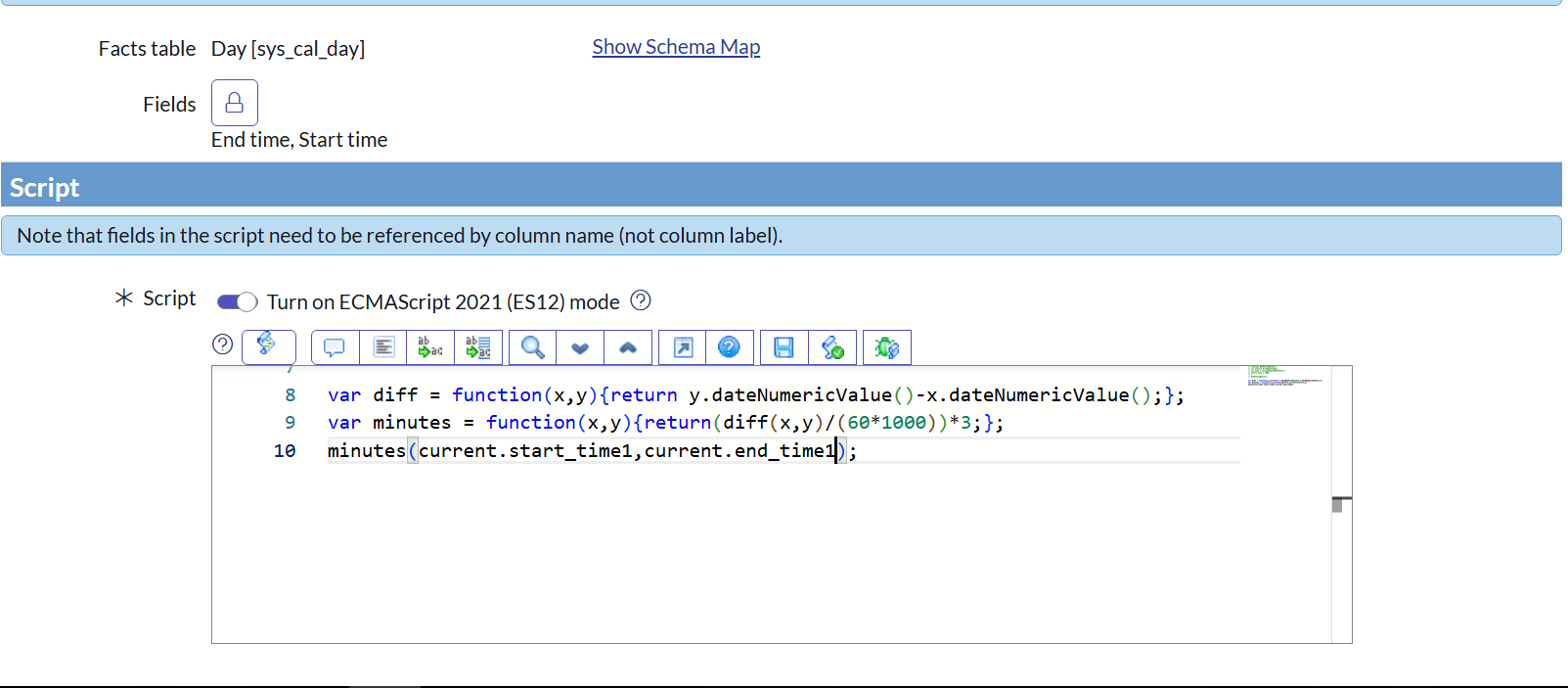
For overall availability, Created an Indicator source to fetch records from sys_cal_day table and have used same script you have mentioned above in my indicator.
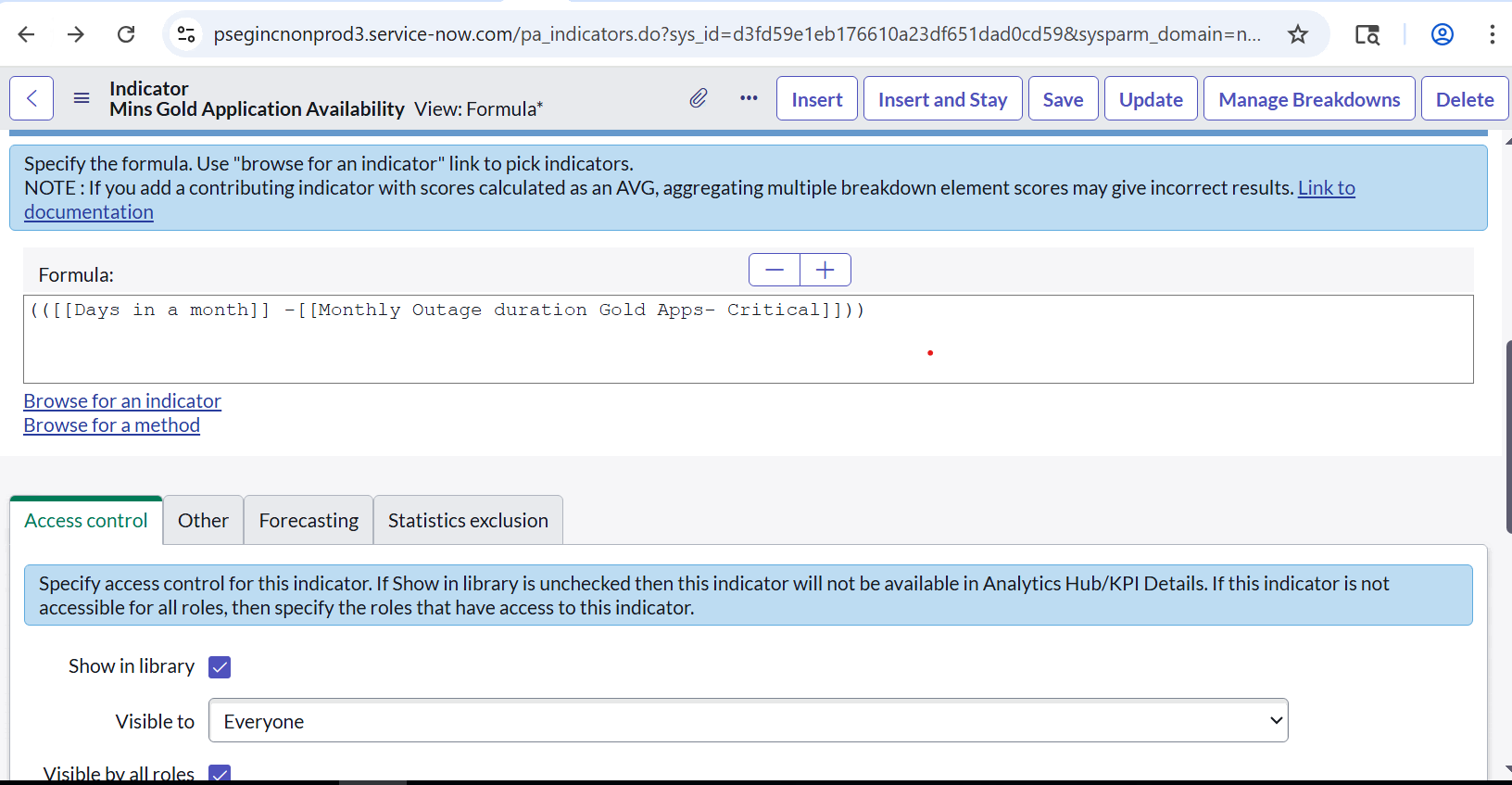
Then have created a formula indicator to calculate >> Mins in day/by month sum.
Then have created another main formula indicator to subtract Downtime iMins(created a separate indicator for this) from overall availability.<<have attached screenshots>>
Please help me with where im getting it wrong.