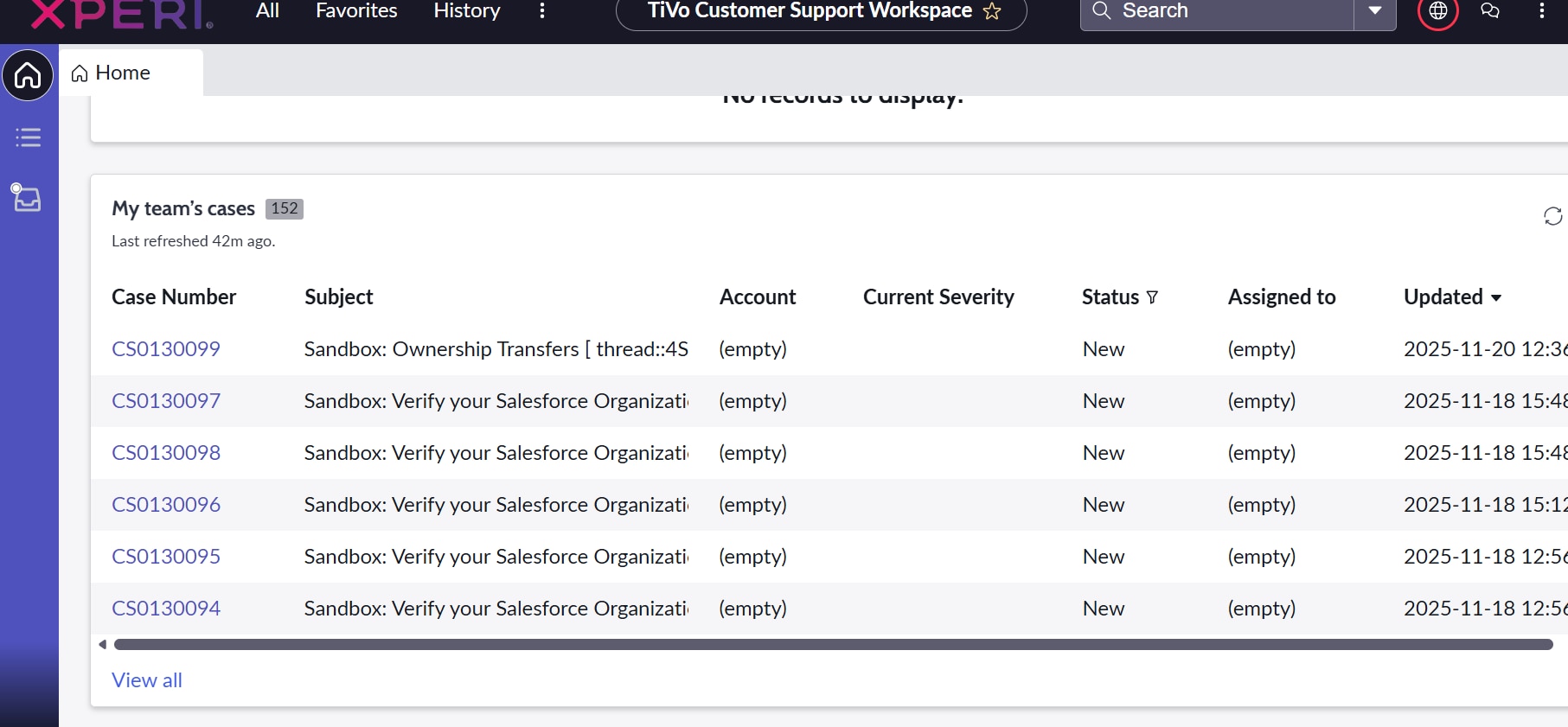
CSM Workspace Dashboard - Configuring columns in the report

- Mark as New
- Bookmark
- Subscribe
- Mute
- Subscribe to RSS Feed
- Permalink
- Report Inappropriate Content
11-27-2025 11:04 PM
We have a dashboard as a landing page on CSM Workspace where we see different sections like:
Cases:
My active cases
my team's cases
if there are more records, we see view all option, on clicking this view all link we want to arrange the sequence of column available. It is basically using simpleList variant but not sure where to edit the columns.
- Mark as New
- Bookmark
- Subscribe
- Mute
- Subscribe to RSS Feed
- Permalink
- Report Inappropriate Content
11-28-2025 12:39 AM - edited 11-28-2025 12:45 AM
Hello @gazalagrawa ,
We can update the sequence of columns through the UI Builder.
Open the CSM/FSM Configurable Workspace experience using the UI Builder. Select the landing page and edit the required sections.
Refer to the snapshot below.


💡Please mark my answer correct and helpful if this works for you✔️
Thanks and Regards,
Aakanksha
- Mark as New
- Bookmark
- Subscribe
- Mute
- Subscribe to RSS Feed
- Permalink
- Report Inappropriate Content
11-28-2025 12:55 AM
Thanks for the reply!
I am able to configure this list column, but if you see a small view all option in this list, click there. I want to configure that list layout now.
- Mark as New
- Bookmark
- Subscribe
- Mute
- Subscribe to RSS Feed
- Permalink
- Report Inappropriate Content
11-28-2025 02:32 AM
@gazalagrawa
Open the sys_ui_list table, Filter table as Case and view as Workspace and create a new list element as per you rrequirement.
Check below snapshot for reference:


💡Please mark my answer correct and helpful if this works for you ✔️
Thanks and Regards,
Aakanksha