Platform Analytics - How to add Image to the dashboard

- Mark as New
- Bookmark
- Subscribe
- Mute
- Subscribe to RSS Feed
- Permalink
- Report Inappropriate Content
05-09-2025 01:13 AM
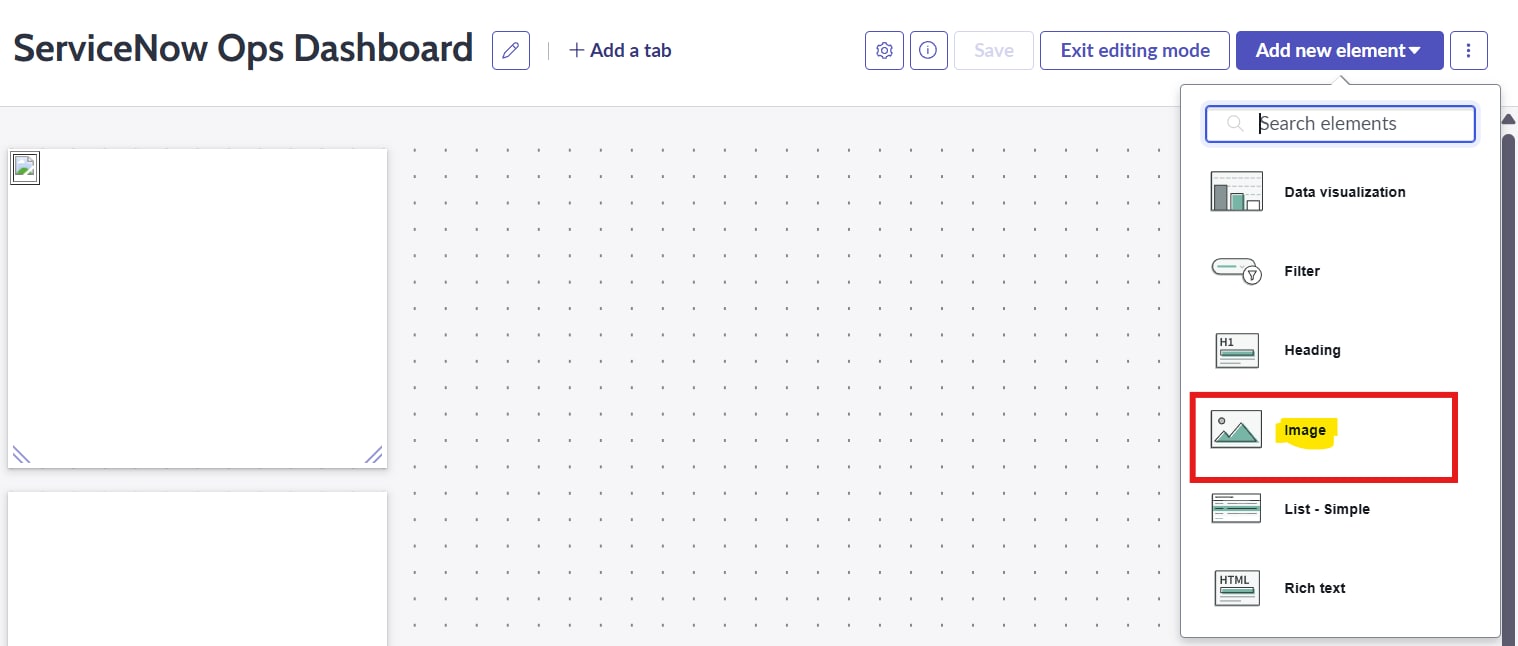
I am new to the Platform Analytics dashboards and am currently attempting to add a static image to the ServiceNow dashboard. Unfortunately, I have noticed that the Content Block option is not available on the Platform Analytics dashboards. I have also tried using the Image option provided on the dashboard, but the image is not uploading successfully. I have added screenshots for better understanding.
Could you please guide me on how to add the image effectively?


- Mark as New
- Bookmark
- Subscribe
- Mute
- Subscribe to RSS Feed
- Permalink
- Report Inappropriate Content
05-09-2025 01:39 AM
Image option which you tried is correct and is working fine as expected. You should see choose a custom image button there but looks like that is missing in your screenshot.
Check if you have enough admin privileges to do that.


Accept the solution and mark as helpful if it does, to benefit future readers.
Regards,
Sumanth

- Mark as New
- Bookmark
- Subscribe
- Mute
- Subscribe to RSS Feed
- Permalink
- Report Inappropriate Content
05-10-2025 09:09 AM
I have the same exact problem. I am admin and the upload button does not show either.
- Mark as New
- Bookmark
- Subscribe
- Mute
- Subscribe to RSS Feed
- Permalink
- Report Inappropriate Content
05-11-2025 08:50 AM
I verified in my new PDI as well and I can see the option with admin or pa_admin.
Can you try re adding admin or adding pa_admin and see if it works. If not can you share a screenshot of how it looks for you.
Regards,
Sumanth
- Mark as New
- Bookmark
- Subscribe
- Mute
- Subscribe to RSS Feed
- Permalink
- Report Inappropriate Content
08-13-2025 12:05 AM
I have similar issue within out Yokohama production system. I can "choose" the custom button, select the image to upload (see below a robot pic), but when i click apply, the picture wont showup. whatever i do, the custom upload picture will not show up :-(. very frustrating. Is this a new bug in Platform Analytics functionality?