Platform Analytics - How to add Image to the dashboard

- Mark as New
- Bookmark
- Subscribe
- Mute
- Subscribe to RSS Feed
- Permalink
- Report Inappropriate Content
05-09-2025 01:13 AM
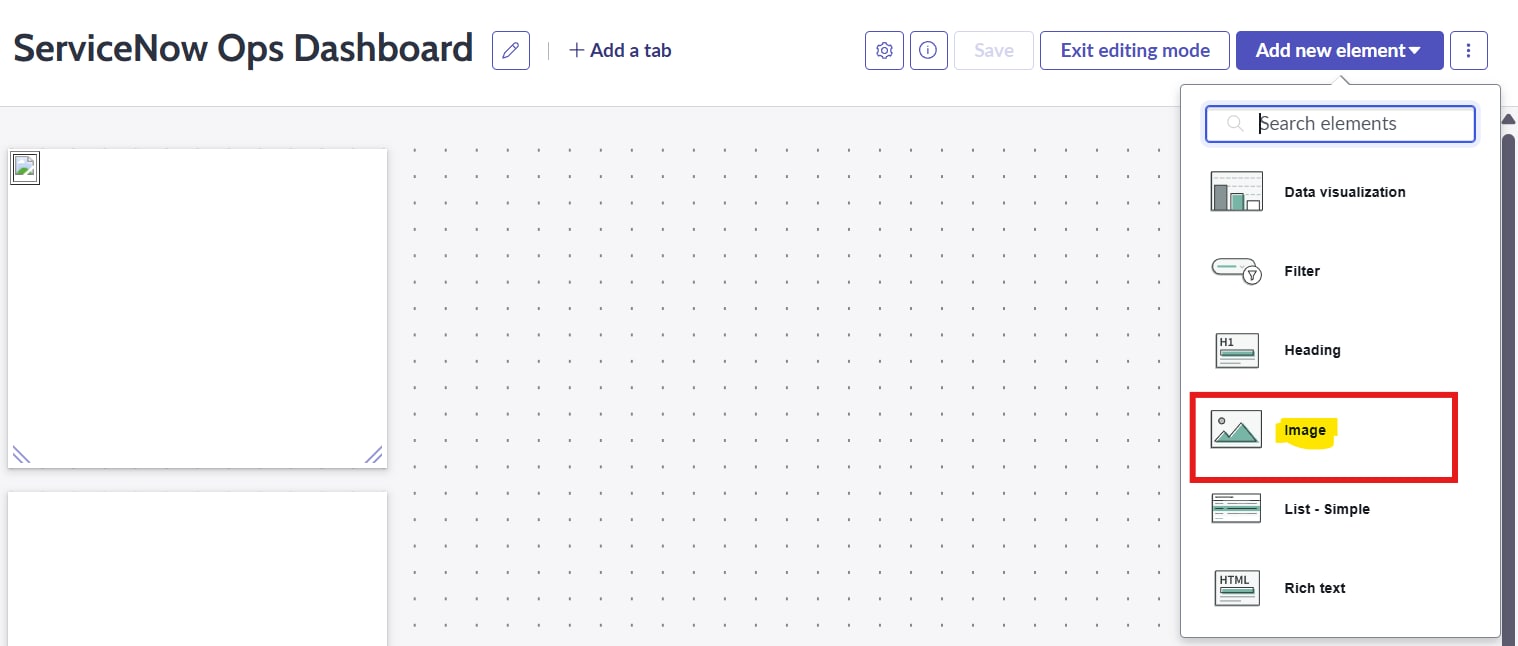
I am new to the Platform Analytics dashboards and am currently attempting to add a static image to the ServiceNow dashboard. Unfortunately, I have noticed that the Content Block option is not available on the Platform Analytics dashboards. I have also tried using the Image option provided on the dashboard, but the image is not uploading successfully. I have added screenshots for better understanding.
Could you please guide me on how to add the image effectively?

- Mark as New
- Bookmark
- Subscribe
- Mute
- Subscribe to RSS Feed
- Permalink
- Report Inappropriate Content
08-13-2025 12:22 AM
Go to System UI -> Images and upload your image
In the image source, provide image name


Thanks,
Bhuvan
- Mark as New
- Bookmark
- Subscribe
- Mute
- Subscribe to RSS Feed
- Permalink
- Report Inappropriate Content
01-27-2026 10:47 AM
I have the exact same issue, I am on Yokohama version.
No solutions to this since September? 🙄
- Mark as New
- Bookmark
- Subscribe
- Mute
- Subscribe to RSS Feed
- Permalink
- Report Inappropriate Content
02-19-2026 03:03 AM
Even i have the same kind of issue, kindly advise
- Mark as New
- Bookmark
- Subscribe
- Mute
- Subscribe to RSS Feed
- Permalink
- Report Inappropriate Content
09-01-2026 03:41 AM
This is not working for me either on Australia. Have pa_admin role. Can it be that there's still no solution to this without being admin?