- Mark as New
- Bookmark
- Subscribe
- Mute
- Subscribe to RSS Feed
- Permalink
- Report Inappropriate Content
08-18-2026 10:05 AM
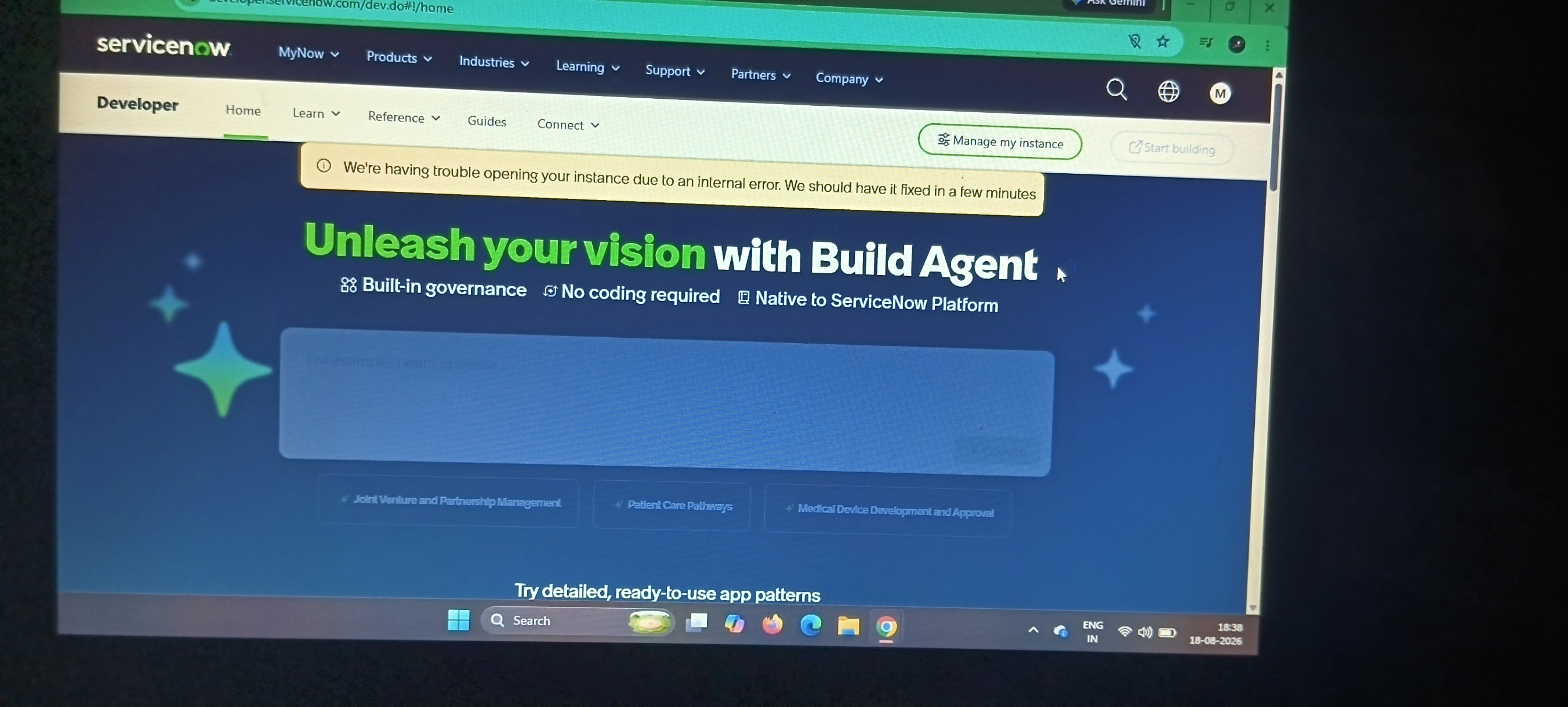
My Personal Developer Instance (PDI) has been stuck for the past two days while I was practicing for the ServiceNow CSA and CAD exams. Could you please guide me on how to recover or fix my PDI?
Solved! Go to Solution.
- Mark as New
- Bookmark
- Subscribe
- Mute
- Subscribe to RSS Feed
- Permalink
- Report Inappropriate Content
08-18-2026 10:57 AM
try to access from another browser.
try to clean cookies and cache from original browser
go to help center / create a case and explain the situation, they may help


- Mark as New
- Bookmark
- Subscribe
- Mute
- Subscribe to RSS Feed
- Permalink
- Report Inappropriate Content
08-18-2026 08:45 PM
the only option is to wait as PDIs don't come with any support from ServiceNow
💡 If my response helped, please mark it as correct ✅ and close the thread 🔒— this helps future readers find the solution faster! 🙏
Ankur
✨ Certified Technical Architect || ✨ 10x ServiceNow MVP || ✨ ServiceNow Community Leader
- Mark as New
- Bookmark
- Subscribe
- Mute
- Subscribe to RSS Feed
- Permalink
- Report Inappropriate Content
08-18-2026 08:58 PM
Hi @MonishaaS ,
I faced the same issue while trying to log in to my PDI—the page was stuck on the loading screen.
What worked for me was logging in directly using my saved PDI username, password, and instance URL. Once I used the saved credentials and accessed the instance directly, it worked.
If you haven't saved your PDI username/password or instance URL, you may need to wait until the PDI is fully loaded and then access it through your developer.servicenow.com account.
So, if you're experiencing the same loading issue, you can try accessing your PDI directly using the saved instance URL and credentials first.
Hope this helps someone facing the same issue! 👍
Regards,
Rathan K
- Mark as New
- Bookmark
- Subscribe
- Mute
- Subscribe to RSS Feed
- Permalink
- Report Inappropriate Content
08-18-2026 10:57 AM
try to access from another browser.
try to clean cookies and cache from original browser
go to help center / create a case and explain the situation, they may help
- Mark as New
- Bookmark
- Subscribe
- Mute
- Subscribe to RSS Feed
- Permalink
- Report Inappropriate Content
08-18-2026 08:45 PM
the only option is to wait as PDIs don't come with any support from ServiceNow
💡 If my response helped, please mark it as correct ✅ and close the thread 🔒— this helps future readers find the solution faster! 🙏
Ankur
✨ Certified Technical Architect || ✨ 10x ServiceNow MVP || ✨ ServiceNow Community Leader
- Mark as New
- Bookmark
- Subscribe
- Mute
- Subscribe to RSS Feed
- Permalink
- Report Inappropriate Content
08-18-2026 08:58 PM
Hi @MonishaaS ,
I faced the same issue while trying to log in to my PDI—the page was stuck on the loading screen.
What worked for me was logging in directly using my saved PDI username, password, and instance URL. Once I used the saved credentials and accessed the instance directly, it worked.
If you haven't saved your PDI username/password or instance URL, you may need to wait until the PDI is fully loaded and then access it through your developer.servicenow.com account.
So, if you're experiencing the same loading issue, you can try accessing your PDI directly using the saved instance URL and credentials first.
Hope this helps someone facing the same issue! 👍
Regards,
Rathan K