Jira SAM Integration - Connection Validation Failing Despite Successful OAuth Token

- Mark as New
- Bookmark
- Subscribe
- Mute
- Subscribe to RSS Feed
- Permalink
- Report Inappropriate Content
02-25-2026 03:17 AM
Hi All,
I hope you are all keeping well.
I am trying to build the Jira Software Integration with Software Asset Management (SAM) to download subscriptions, pull user activity, and reclaim subscription information in Software Asset Workspace. I have been following the ServiceNow documentation carefully.
Documentation: https://www.servicenow.com/docs/r/washingtondc/it-asset-management/saas-license-management/integrate...
Environment:
- ServiceNow instance: Wellcome (Yokohama DC release)
- Jira Spoke version: 4.1.0+
- Authentication method: OAuth 2.0
- Jira site: wtprojects.atlassian.net
What I've done so far:
- Created an OAuth 2.0 app in the Atlassian Developer Console (ServiceNow-JiraSaaS)
- Configured all 9 required granular scopes (read:application-role:jira, read:group:jira, read:user:jira, read:avatar:jira, read:audit-log:jira, read:issue-details:jira, read:field-configuration:jira, read:issue-meta:jira, write:group:jira)
- Set the callback URL to match our ServiceNow redirect:
https://wellcome.service-now.com/oauth_redirect.do - Created the integration profile (Jira SaaS) with Connection & Credential alias:
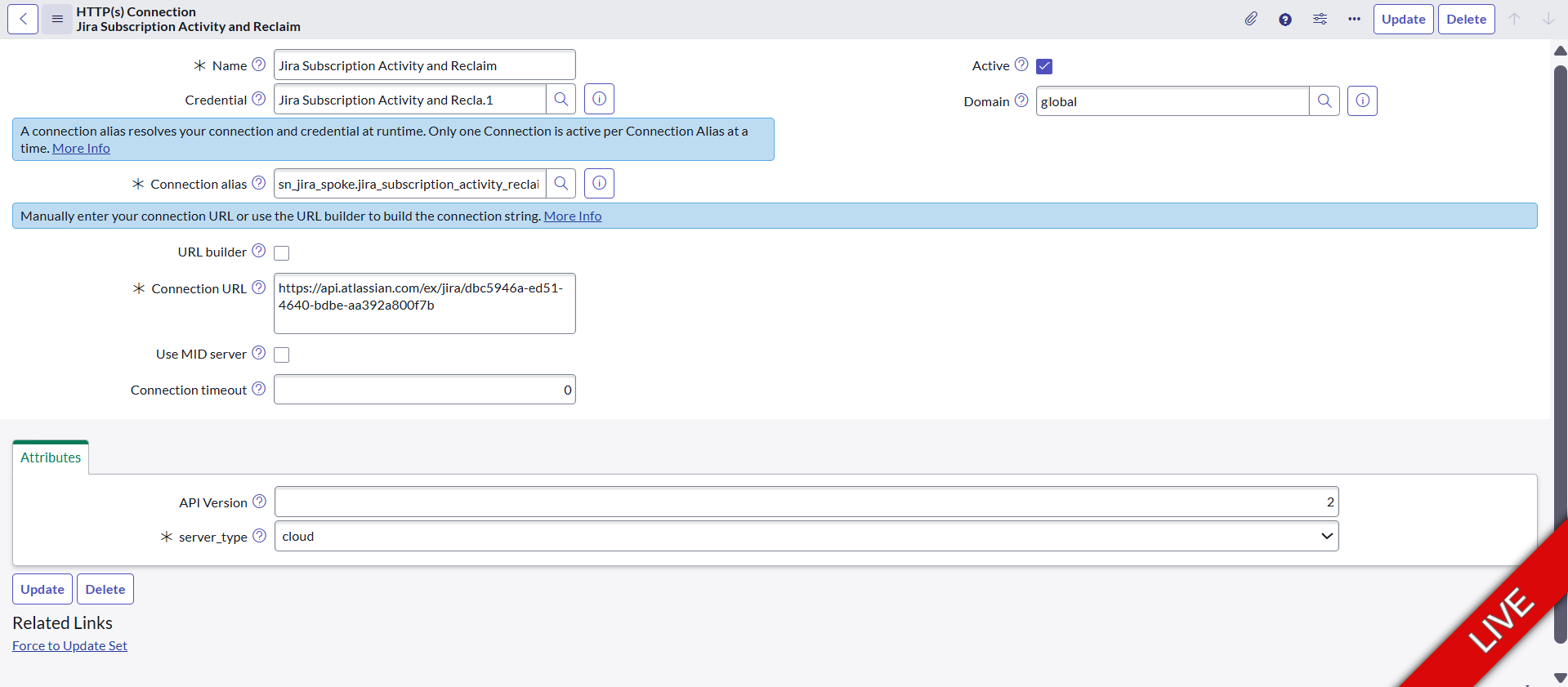
sn_jira_spoke.jira_subscription_activity_reclaim - Created the HTTP(s) Connection with URL:
https://api.atlassian.com/ex/jira/<Cloud-Id> - Confirmed the Cloud ID is correct via
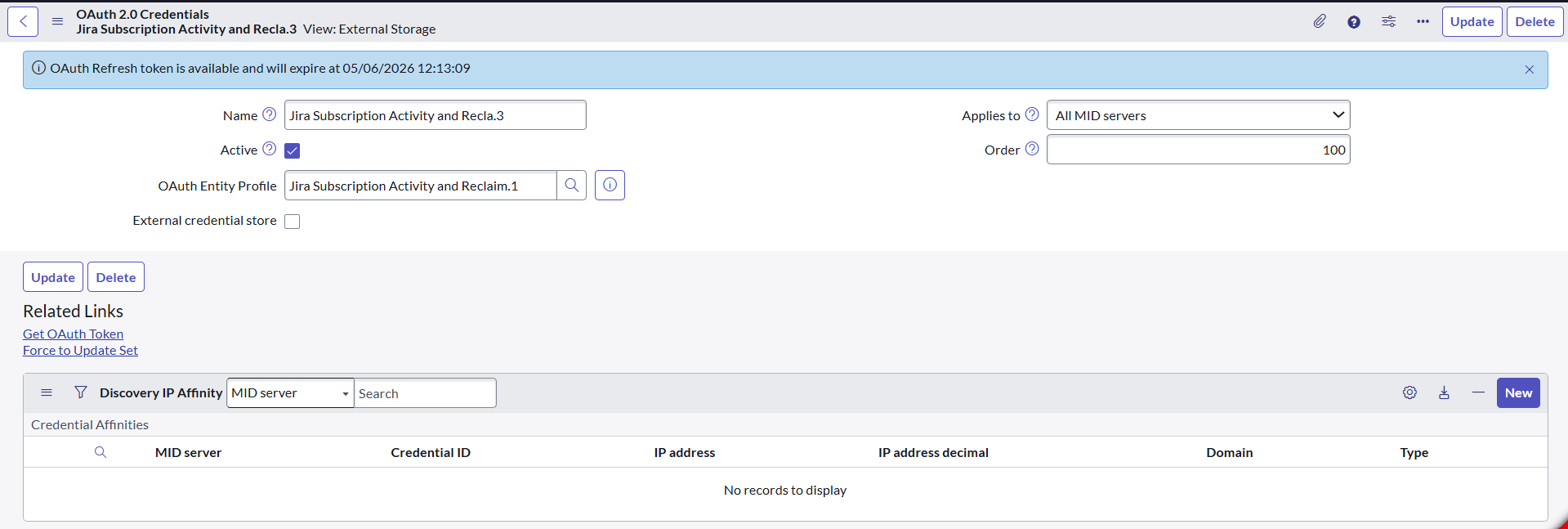
_edge/tenant_info - OAuth Entity Profile is linked to the credential record
- Successfully obtained an OAuth refresh token (valid until 05/06/2026)
- My Atlassian account has site admin permissions
The problem: When I click Validate Connection on the integration profile, I receive: "Connection validation is not successful. Please check connections and credentials and try again."
What I found in the logs:
- Outbound HTTP Log shows a GET request to:
https://api.atlassian.com/ex/jira/<Cloud-Id>/rest/api/2/group/member - Response status: 404
- Response body: "Client must be authenticated to access this resource."
So it appears the OAuth token is not being attached to the outbound API requests, even though the token exists and is valid. The 404 with an authentication error suggests the Bearer token is missing from the request header.
What I've already tried:
- Re-authorizing the OAuth token via Get OAuth Token
- Verifying the OAuth Entity Profile is linked to the credential record
- Confirming only one active connection exists on the alias
- Setting
com.glide.transform.json.max-partial-lengthto 32768 - Enabling
glide.outbound_http.logfor debugging
Has anyone encountered this issue before? Any suggestions on how to ensure the OAuth token is included in the outbound requests would be greatly appreciated.
Thanks in advance.

- Mark as New
- Bookmark
- Subscribe
- Mute
- Subscribe to RSS Feed
- Permalink
- Report Inappropriate Content
02-25-2026 04:56 AM
Hi @Masum172
In Your rest message , Get http method,
can you set the following content type and confirm what result you are getting.

Regards
Tanushree Maiti
ServiceNow Technical Architect
LinkedIn: https://www.linkedin.com/in/tanushreemaiti
- Mark as New
- Bookmark
- Subscribe
- Mute
- Subscribe to RSS Feed
- Permalink
- Report Inappropriate Content
02-25-2026 10:58 AM
Hi Tanushree,
Thank you for taking time to reply on this thread.
Can you advise on the steps to set the headers in Service Now please?
I have attached screenshots of our current configuration in case this will help with the troubleshooting.
- Mark as New
- Bookmark
- Subscribe
- Mute
- Subscribe to RSS Feed
- Permalink
- Report Inappropriate Content
02-26-2026 02:31 AM
Hi @Masum172
Check this Video and check if anything you have missed
https://www.youtube.com/watch?v=r-NJZShEZgI
Regards
Tanushree Maiti
ServiceNow Technical Architect
LinkedIn: https://www.linkedin.com/in/tanushreemaiti

- Mark as New
- Bookmark
- Subscribe
- Mute
- Subscribe to RSS Feed
- Permalink
- Report Inappropriate Content
02-26-2026 02:02 AM
Have you set up a service account to log in to Atlassian?