- Mark as New
- Bookmark
- Subscribe
- Mute
- Subscribe to RSS Feed
- Permalink
- Report Inappropriate Content
03-25-2026 12:40 AM
Hi,
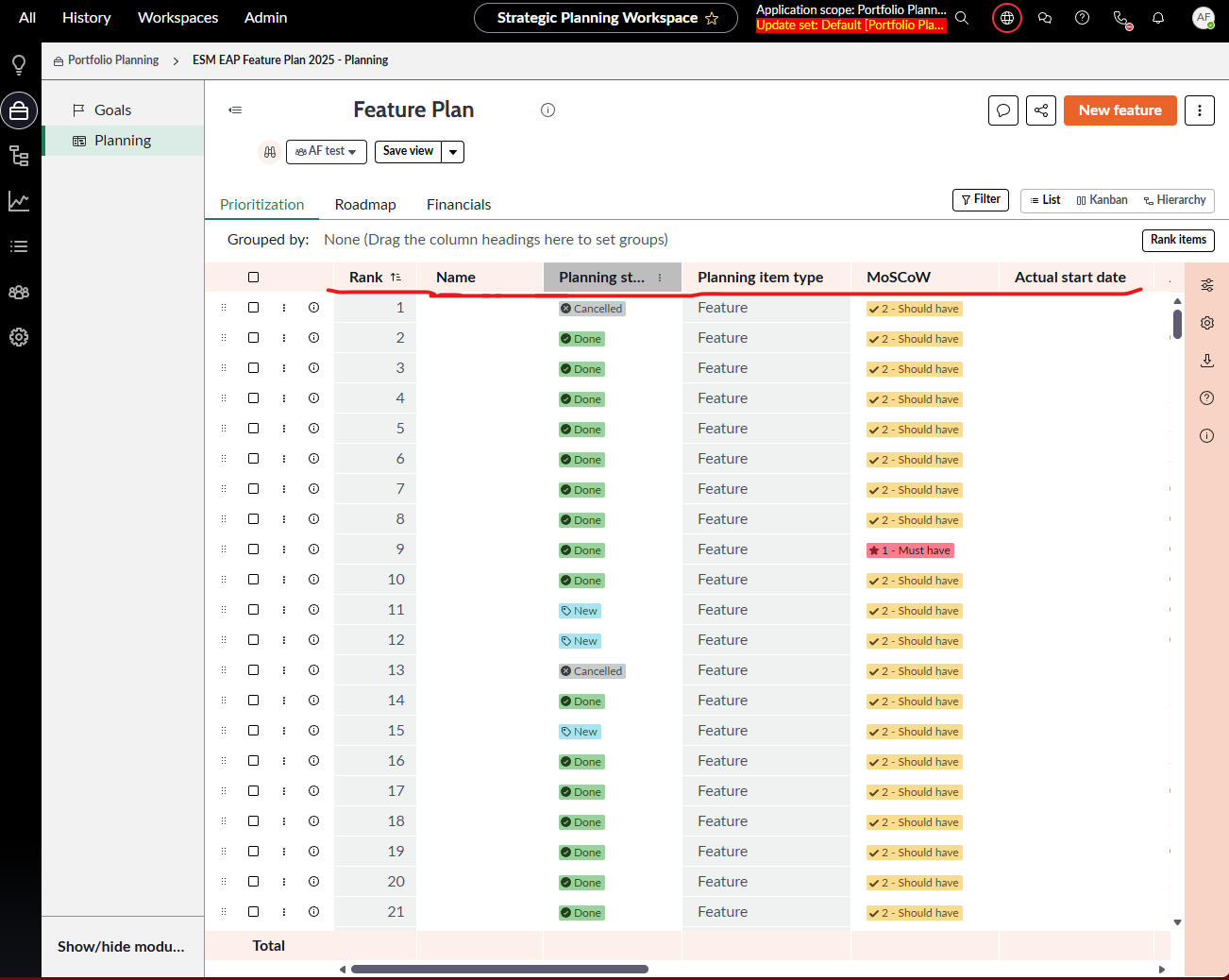
In Strategic Planning Workspace, in Portfolio Planning, we choose proper portfolio, and in Planning we have 3 tabs: Prioritization, Roadmap and Financials. I need to modified order of columns in Prioritization, that every user when reset his view will get "my" default view.
How to do that?
Regards,
Anna
Solved! Go to Solution.
- Mark as New
- Bookmark
- Subscribe
- Mute
- Subscribe to RSS Feed
- Permalink
- Report Inappropriate Content
03-25-2026 03:09 AM
Follow the steps:
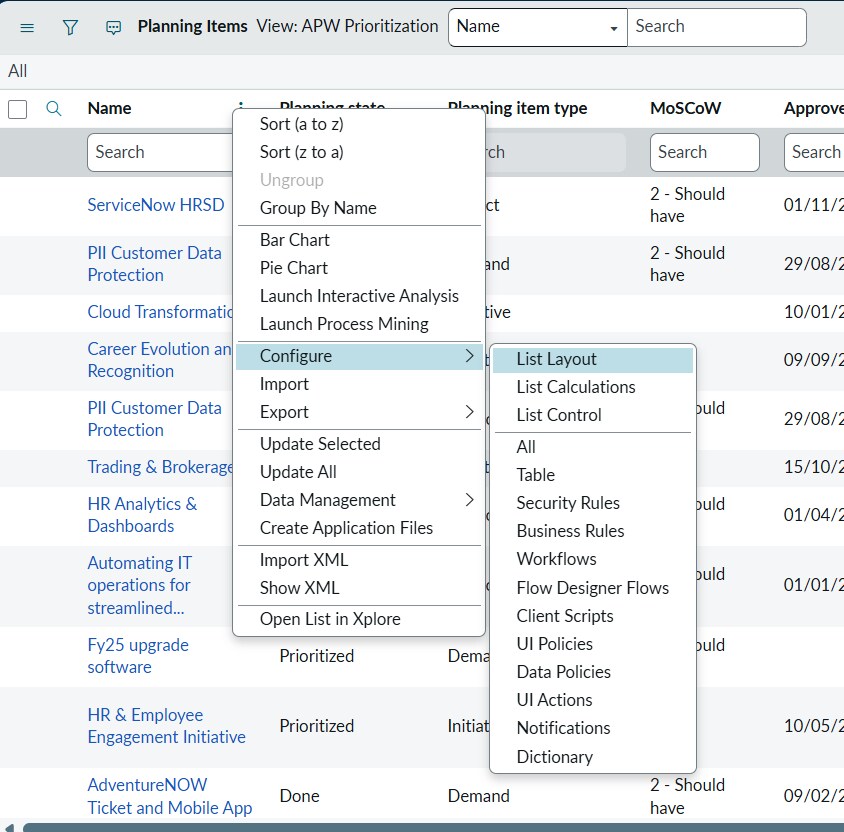
Navigate to table "sn_align_core_planning_item", change the view to "APW Prioritization"
Context Menu -> Configure -> List Layout
Update the layout
Save
- Mark as New
- Bookmark
- Subscribe
- Mute
- Subscribe to RSS Feed
- Permalink
- Report Inappropriate Content
03-25-2026 01:38 AM
Hi @Anna49 ,
You can configure the view by navigating to "sn_align_core_planning_item" table and modify the list view for "APW Prioritization".
If this solves your query mark this as correct/helpful.
Thanks
Anand
- Mark as New
- Bookmark
- Subscribe
- Mute
- Subscribe to RSS Feed
- Permalink
- Report Inappropriate Content
03-25-2026 02:03 AM
Hi @ Anand__99,
I did that and didn't work. Any other ideas?
Regards,
Anna
- Mark as New
- Bookmark
- Subscribe
- Mute
- Subscribe to RSS Feed
- Permalink
- Report Inappropriate Content
03-25-2026 03:09 AM
- Mark as New
- Bookmark
- Subscribe
- Mute
- Subscribe to RSS Feed
- Permalink
- Report Inappropriate Content
03-25-2026 05:23 AM
Hi @Anand__99 ,
I already did that, but this only change table view, not workspace view. That's why I decided to ask community.
Any other suggestions?
Anna