- Mark as New
- Bookmark
- Subscribe
- Mute
- Subscribe to RSS Feed
- Permalink
- Report Inappropriate Content
03-25-2026 12:40 AM
Hi,
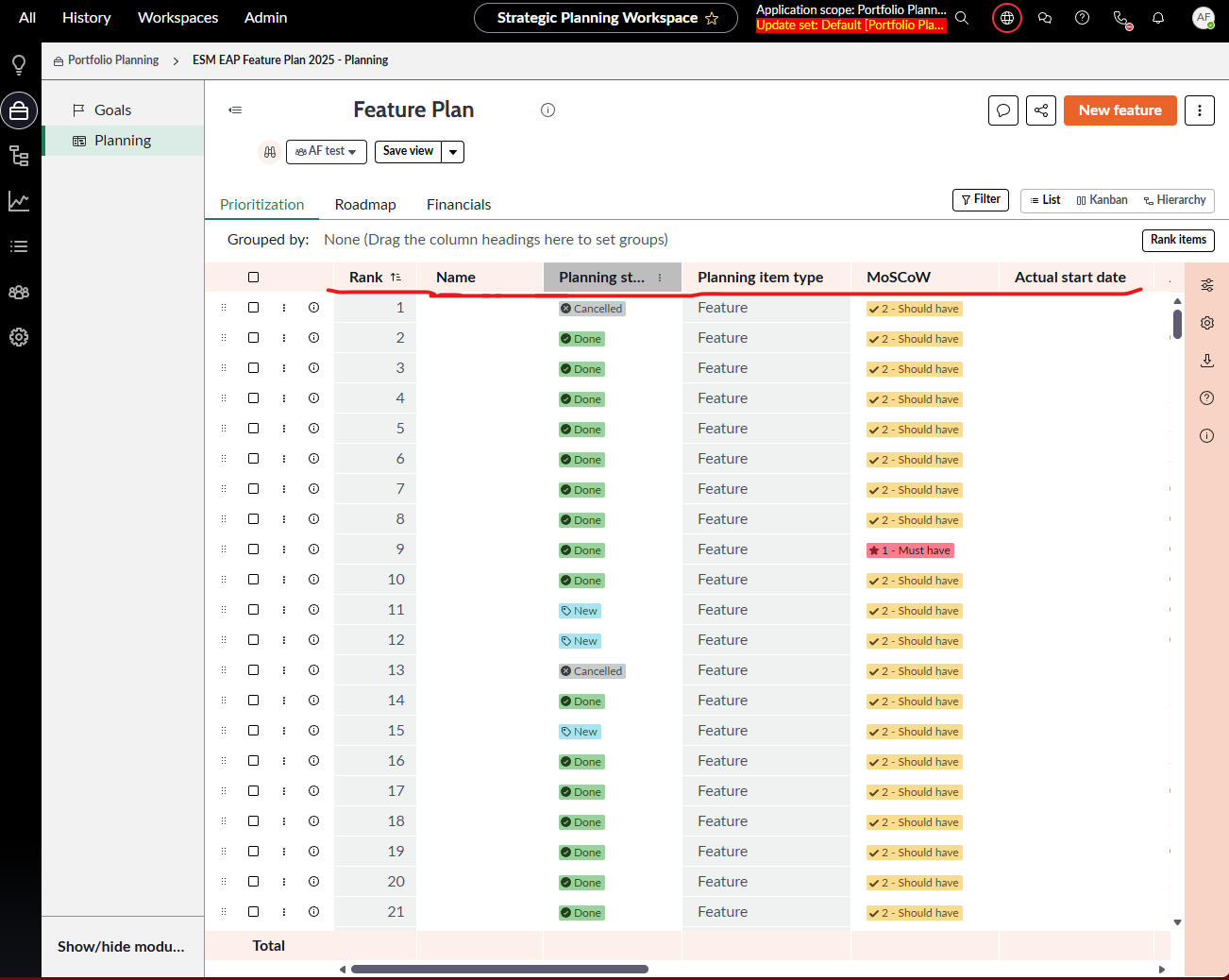
In Strategic Planning Workspace, in Portfolio Planning, we choose proper portfolio, and in Planning we have 3 tabs: Prioritization, Roadmap and Financials. I need to modified order of columns in Prioritization, that every user when reset his view will get "my" default view.
How to do that?
Regards,
Anna
Solved! Go to Solution.
- Mark as New
- Bookmark
- Subscribe
- Mute
- Subscribe to RSS Feed
- Permalink
- Report Inappropriate Content
03-25-2026 03:09 AM
Follow the steps:
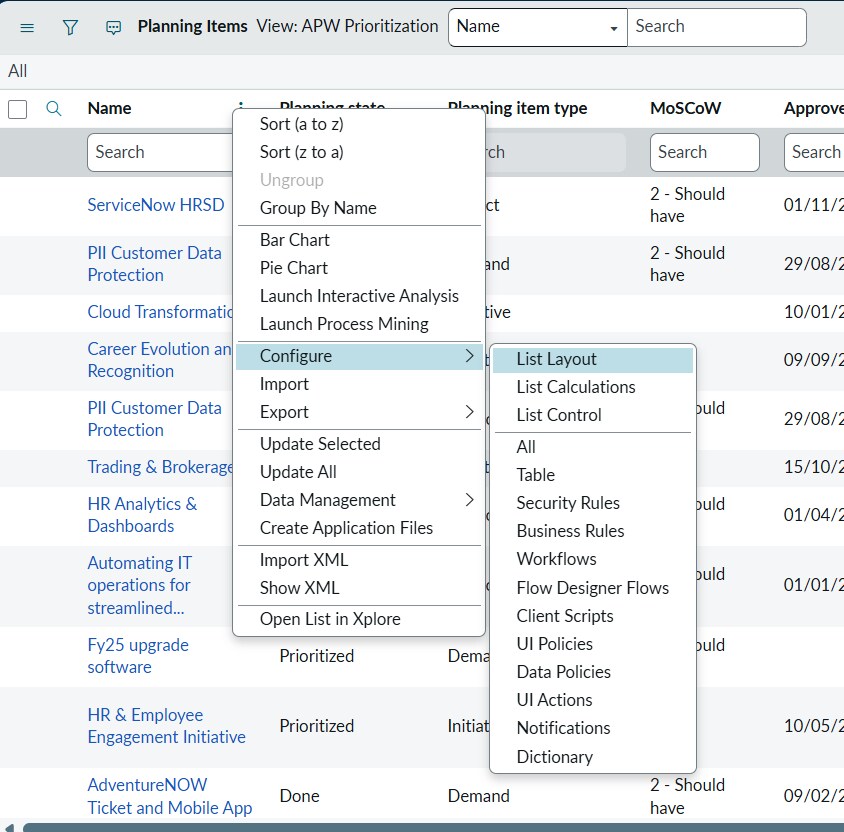
Navigate to table "sn_align_core_planning_item", change the view to "APW Prioritization"
Context Menu -> Configure -> List Layout
Update the layout
Save
- Mark as New
- Bookmark
- Subscribe
- Mute
- Subscribe to RSS Feed
- Permalink
- Report Inappropriate Content
03-25-2026 06:19 AM
Hi @Anna49 ,
This updates the Default view of the Workspace in the Prioritization tab not any saved views.
If you want to update your custom/saved/shared view created in Workspace. From the side menu Personalize the columns.
- Mark as New
- Bookmark
- Subscribe
- Mute
- Subscribe to RSS Feed
- Permalink
- Report Inappropriate Content
03-25-2026 11:33 PM
Hi @Anand__99 ,
You were right, your solution works BUT I was changing wrong table... So on proper one it works. But there is one more possibility, but I didn't figure it out yet. On table sn_align_ws_portfolio_plan_view there is 'Prioritization list' field. If you add there some code, it has higher priority in display view. If you know something more and want to share I will happy to hear about it.
Thank you for your help.
Anna
- Mark as New
- Bookmark
- Subscribe
- Mute
- Subscribe to RSS Feed
- Permalink
- Report Inappropriate Content
03-26-2026 05:40 AM - edited 03-26-2026 05:40 AM
The table basically stores the record of all the views, whether it is default or any custom view created by user for specific portfolio. So, when you are modifying view from list layout/personalize from workspace it stores the information in that record.
Remember ServiceNow stores every information in a table