How to open a catalog item with pre-populated variables from a portal "Create New" button?

- Mark as New
- Bookmark
- Subscribe
- Mute
- Subscribe to RSS Feed
- Permalink
- Report Inappropriate Content
03-20-2026 11:18 PM
Hello Community,
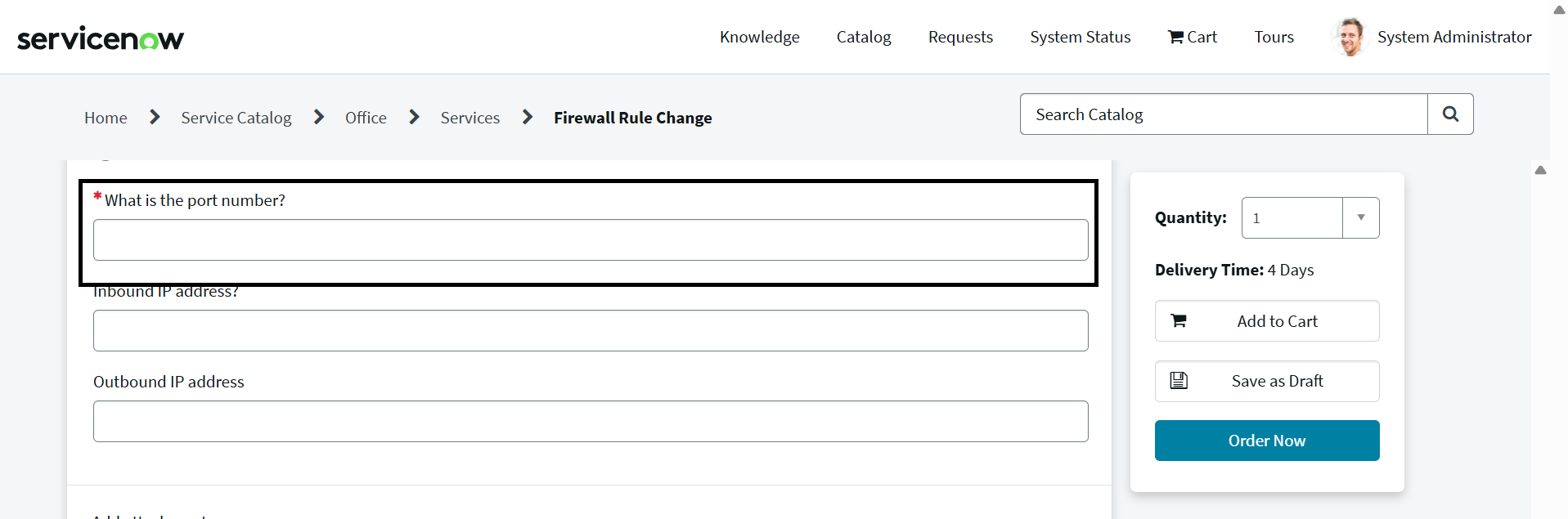
I have added a "Create New" button on my Service Portal. My goal is that when a user clicks this button, it opens a specific catalog item, and some variables on that item are automatically populated with predefined data.
Could someone please guide me on how to achieve this functionality? Specifically:
- How do I pass variable values when opening the catalog item from the portal?
- Is there a recommended way to implement this using URL parameters or client scripts?
- Any examples or best practices would be much appreciated.
Thank you in advance for your help!
Reference:
HTML :
<button ng-click="c.createNew()">Create New</button>
Server Script:
Client Script:
- Mark as New
- Bookmark
- Subscribe
- Mute
- Subscribe to RSS Feed
- Permalink
- Report Inappropriate Content
03-24-2026 01:24 AM
Hi , Please find the below scripts and I have attached two images. In 1st image we can able to get the object and showed in Infomessage but I couldn't able to send this response to client side getting undefined. Could you please help me on this?
Widget Side:
Server Script:
var sendSysID = record.getValue('sys_id');
new global.checkRequestItemGlobal().getPortNumber(sendSysID);
Client Controller:
c.createNew = function() {
var url = "/sp?id=sc_cat_item&sys_id=67e2f2da4fff0200086eeed18110c7dd";
window.open(url);
};
Script Include:
var checkRequestItemGlobal = Class.create();
checkRequestItemGlobal.prototype = Object.extendsObject(AbstractAjaxProcessor, {
getPortNumber: function(sysID) {
var obj = {};
var str;
var gr = new GlideRecord('sc_req_item');
gr.addQuery('sys_id', sysID);
gr.query();
if (gr.next()) {
obj.portNumber = gr.variables.port_number.toString();
obj.inbound = gr.variables.inbound_ip.toString();
obj.outbound = gr.variables.outbound_ip.toString();
}
str = JSON.stringify(obj);
gs.addInfoMessage("Response :" + str);
return str;
},
type: 'checkRequestItemGlobal'
});
Onload Client Script:
function onLoad() {
var ga = new GlideAjax('global.checkRequestItemGlobal');
ga.addParam('sysparm_name', 'getPortNumber');
ga.getXML(function(response) {
var answer = response.responseXML.documentElement.getAttribute("answer");
var result = JSON.parse(answer);
alert(result);
alert("portNumber :" + result.portNumber);
alert("inbound :" + result.inbound);
alert("outbound :" + result.outbound);
g_form.setValue('port_number', result.portNumber);
g_form.setValue('inbound_ip', result.inbound);
g_form.setValue('outbound_ip', result.outbound);
});
}