How does ServiceNow SPM determine required resources for a project or project task?

- Mark as New
- Bookmark
- Subscribe
- Mute
- Subscribe to RSS Feed
- Permalink
- Report Inappropriate Content
04-21-2026 01:05 AM
Hello ServiceNow Community,
I am working with ServiceNow Strategic Portfolio Management (SPM), specifically Project Portfolio Management (PPM) and Resource Management, and I have a question regarding resource determination.
My questions are:
- Does ServiceNow SPM provide any built‑in feature to decide how many resources (members) are required for a particular project or project task?
- If yes, how is the required resource count determined in ServiceNow?
- Is it based on planned effort, task duration, or capacity planning?
- Who is expected to decide the required resources in ServiceNow standard practice?
- Project Manager
- Resource Manager
- System‑calculated logic
- At which stage of the lifecycle is this typically done?
- Idea
- Demand
- Project Planning
- How do Resource Plans / Resource Assignments contribute to deciding the number of required resources?
- Is there any automatic calculation in ServiceNow (OOTB) that converts effort into resource count, or is it always manually estimated and then capacity‑validated?
- Can this be done at the Project Task level, or only at the Project level?

- Mark as New
- Bookmark
- Subscribe
- Mute
- Subscribe to RSS Feed
- Permalink
- Report Inappropriate Content
04-21-2026 02:06 AM
1 & 2: ServiceNow does not decide how many recourses are needed. Maybe some AI skills can give you an estimation on it, but you can't expect a platform to calculate resource requirements based on a task. It completely depends on the organization that is doing the project.
The calculations are done based on the expected resources needed. So those need to be set first.
3. The resource manager only fulfills the requirements. They don't decide what is needed, they just schedule/plan the resources at the requested time.
4. For project related resourcing, that's done on project level. Idea and demand can be part of it (to decide if it can be done with available resourcing, but that's more high over: this will probably take 1000 hours and we want it in June, is that realistic). The actual timelines are set on the project and the project tasks are used to allocate/request the resources for the work to be done.
5. They don't. It's the other way around. A resource plan/assignment can't influence the number of required resources. Required means that those are needed to get the job done. If none are available (according to plan/assignments), the tasks need to be rescheduled. The availability has no influence on the requirement. With fewer (or more) people available, the requirements don't change.
Please mark any helpful or correct solutions as such. That helps others find their solutions.
Mark
- Mark as New
- Bookmark
- Subscribe
- Mute
- Subscribe to RSS Feed
- Permalink
- Report Inappropriate Content
04-22-2026 01:48 AM
Hello Mark
Thank you for the information .
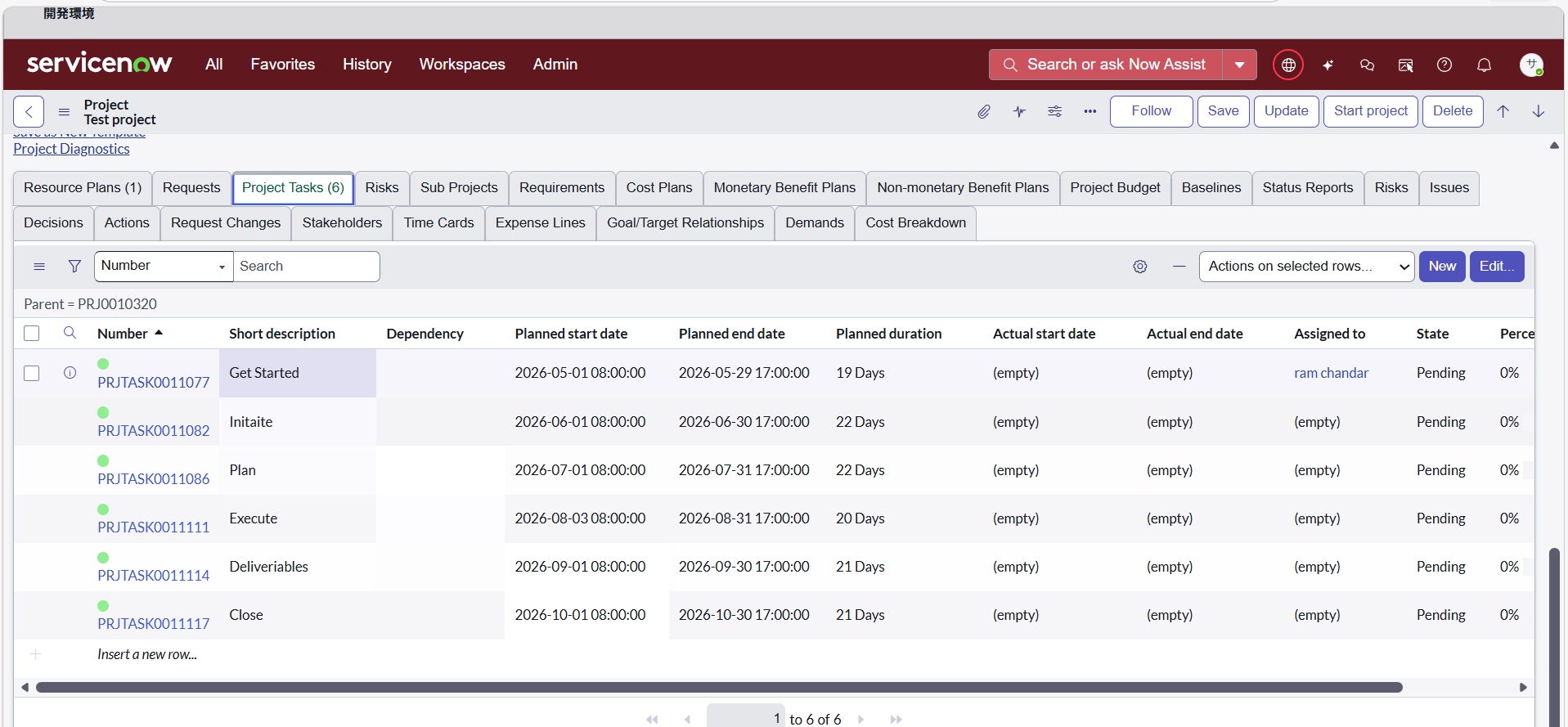
As of now, I am checking the planned days and duration in the Project form and calculating the number of resources required based on that information.
However, at the time of resource allocation, if the plan is not visible, it becomes difficult to proceed. Is there any possibility or existing feature that allows me to confirm planned days, duration, and related project or task information directly within the Resource Plan tab (or on a single screen) while allocating resources?
Thank you
- Mark as New
- Bookmark
- Subscribe
- Mute
- Subscribe to RSS Feed
- Permalink
- Report Inappropriate Content
04-22-2026 02:57 AM
That doesn't work. It's not the 'planned days' or duration of the project that defines the needed resources. It's the tasks that are needed to get the project finished that define what is needed. So if a task states it will take 50 hours to fulfill and it can start on March 1st and need to be done before March 25th, those 50 hours need to be planned in that period. The resource requirement should specify the skills needed and based on that, the resource manager allocates available resources.
It sounds weird to say 'this project requires 1600 hours because there are 200 days between start and finish'.
Within the project resource requirements need to be formulated (what is needed at what moment) and those need to be allocated by the resource manager.
Please mark any helpful or correct solutions as such. That helps others find their solutions.
Mark