Make field read only for mobile App.

- Mark as New
- Bookmark
- Subscribe
- Mute
- Subscribe to RSS Feed
- Permalink
- Report Inappropriate Content
03-24-2020 12:56 AM
Hi All ,
I need to make field on request Change as read-only for mobile app. I am trying this with UI Policy.This does not seem to work. Kindly help with your inputs.
Thanks.
Regards,
Shiva.


- Mark as New
- Bookmark
- Subscribe
- Mute
- Subscribe to RSS Feed
- Permalink
- Report Inappropriate Content
03-24-2020 01:10 AM
Hi Shiva,
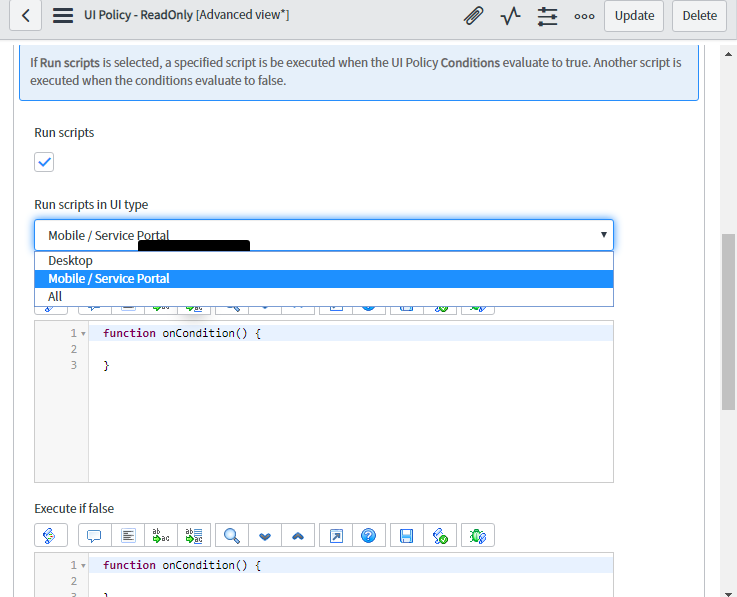
Can you create client script to make it read-only and set UI type as Mobile and then check
Mark ✅ Correct if this solves your issue and also mark 👍 Helpful if you find my response worthy based on the impact.
Thanks
Ankur
Ankur
✨ Certified Technical Architect || ✨ 10x ServiceNow MVP || ✨ ServiceNow Community Leader
- Mark as New
- Bookmark
- Subscribe
- Mute
- Subscribe to RSS Feed
- Permalink
- Report Inappropriate Content
03-24-2020 01:11 AM
Hi,
Are you using Mobile UI Policies option ?
In that, just give your condition on specific table
- Mark as New
- Bookmark
- Subscribe
- Mute
- Subscribe to RSS Feed
- Permalink
- Report Inappropriate Content
03-24-2020 03:06 AM

- Mark as New
- Bookmark
- Subscribe
- Mute
- Subscribe to RSS Feed
- Permalink
- Report Inappropriate Content
03-24-2020 03:18 AM
Hi Indrajit ,
I have already done that, but that is not working.
Thanks.
Regards,
Shiva.
