- Mark as New
- Bookmark
- Subscribe
- Mute
- Subscribe to RSS Feed
- Permalink
- Report Inappropriate Content
03-17-2026 05:35 AM
Hello Community,
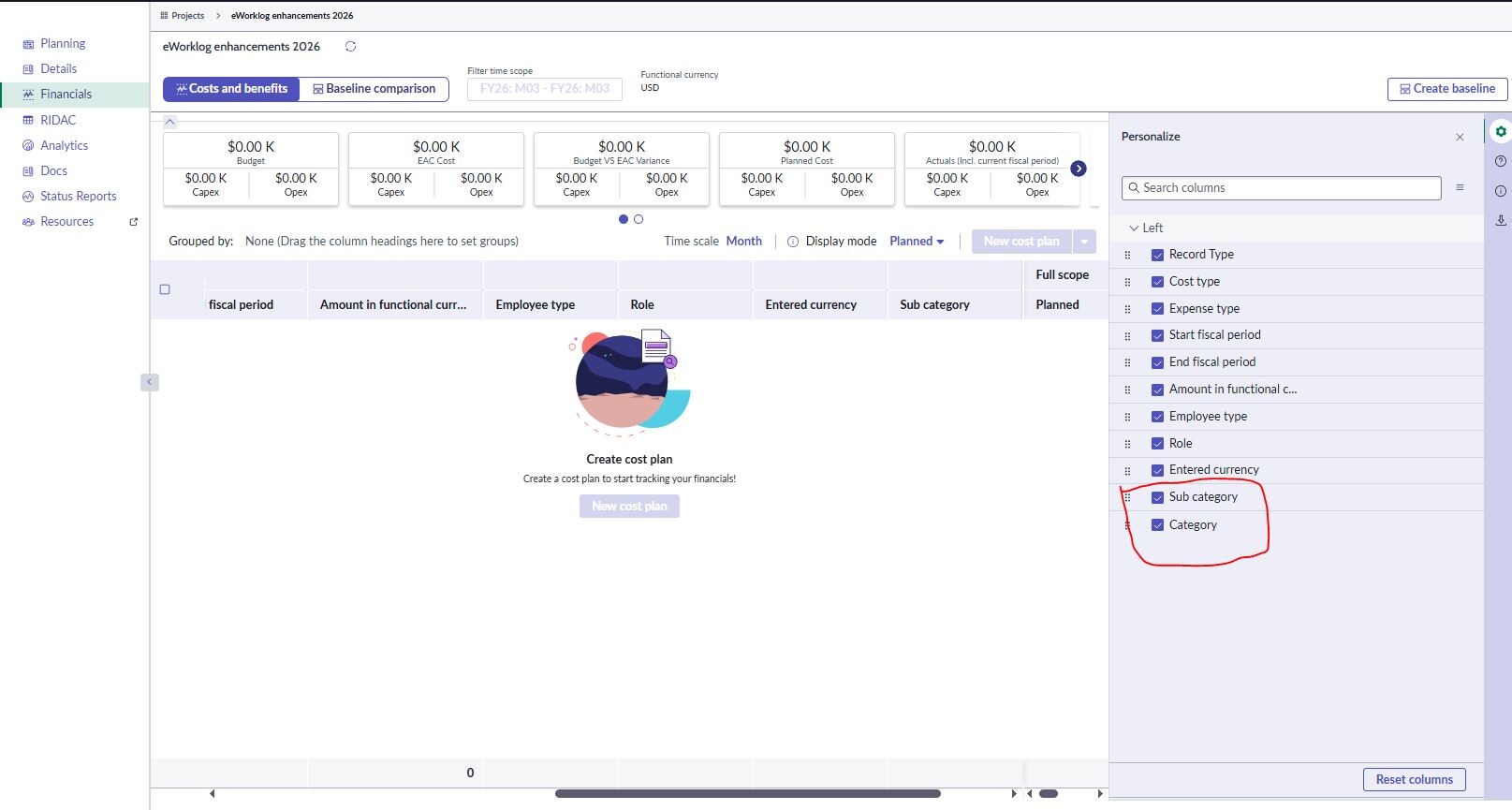
Does someone know where these 2 fields on the Financials tab of the Project Workspace are coming from?
- Category and Sub Category
(see screenshot attached)
I know that generally the layout and the selectable fields of the Financials tab can be configured via the corresponding list view (financials_view) on the cost_plan table, but these 2 specific fields are not in the list view, nor they are existing fields on the cost_plan table. Are these added directly within the workspace rendering engine?
We would like to hide them for all users.
Thanks!
Solved! Go to Solution.

- Mark as New
- Bookmark
- Subscribe
- Mute
- Subscribe to RSS Feed
- Permalink
- Report Inappropriate Content
03-17-2026 10:31 PM
Hi @Attila Beregvar the Category and Sub Category fields are from the benefit plans table. In Dec 2025 store release, the financials tab supports creating and updating both cost and benefit plans in the same view. The list view is now a combination of records from both cost_plan and benefit_plan tables. You can still modify the list view. Please check the docs page for more information.
- Mark as New
- Bookmark
- Subscribe
- Mute
- Subscribe to RSS Feed
- Permalink
- Report Inappropriate Content
03-17-2026 10:31 PM
Hi @Attila Beregvar the Category and Sub Category fields are from the benefit plans table. In Dec 2025 store release, the financials tab supports creating and updating both cost and benefit plans in the same view. The list view is now a combination of records from both cost_plan and benefit_plan tables. You can still modify the list view. Please check the docs page for more information.