Assessment Simulator Task 3 - Create and comment on a record - Failed

- Mark as New
- Bookmark
- Subscribe
- Mute
- Subscribe to RSS Feed
- Permalink
- Report Inappropriate Content
05-09-2026 08:20 PM
Followed all the guidelines, impersonated as platform user and added work notes and additional comments, still the task if faled. Gets a message as Did you add and post a comment?
Cannot move to another task unless this section is completed.
Kindly help

- Mark as New
- Bookmark
- Subscribe
- Mute
- Subscribe to RSS Feed
- Permalink
- Report Inappropriate Content
05-10-2026 06:32 AM
Hi @shalinijaya
Ensure you are impersonating "Platform User" . add only Additional Comments, not Work Notes
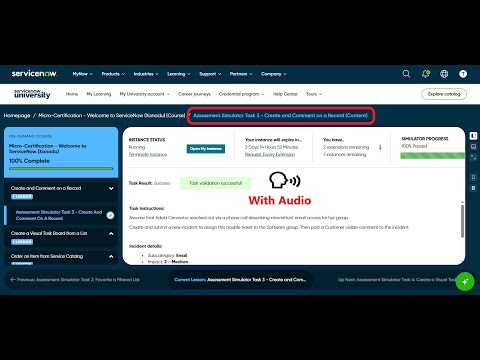
Check these videos and validate your implemented steps:
https://www.youtube.com/watch?v=AgqQ-LWodxQ
https://www.youtube.com/watch?v=PFmFFaqaoxc
https://www.youtube.com/watch?v=TXJQqhTL2ao
Regards
Tanushree Maiti
ServiceNow Technical Architect
LinkedIn: https://www.linkedin.com/in/tanushreemaiti

- Mark as New
- Bookmark
- Subscribe
- Mute
- Subscribe to RSS Feed
- Permalink
- Report Inappropriate Content
07-07-2026 06:02 AM
Hello,
Still, it is not working. I see many have commented the same in youtube as well facing the same issue. I tried with and without impersonation. filling only fields which was asked and filling all the fields. Still, it is not working.
I don't understand, if it is not working it shouldn't had worked for everyone.
If anyone understand exactly what to do, please comment.
Thanks in advance

