Assessment Simulator Task 3 - Create and comment on a record (Content)

- Mark as New
- Bookmark
- Subscribe
- Mute
- Subscribe to RSS Feed
- Permalink
- Report Inappropriate Content
05-23-2026 06:23 AM
i did every thig but it keep on showing this Task Result: failed did you add and post the comment?
i am not able to understand that the validating page is working or not i am not able see the otheres solutions it is also showing an error so guid me
- Mark as New
- Bookmark
- Subscribe
- Mute
- Subscribe to RSS Feed
- Permalink
- Report Inappropriate Content
05-23-2026 08:57 AM
Hi @saitharunp,
May I know which course you are referring to?
Could you please share the screenshot as well?
So, that will help you.

- Mark as New
- Bookmark
- Subscribe
- Mute
- Subscribe to RSS Feed
- Permalink
- Report Inappropriate Content
05-23-2026 08:57 AM
Hi @saitharunp
Ensure You are right-clicking the header and select Save before adding any comments.
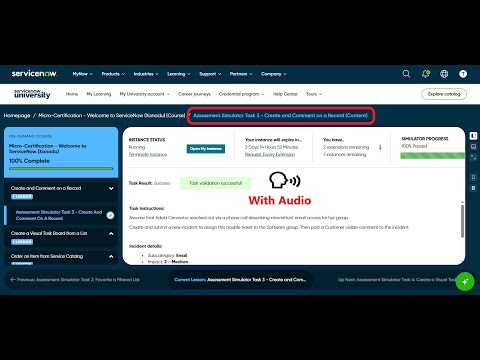
Check these videos, validate your implemented steps:
refer: https://www.youtube.com/watch?v=AgqQ-LWodxQ
https://www.youtube.com/watch?v=PFmFFaqaoxc
Regards
Tanushree Maiti
ServiceNow Technical Architect
LinkedIn: https://www.linkedin.com/in/tanushreemaiti

- Mark as New
- Bookmark
- Subscribe
- Mute
- Subscribe to RSS Feed
- Permalink
- Report Inappropriate Content
05-26-2026 10:00 AM
Hi, I encountered the same issue. I already added the customer-visible comment and saved the record, but validation still shows failed. I think there might be an issue with the validator itself. The videos helped me double-check the steps though. Thanks for sharing.
- Mark as New
- Bookmark
- Subscribe
- Mute
- Subscribe to RSS Feed
- Permalink
- Report Inappropriate Content
05-26-2026 10:05 AM
Hi @ReynaldoV
Ensure You are right-clicking the header and select Save before adding any comments.
Check these videos, validate your implemented steps:
refer: https://www.youtube.com/watch?v=AgqQ-LWodxQ
https://www.youtube.com/watch?v=PFmFFaqaoxc
Regards
Tanushree Maiti
ServiceNow Technical Architect
LinkedIn: https://www.linkedin.com/in/tanushreemaiti

