Assessment Simulator Task 3 - Create and Comment on a Record

- Mark as New
- Bookmark
- Subscribe
- Mute
- Subscribe to RSS Feed
- Permalink
- Report Inappropriate Content
07-22-2026 04:03 AM
I did all the steps correct but still showing the same pop up again and again i. e.
Did you add and post a comment?
And also I can't move to the next task once the previous one gets closed
help me

- Mark as New
- Bookmark
- Subscribe
- Mute
- Subscribe to RSS Feed
- Permalink
- Report Inappropriate Content
07-22-2026 09:55 PM
Hi @sapnatule99
Ensure You are right-clicking the header and select Save before adding any comments.
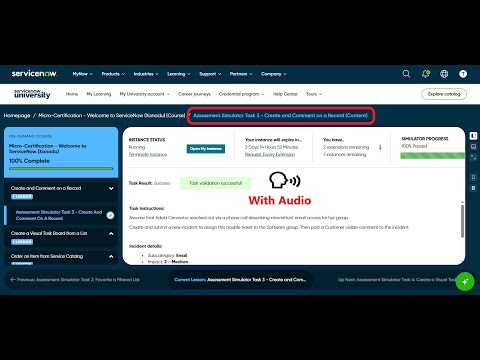
Check these videos, validate your implemented steps:
refer: https://www.youtube.com/watch?v=AgqQ-LWodxQ
https://www.youtube.com/watch?v=PFmFFaqaoxc
Regards
Tanushree Maiti
ServiceNow Technical Architect
LinkedIn: https://www.linkedin.com/in/tanushreemaiti

- Mark as New
- Bookmark
- Subscribe
- Mute
- Subscribe to RSS Feed
- Permalink
- Report Inappropriate Content
08-28-2026 09:23 AM
I too am having this issue. I've followed both videos. The instructions do not say whether to be impersonating the platform user or not and no matter what I try be it terminating the instance and opening a new one or just trying to create a new incident I cannot get it to validate my comment. It keeps saying you did not post a comment. I have no idea what to do to fix it.


- Mark as New
- Bookmark
- Subscribe
- Mute
- Subscribe to RSS Feed
- Permalink
- Report Inappropriate Content
09-29-2026 08:55 PM
Hi, How did you manage to solve this issue.
- Mark as New
- Bookmark
- Subscribe
- Mute
- Subscribe to RSS Feed
- Permalink
- Report Inappropriate Content
4 weeks ago
I used the debug simulator option I can't remember where I found it in my mad search, but after running that and it finding nothing wrong. I re-tried after and it went through without issue. I will say I also tried resubmitting it like 15-20 without success before the debug.

