Assessment Simulator Task 3 - Create and comment on a record validation error

- Mark as New
- Bookmark
- Subscribe
- Mute
- Subscribe to RSS Feed
- Permalink
- Report Inappropriate Content
05-29-2026 01:29 AM

steps I followed
impersonate as platform user->create incident with specified values->save and submit before posting comment->add comment(visible to customer)only not any workposts/notes->save then validate it displays the error in screenshot
- Mark as New
- Bookmark
- Subscribe
- Mute
- Subscribe to RSS Feed
- Permalink
- Report Inappropriate Content
06-01-2026 02:55 AM
I am new to this tried again all over.. No luck 😞
Where can I post a issue to ServiceNow University?
- Mark as New
- Bookmark
- Subscribe
- Mute
- Subscribe to RSS Feed
- Permalink
- Report Inappropriate Content
06-01-2026 03:07 AM
It can get frustrating at times but keep with it and you'll start to learn about the quirks of the simulators and how to handle them!
Hopefully this direct link will work ServiceNow University Help Center - if not, you can access it via 'Help Center' in the top menu navigation and then you'll need to raise a case:

I'd be interested to know what the cause is if possible so let me know how you get on.
☕ Powered by caffeine, curiosity, and more failed attempts than I'd like to admit

- Mark as New
- Bookmark
- Subscribe
- Mute
- Subscribe to RSS Feed
- Permalink
- Report Inappropriate Content
06-01-2026 03:09 AM
Hi @VakadaV
Ensure You are right-clicking the header and select Save before adding any comments.
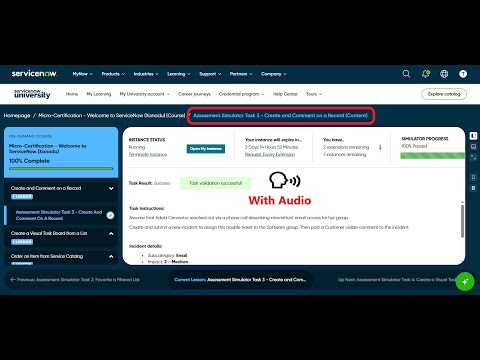
Check these videos, validate your implemented steps:
refer: https://www.youtube.com/watch?v=AgqQ-LWodxQ
https://www.youtube.com/watch?v=PFmFFaqaoxc
Regards
Tanushree Maiti
ServiceNow Technical Architect
LinkedIn: https://www.linkedin.com/in/tanushreemaiti

- Mark as New
- Bookmark
- Subscribe
- Mute
- Subscribe to RSS Feed
- Permalink
- Report Inappropriate Content
06-07-2026 05:05 PM
Remake the incident as a system administrator, delete all old references/ incidents that attempts to complete the step. Log out of the instance and log back in to try again.
- Mark as New
- Bookmark
- Subscribe
- Mute
- Subscribe to RSS Feed
- Permalink
- Report Inappropriate Content
08-26-2026 08:01 AM
did you add and post a comment

