- Mark as New
- Bookmark
- Subscribe
- Mute
- Subscribe to RSS Feed
- Permalink
- Report Inappropriate Content
09-26-2024 08:47 AM - edited 09-26-2024 08:49 AM
We need to implement three use cases pertaining to agreements.
Case # 1:
RITM has 2 tasks, which run in parallel (no dependencies)
Task # 1 = OLA is set to 3 days
Task # 2 = OLA is set to 2 days
RITM = SLA is set to 3 days to set the user expectation
Case # 2
RITM has 3 tasks, which run sequentially (dependencies)
Task # 1 = OLA is set to 1 day
Task # 2 = OLA is set to 2 days (starts after task # 1 in the conditions)
Task # 3 = OLA is set to 2 days (starts after task # 2 in the conditions)
RITM = SLA is set to 5 days
Case # 3
RITM has 3 tasks, with a run mix
Task # 1 = OLA is set to 5 days
Task # 2 = OLA is set to 2 days (starts after task # 1 in the conditions)
Task # 3 = OLA is set to 10 days (starts after task # 1 in the conditions)
RITM = SLA to be set to 15 days
Configuring the OLA is easy enough, and dealing with the sequence also straightforward using the conditions. What I'm not finding is how to configure the actual SLA which encompasses all tasks and set the user expectation for delivery timeline. We would be displaying that number in the Delivery Timeline field (which is a text field), but would also want to measure the workflow as a whole, with the related OLA information and the performance of the contributing teams.
There are no pause conditions, and the OLA clock stops once the task is closed complete or incomplete.
The RITM (SLA) clock stops once all tasks are no longer active. Ad Hoc tasks are not included.
Solved! Go to Solution.

- Mark as New
- Bookmark
- Subscribe
- Mute
- Subscribe to RSS Feed
- Permalink
- Report Inappropriate Content
10-01-2024 12:57 PM
Yes Of Course,
Integrating OLAs with SLA in ServiceNow
- Define OLAs: Set OLAs for each task.
- Define SLA: Establish the RITM SLA for overall expectations.
- Link OLAs in SLA Breakdown: Use SLA Breakdown Definitions to connect each task’s OLA.
Benefits:
- Reporting: Track SLA and OLA performance together.
- Identify Improvements: Spot tasks that miss OLAs for process enhancement.
This ensures effective monitoring and drives continuous improvement. Let me know if you need anything else!
- Mark as New
- Bookmark
- Subscribe
- Mute
- Subscribe to RSS Feed
- Permalink
- Report Inappropriate Content
a month ago
- Mark as New
- Bookmark
- Subscribe
- Mute
- Subscribe to RSS Feed
- Permalink
- Report Inappropriate Content
10-02-2024 01:16 PM
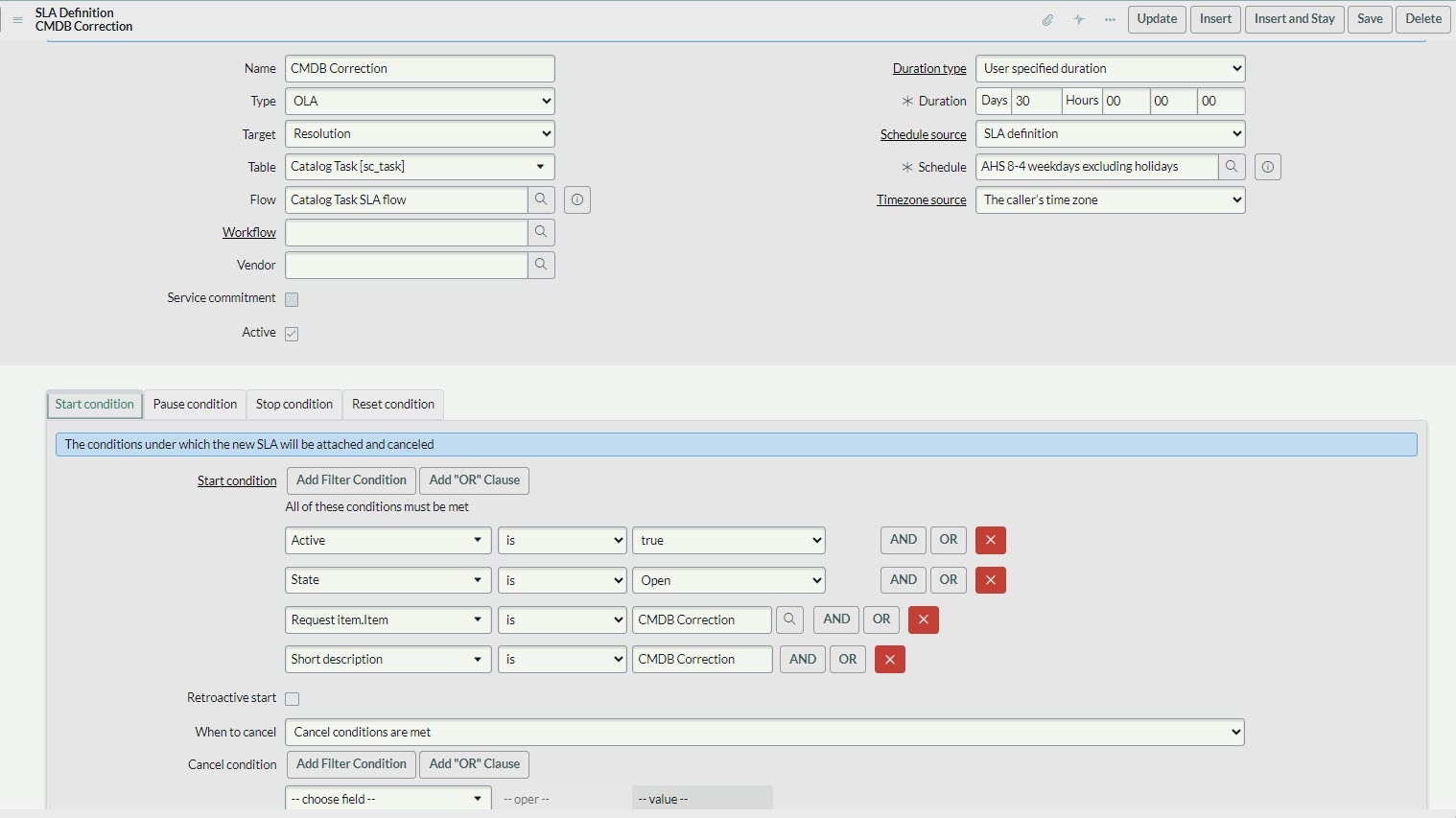
I believe the actual link to the Request ITEM is established inside the OLA, using this field. When I do it this way, I get both the SLA and the OLA ... still testing